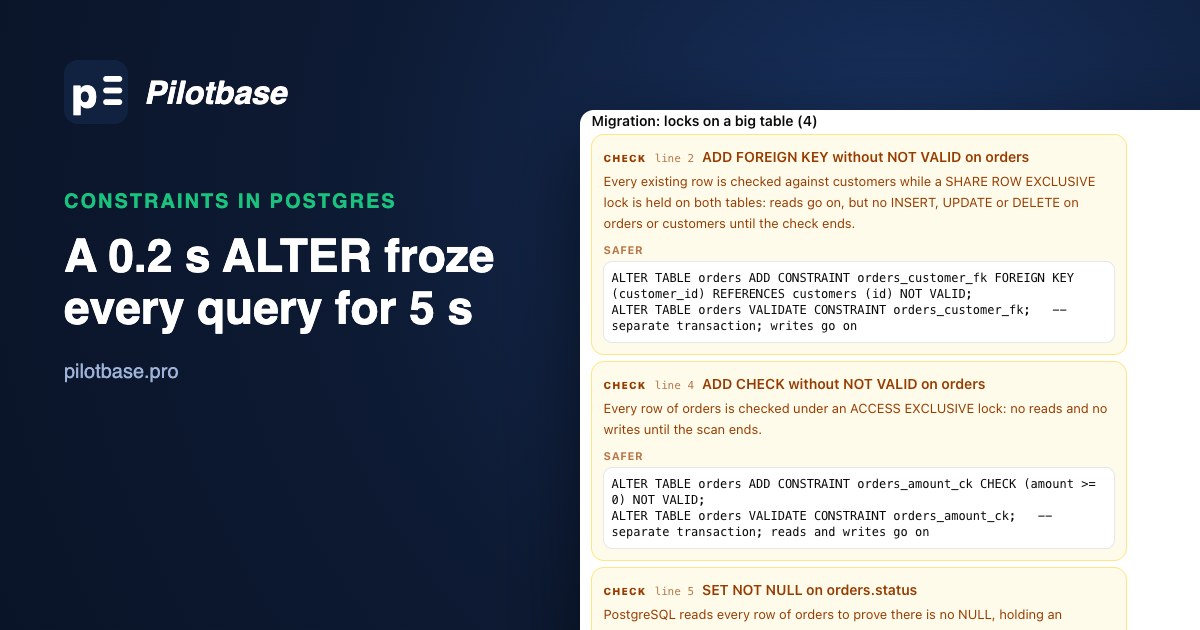
A migration that adds a foreign key, a check and a NOT NULL to the orders table looks harmless. Each line is one statement, the table has a few million rows, and on a laptop it finishes before you lift your finger off the key. Then it runs in production during a busy hour and the app stops answering for a few seconds, or a few minutes.
The change itself is rarely the problem. The problem is the lock it needs, and who is in front of it in the queue. We measured both on a table with 5 million rows: how long each way of adding a constraint takes, which locks it holds (read from pg_locks), and what an application running against the table sees while it happens.
The test table
PostgreSQL 18.6 on an Apple M4 Mac mini, default settings. An orders table with 5 million rows (326 MB of table, 469 MB with its indexes) and a customers table with 200,000. The three columns we constrain start out with nothing on them:
Every statement below ran three times inside BEGIN ... ROLLBACK, and before the rollback we asked pg_locks what the session was holding on the two tables. Times are the fastest and slowest of the three, with the table in memory.
What each statement locks, and for how long
Two kinds of lock matter here. AccessExclusive blocks everything, plain SELECTs included. ShareRowExclusive, which a foreign key takes, lets reads through but blocks every INSERT, UPDATE and DELETE, and it takes it on both tables: while the one-step foreign key checks its 5 million rows, nobody can add a customer either.
The one-step forms all scan the whole table while holding that lock. Here that was 0.2 to 0.3 seconds, because the table is small and was in memory. The scan grows with the table, roughly in line with its size, and gets much slower when the table has to come off disk. The same statements on a table a hundred times bigger hold the lock for tens of seconds.
The two-step forms split that apart. NOT VALID adds the constraint without looking at the existing rows, which takes under a millisecond. From that moment new and updated rows are checked (an insert with a NULL status failed straight away). VALIDATE CONSTRAINT then scans the old rows, and it does it under ShareUpdateExclusive, a lock that doesn't conflict with reads or writes. It took as long as the one-step version; it just doesn't stop anyone while it runs.
NOT NULL: borrow a check constraint
Before PostgreSQL 18 there was no NOT VALID for NOT NULL. The workaround, which works since PostgreSQL 12, is to prove it with a check constraint first. SET NOT NULL skips its scan when a validated CHECK (col IS NOT NULL) already exists, so it went from 170 ms to 0.3 ms:
The check has to be validated. With the check still NOT VALID, SET NOT NULL did its full scan anyway (173-185 ms), so skipping the middle step gives you the lock without the shortcut.
PostgreSQL 18 makes NOT NULL a real named constraint and lets you add it NOT VALID directly. Rows written from then on are checked, and the validate step scans under the same mild lock as a check:
After the validate, the column is NOT NULL like any other. If you support older versions too, the check-constraint route works on both.
When validation finds bad rows
VALIDATE fails if old rows break the rule, and it tells you which:
Nothing is lost when that happens. The NOT VALID constraint stays in place and keeps new rows clean, so you can fix the old ones in batches and run VALIDATE again. That's a reason to use the two steps even on tables small enough not to worry about locks.
The real outage: the lock queue
A quarter of a second of lock is something most apps survive. What turns a migration into an outage is waiting for the lock. To get AccessExclusive, the ALTER has to wait until every query that's already using the table finishes. While it waits, every query that arrives after it waits too, because Postgres hands out locks in order and the new queries' locks conflict with the one at the front of the queue.
We ran it against a live workload: 8 connections, each reading one random order and updating it in a loop, about 750 transactions in 14 seconds. At 3 seconds a report started on the same table and held an ordinary read lock for 6 seconds. At 4 seconds the migration began:
With no report running, the one-step check cost the app one hiccup of about 0.2 seconds. With the report running, the same statement froze every connection for over five seconds: the ALTER itself only needed 0.2 of them, the rest was waiting behind the report while holding everyone else up. A snapshot of pg_stat_activity at 6 seconds showed nine sessions waiting on a lock (the 8 app connections and the ALTER) and one sleeping report.
Note the second row: NOT VALID doesn't help here. It makes the lock short, but it still needs AccessExclusive to add the constraint, so it queues behind the report the same way. Only VALIDATE, whose lock doesn't conflict with reads or writes, went straight through, with the app's slowest transaction at 6 ms.
If you catch it happening, pg_blocking_pids() shows the chain. Here a report, a migration waiting behind it, and an app query waiting behind the migration:
The thing in front doesn't have to be a slow query. A transaction someone left open in a SQL console, idle in transaction, holds its locks just the same, for as long as it stays open.
lock_timeout, and try again
The fix for the queue is to give up quickly. With lock_timeout set, a statement that can't get its lock in time fails with canceling statement due to lock timeout instead of waiting, and the queries behind it carry on. Then you try again a moment later. Our migration did it like this:
It failed four times while the report ran and succeeded on the fifth try, once the report had finished. The app's slowest transaction went from 5.3 seconds to 351 ms. Each failed attempt still made the queries behind it wait up to 200 ms, which is where the 32 slow transactions came from; a shorter timeout makes each hiccup smaller and needs more tries. In a plain SQL migration file, SET lock_timeout at the top is the minimum: the migration fails instead of taking the site down, and you run it again.
Pair it with the two steps: lock_timeout for the short NOT VALID step, then VALIDATE, which only conflicts with other schema changes and VACUUM and can be left to run as long as it needs. It does need its own transaction. Many migration tools wrap a whole file in one transaction, and if the ADD ... NOT VALID and the VALIDATE share it, the AccessExclusive lock from the first is held until the end of the second, which undoes the whole point.
Unique constraints: build the index first
A unique constraint is an index underneath, and ADD UNIQUE builds it while holding AccessExclusive: 2.2 to 2.3 seconds on our table, with nothing able to read it. Build the index without blocking writes, then attach it, which takes a fraction of a millisecond:
CONCURRENTLY can't run inside a transaction block, and if it fails it leaves an invalid index behind; our piece on invalid indexes covers finding and rebuilding those.
The migration, rewritten
Put together, the three-line migration becomes this. Each block is its own transaction (or its own migration file):
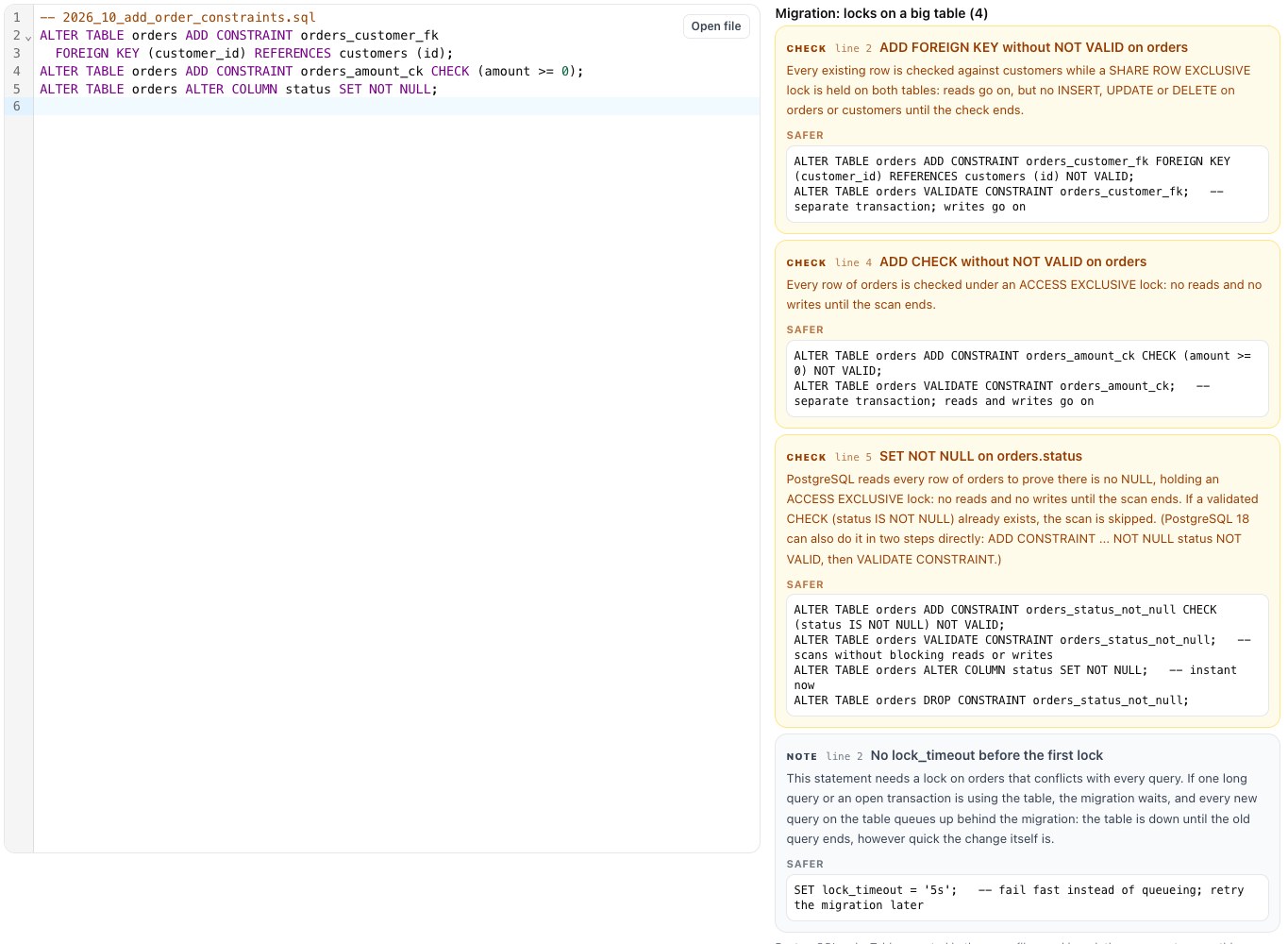
To check a migration before it runs, paste it into sqlInspector with PostgreSQL selected. Its migration checks read the file as text and flag the statements that take a long lock on an existing table, with the lock each one takes and the safer form. On the original three lines it flagged all three, plus the missing lock_timeout:
What to remember
The lock times we measured were short because the table was small; on your biggest table, multiply. But the outage in our test didn't come from the size of the table at all. It came from a 0.2-second statement waiting behind a 6-second report and holding up every query in the meantime. So: NOT VALID then VALIDATE for checks and foreign keys, a validated check before SET NOT NULL (or NOT NULL ... NOT VALID on 18), a concurrent index before a unique constraint, and lock_timeout with retries on every statement that needs a strong lock.
Run the migration against a copy of your database in Pilotbase first, and watch pg_stat_activity while it runs. Desktop for Windows, macOS and Linux, or Docker on a server.
Get PilotbaseSources: PostgreSQL 18 documentation, ALTER TABLE (NOT VALID, VALIDATE CONSTRAINT, SET NOT NULL skipping the scan, USING INDEX), Explicit Locking (lock modes and what conflicts with what), lock_timeout, System Information Functions (pg_blocking_pids), CREATE INDEX (CONCURRENTLY); PostgreSQL 18 release notes (NOT NULL constraints with NOT VALID). Scripts and outputs: setup, pg_locks per statement and the live-workload test, run on the Mac mini described above.
Comments (0)
Loading comments…