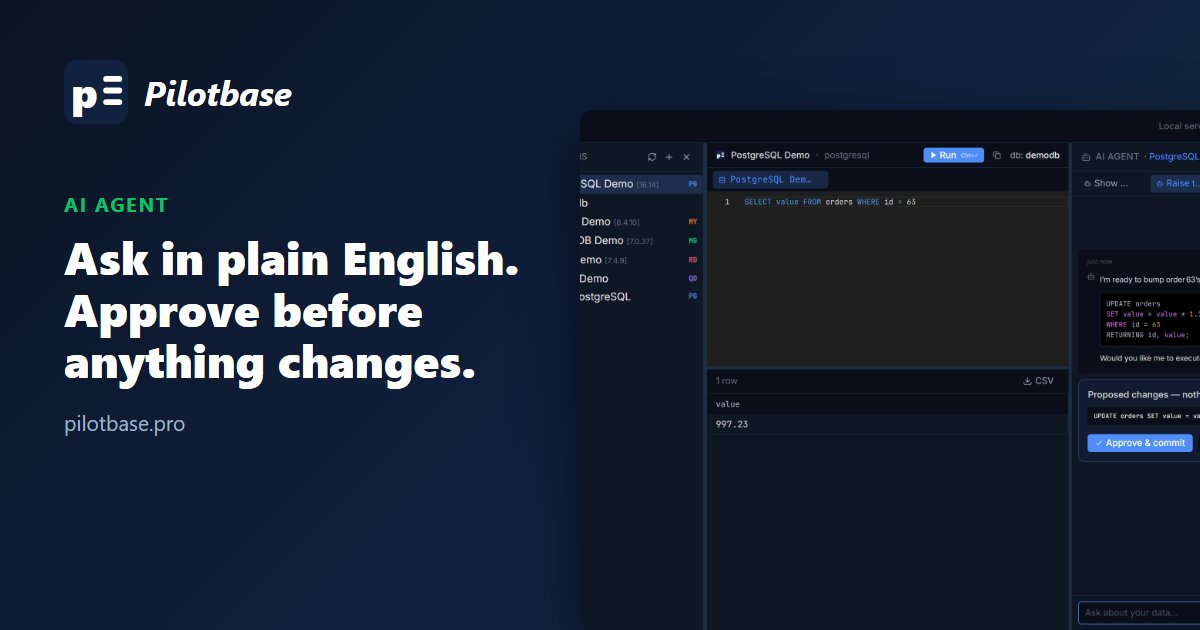
A conversational assistant that already knows your schema
Pick a connection in the left panel and the AI Agent panel on the right binds to it. Type a question the way you'd ask a colleague. There's no schema to paste and no context to set up: the agent looks it up itself.
Under the hood it's a LangGraph agent built on the ReAct pattern: it reasons about the question, calls a tool, reads the result, and repeats until it can answer. Its tools include list_tables, describe_table, list_databases and run_sql_query, so it inspects the real tables and columns before writing anything.
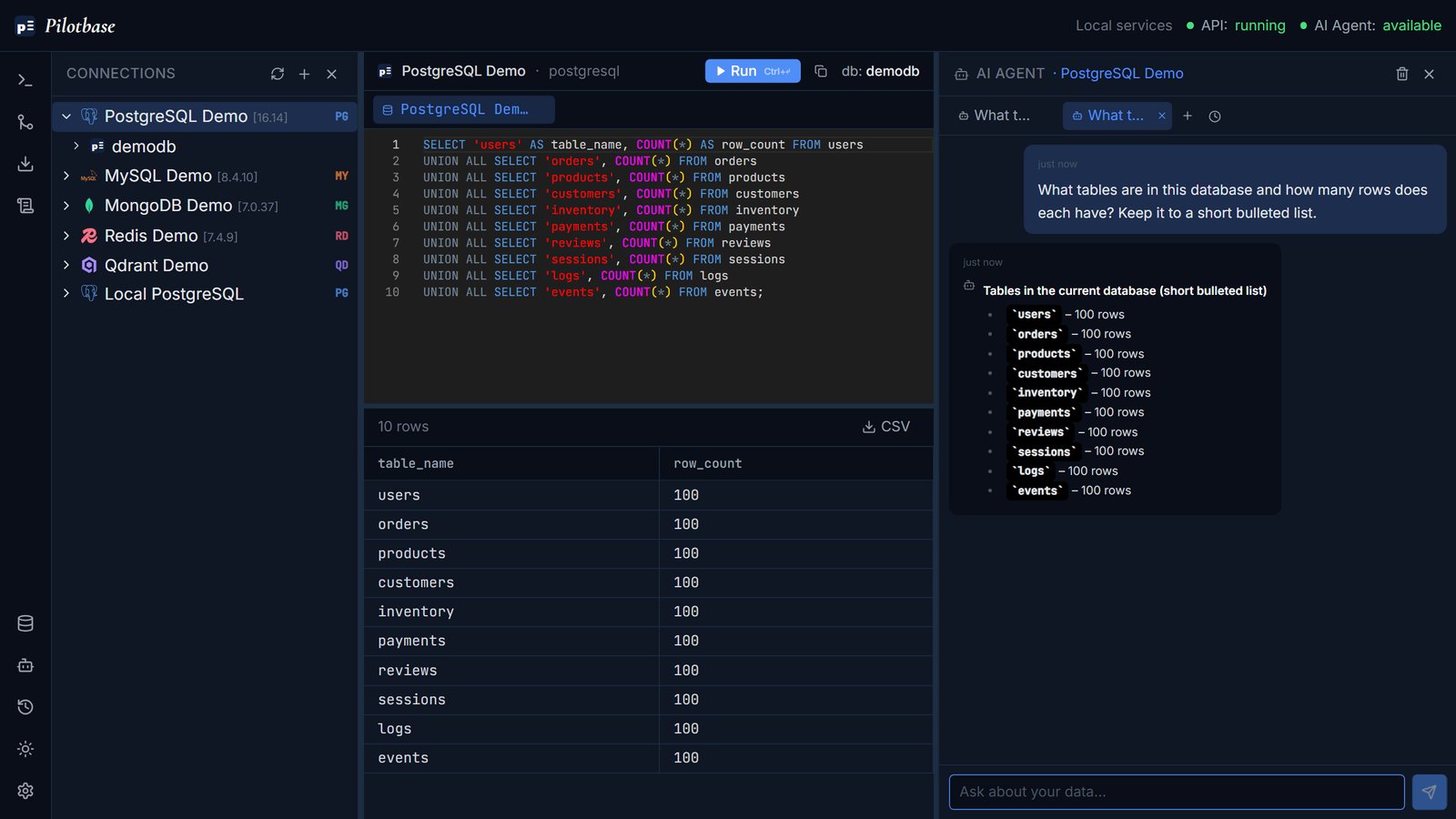
UNION ALL count query and ran it.Every query lands in your editor
Each query the agent runs is copied into the Query Editor and results grid, as if you had typed it and pressed Run. You can read the SQL, change it, run it again or export the rows to CSV. You check the query rather than trusting a summary in a chat bubble.
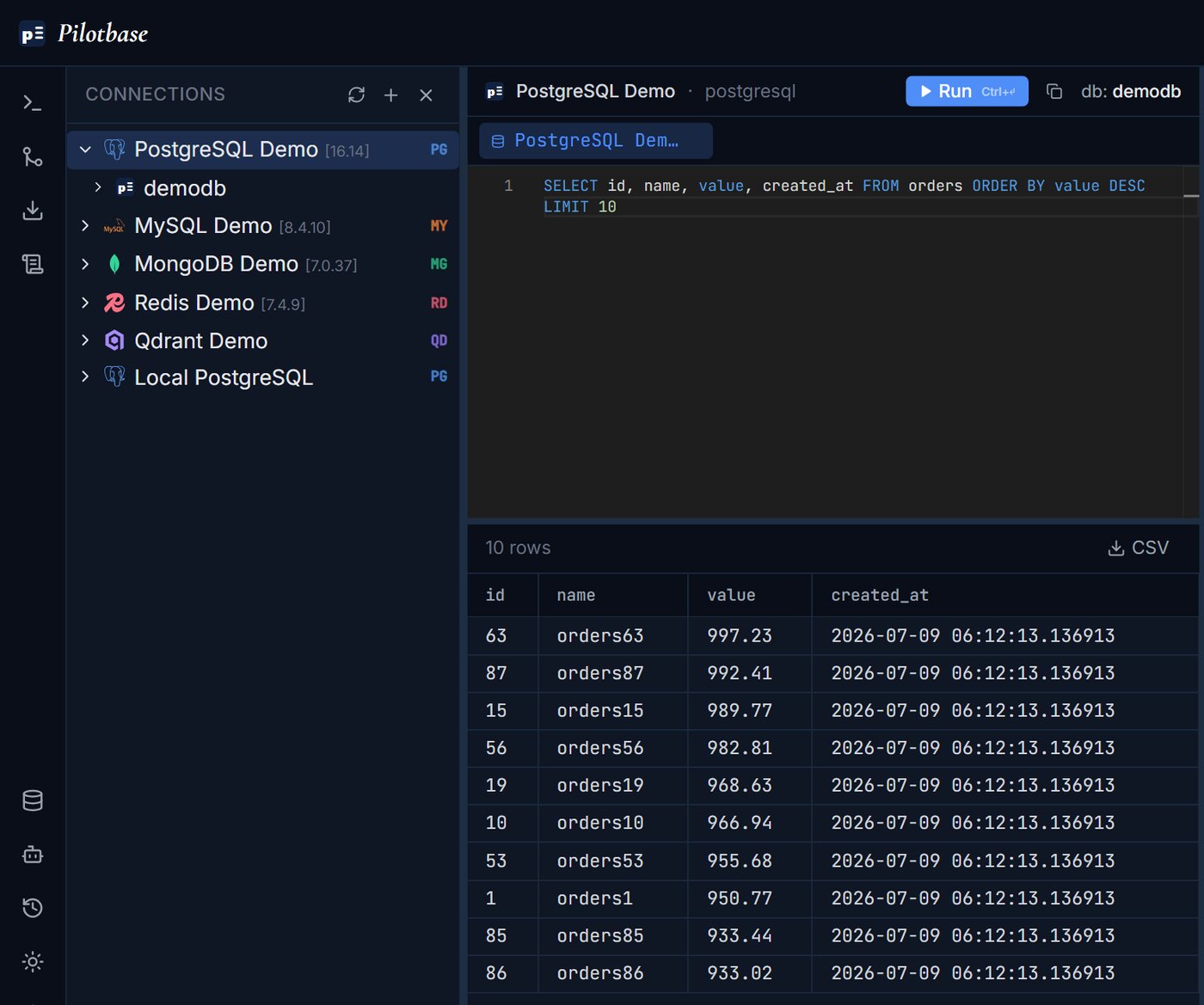
SELECT … ORDER BY value DESC LIMIT 10 and its results, ready to edit or export.Writes wait for your approval
Read-only queries run right away. Anything that changes data or structure (INSERT, UPDATE, CREATE, ALTER, creating a database, or exposing a table as a REST API) does not. The agent explains what it intends to do, and the statement is queued as a plan under Proposed changes — nothing has run yet. It runs only when you click Approve & commit. Reject discards it.
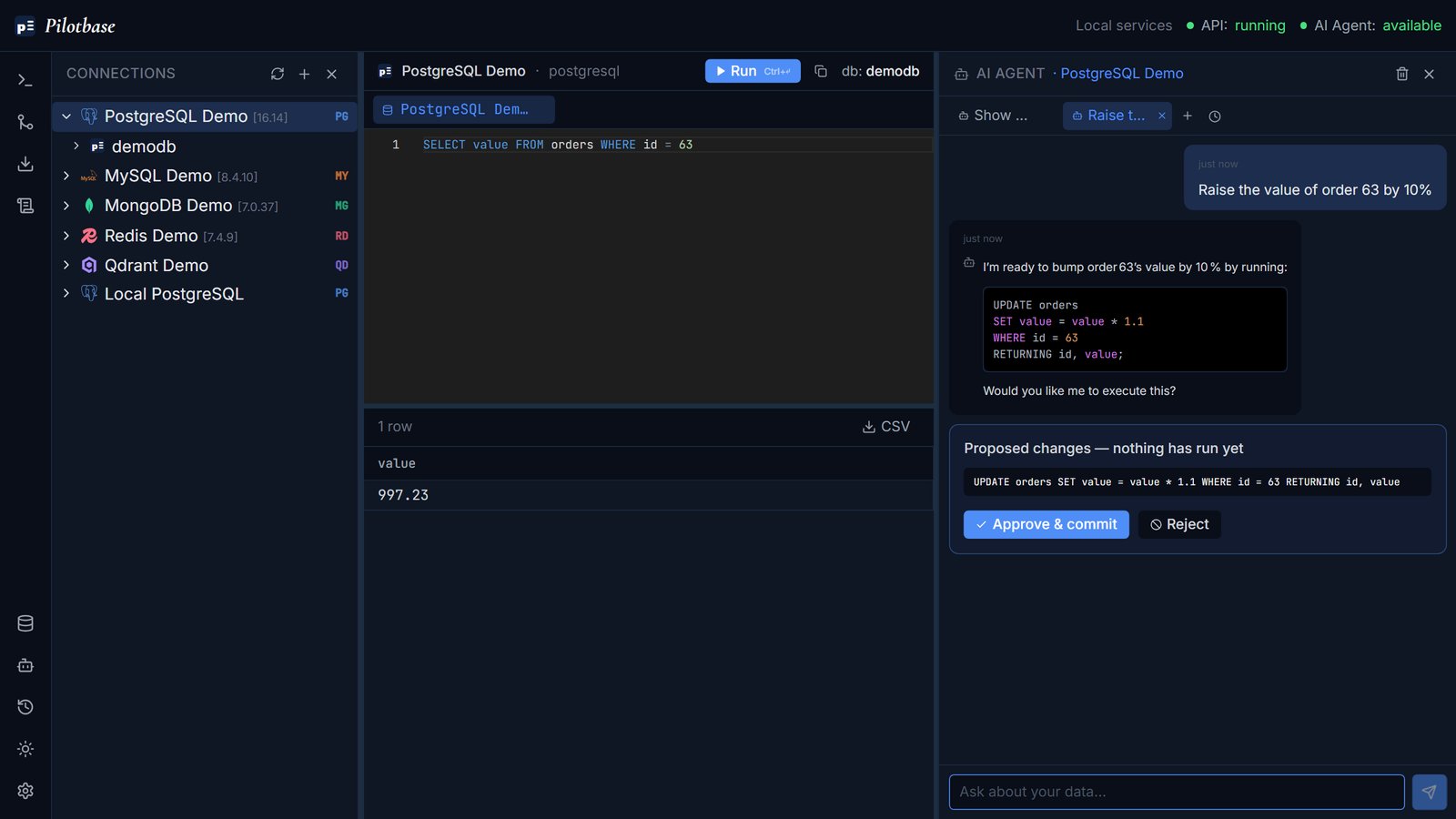
UPDATE. Nothing touches the table until you approve it.This is the human-in-the-loop gate that the OWASP Top 10 for LLM Applications recommends against Excessive Agency: an AI that can change data should need a person's sign-off first. LangGraph supports the same approve-or-reject pattern for tool calls.
Some statements are off limits entirely
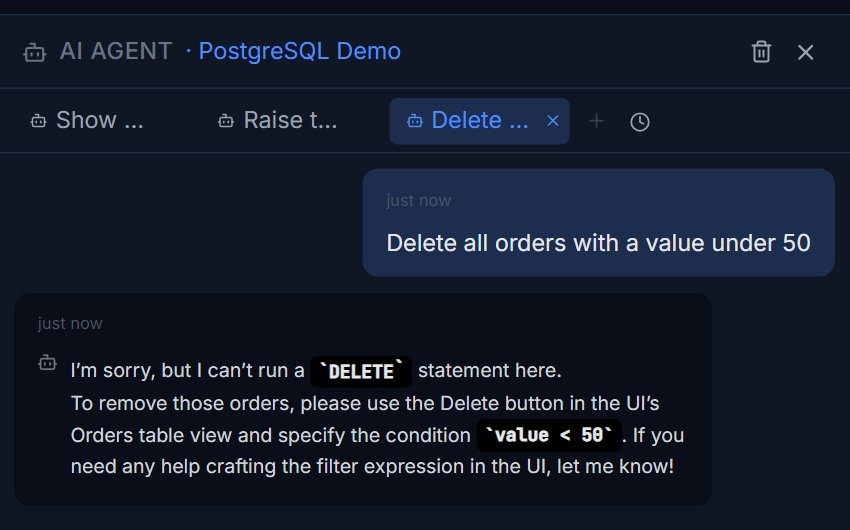
DROP, DELETE, TRUNCATE, GRANT/REVOKE, creating or altering database users, and deleting vector chunks are not available to the agent at all, even with approval. They are rejected when the agent proposes them and again in Pilotbase's query service for anything the agent sends, so a cleverly worded prompt can't get around the block. When you need them, you do them yourself in the UI.
Not just SQL
MongoDB, Qdrant and the other non-SQL engines take a JSON query envelope, and the agent is given the exact shape for the engine you're connected to. It can also see what you have open in the editor, so “fix this query” works without pasting anything. For how-to questions it searches Pilotbase's own documentation before answering.
Bring your own model
You choose the model behind the agent: Ollama (local or hosted) or OpenRouter from the in-app Settings screen, or any OpenAI-compatible endpoint through environment variables. The AI Agent indicator in the top bar checks that the endpoint is reachable without calling the model, so it never spends tokens. Chats are saved, the last one reopens on startup, and up to three can be open side by side.
Getting better answers
Name tables or columns when you know them. Ask for a short summary when the result is large, because the full rows are already in the grid. Read the SQL in the editor before you approve a change. For production databases, connect with a read-only database user as well; the approval gate is a second layer of protection, not a substitute for permissions.
Pilotbase is free and MIT-licensed. Run it as a desktop app or with Docker, connect a database, and ask it your first question.
Get Pilotbase
Comments (0)
Loading comments…