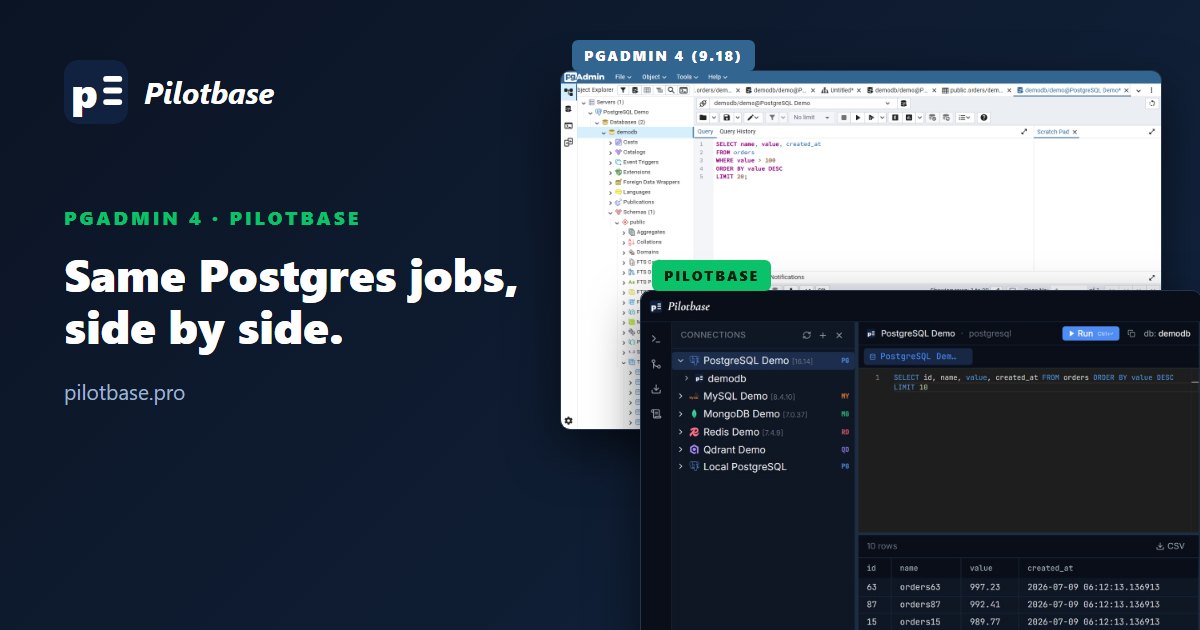
Two tools, one test database
pgAdmin is the official PostgreSQL admin tool, and most people who run Postgres have used it. Pilotbase is a newer, MIT-licensed database client that covers Postgres along with 18 other engines. The obvious question is whether Pilotbase can do the Postgres work you already do in pgAdmin, and what you give up if you switch.
To answer it with screenshots instead of feature lists, we pointed both tools at the same database: a PostgreSQL 16 demo database (demodb, 10 tables) running in Docker. pgAdmin is version 9.18 (released 17 September 2026), run from the official dpage/pgadmin4 container. Pilotbase is the current beta. Every screenshot below is from that setup, taken in early October 2026.
Short version: pgAdmin goes deeper into Postgres itself. Pilotbase is faster to get around, puts a careful AI agent and cross-engine migration in the same window, and works the same way on MySQL, MongoDB, Redis and vector databases. Details follow, task by task.
1. Connecting to a server
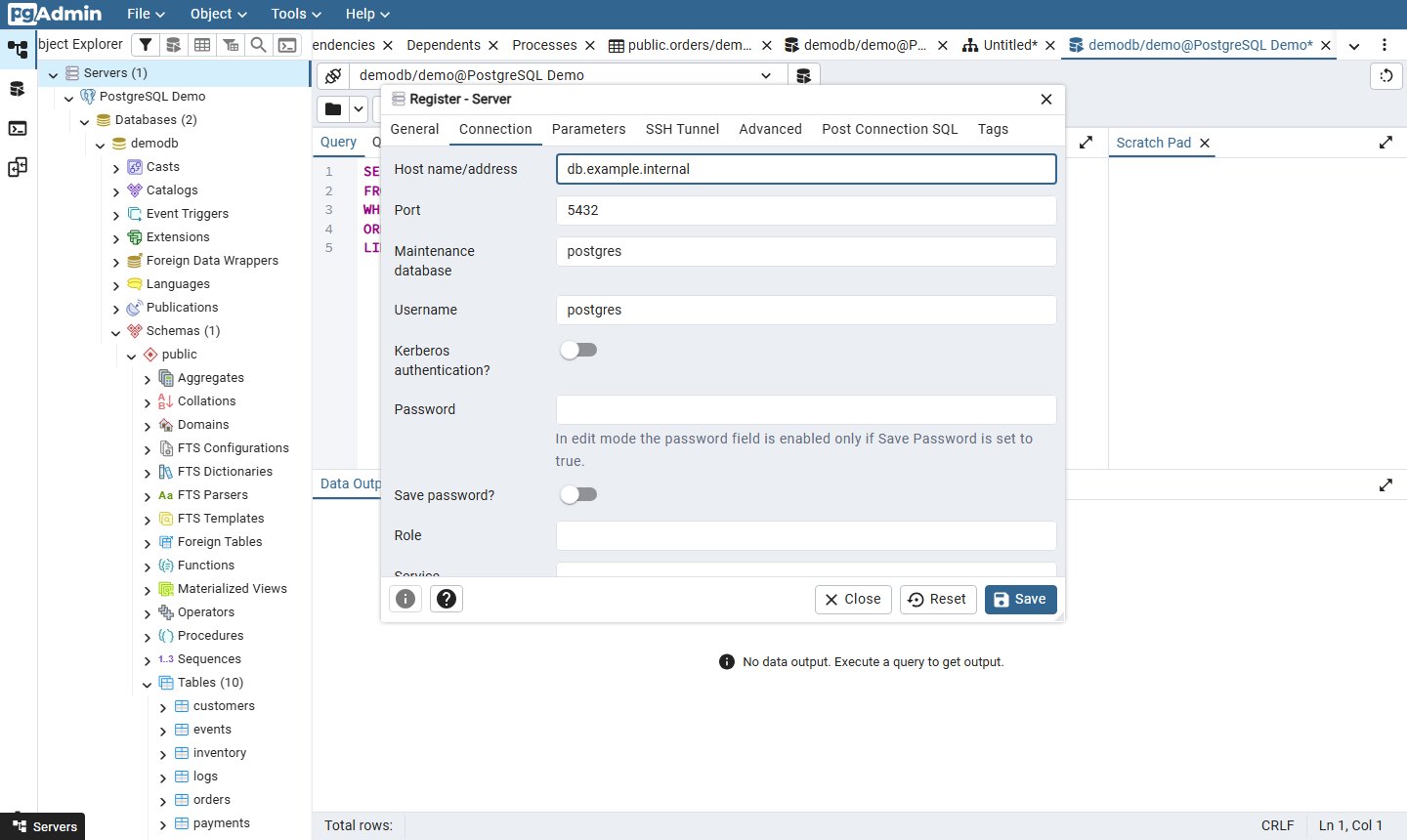
pgAdmin registers a server through a dialog with seven tabs: General, Connection, Parameters, SSH Tunnel, Advanced, Post Connection SQL and Tags. Every libpq option is there, including Kerberos, service files, SSL certificates and an SSH tunnel. If you don't save the password, pgAdmin asks for it each time it connects. Our capture script ran into that prompt too.
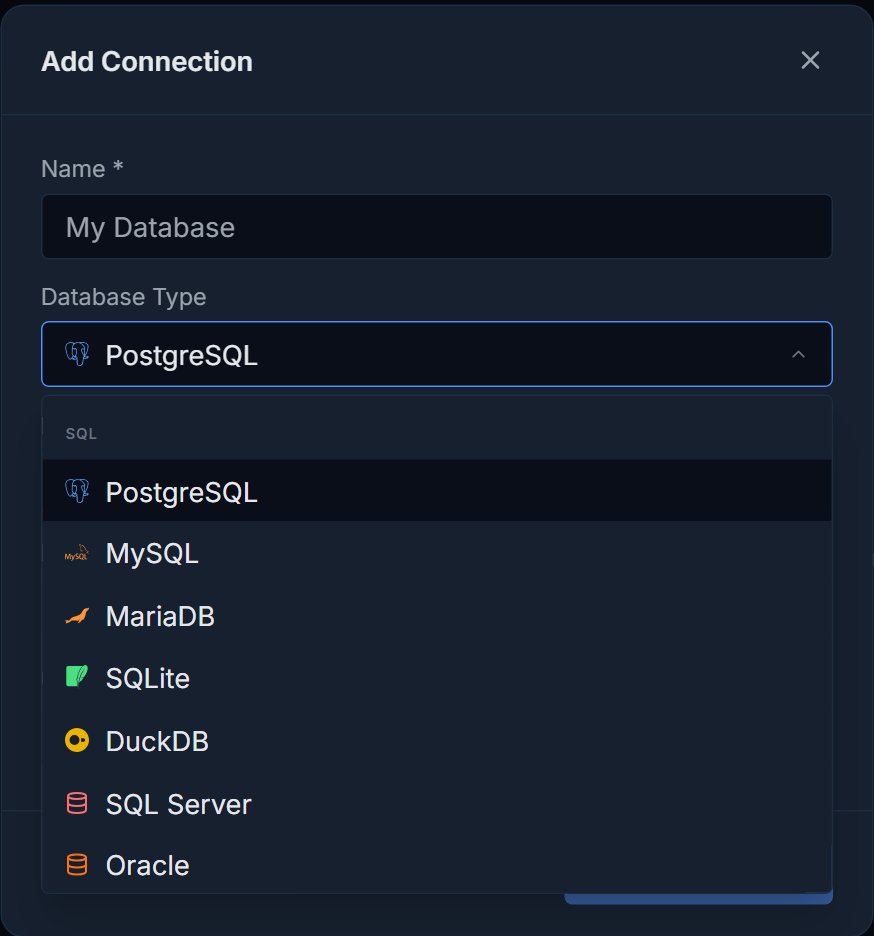
Pilotbase has a single Add Connection form. Pick the engine, then fill in host, port, user, password and an optional database. The password is encrypted with Fernet before it's stored. One form works for all 19 engines, so adding a MySQL or MongoDB connection looks the same.
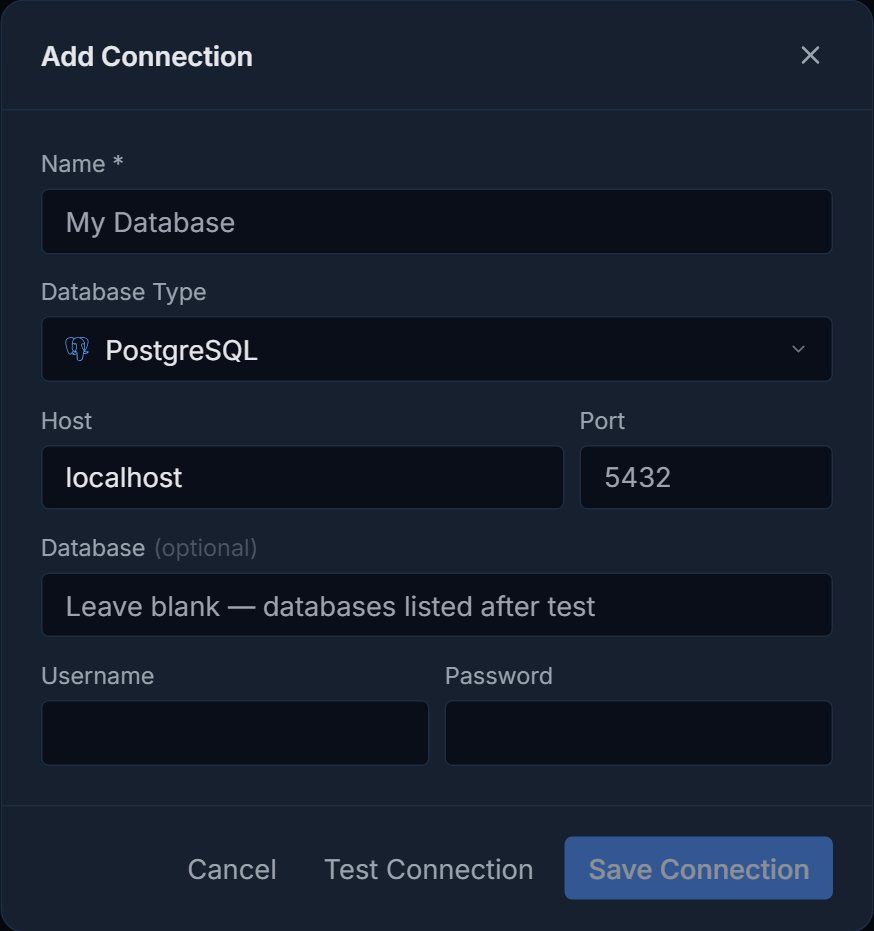
Verdict: pgAdmin wins on depth, mainly SSH tunnels and the less common libpq options. Pilotbase is quicker for the usual host, port, user and password case.
2. Browsing the schema and reading DDL
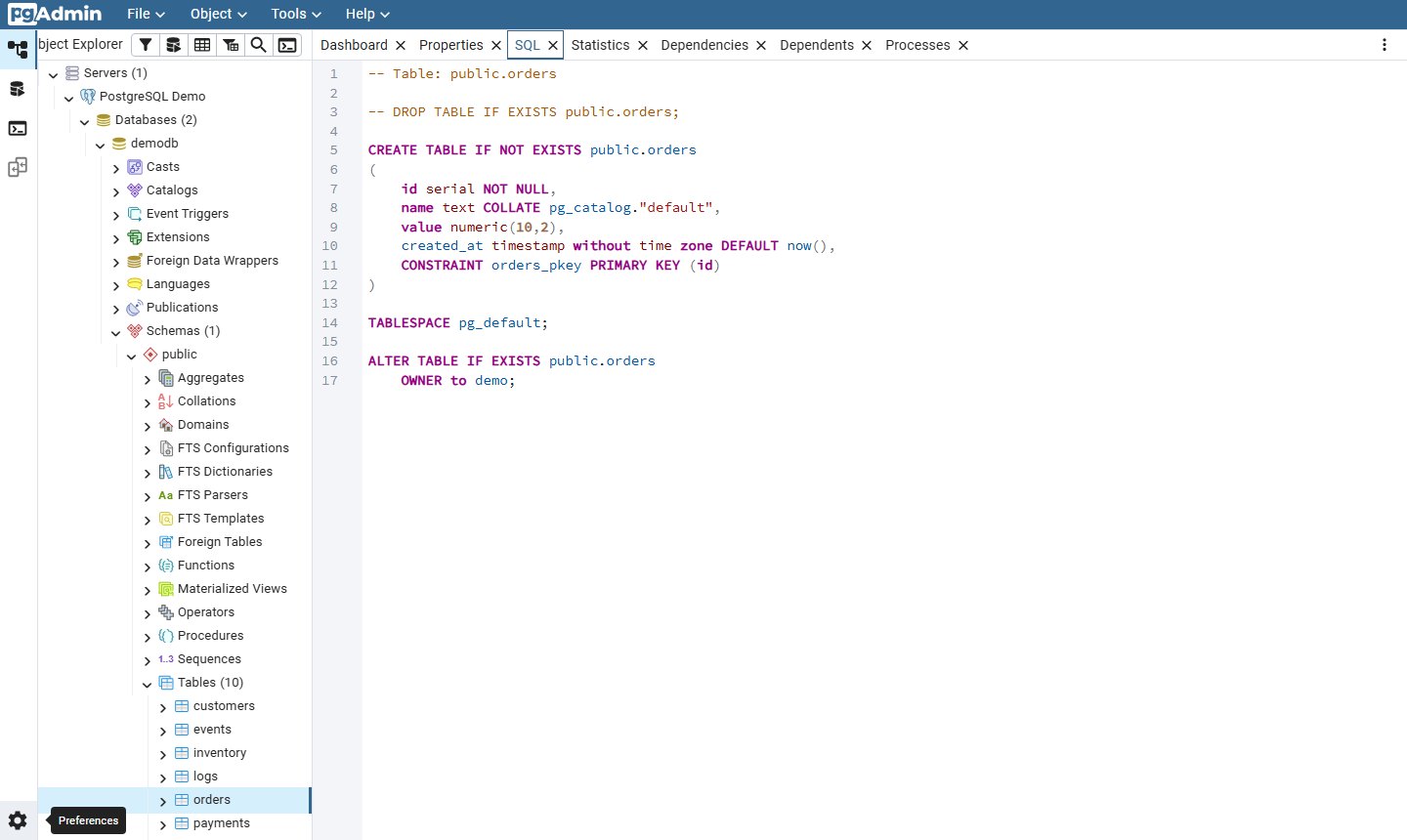
pgAdmin's Object Explorer lists every PostgreSQL object type under a database: casts, catalogs, event triggers, extensions, foreign data wrappers, publications, then per schema aggregates, collations, domains, FTS objects, functions, materialized views, operators, procedures, sequences and tables. Select a table and the SQL tab shows its full CREATE TABLE script.
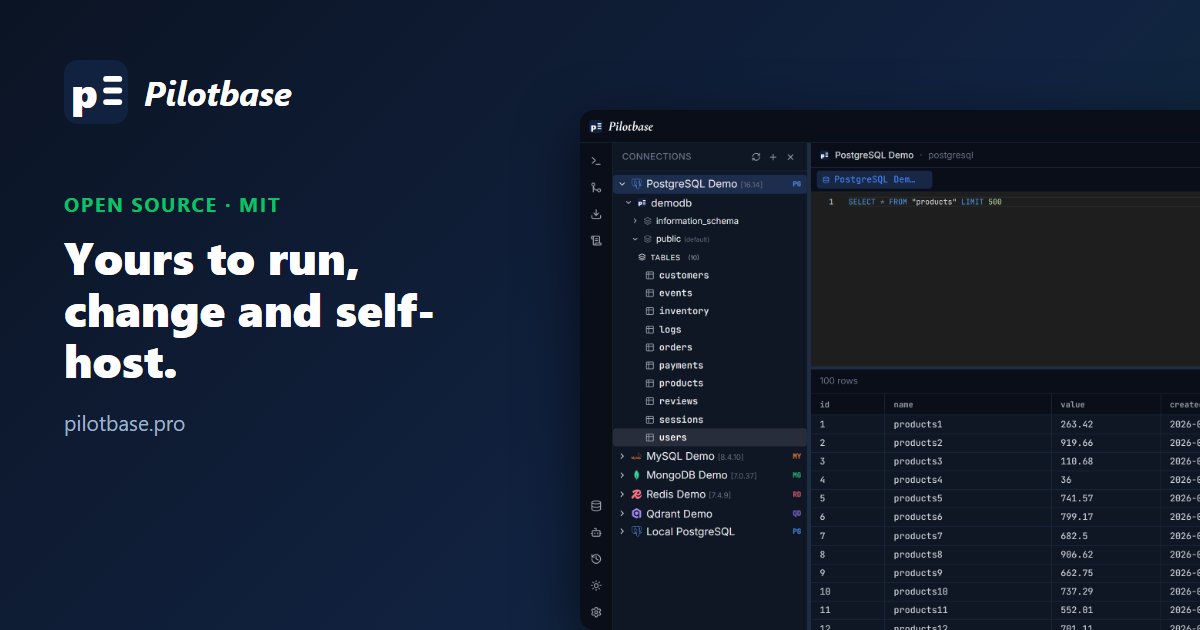
Pilotbase keeps the tree short: connection, database, schema, tables. Clicking a table opens its rows in the editor right away. To see DDL, right-click and choose Export as SQL, which can include CREATE TABLE, DROP TABLE IF EXISTS and INSERT statements.
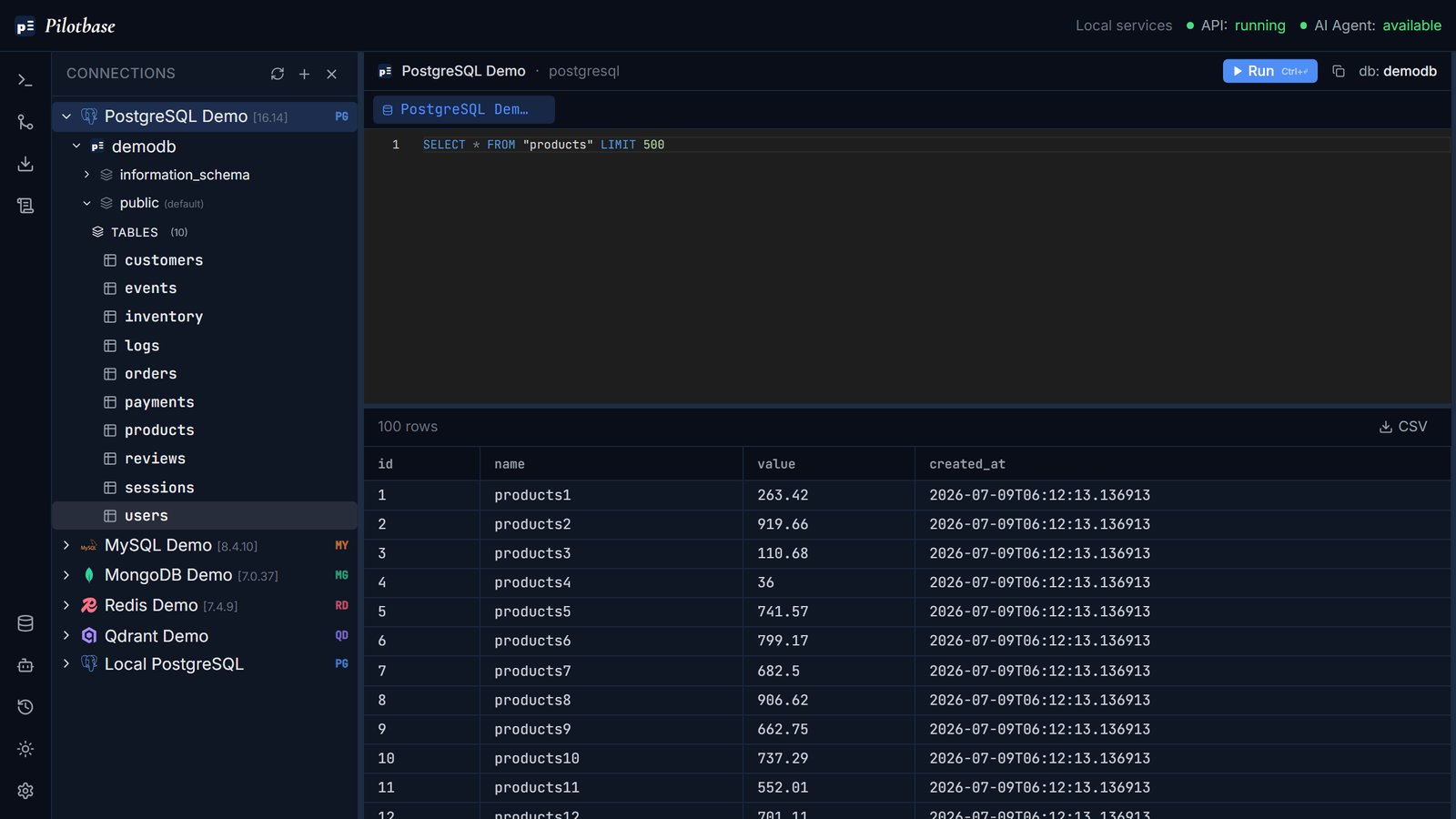
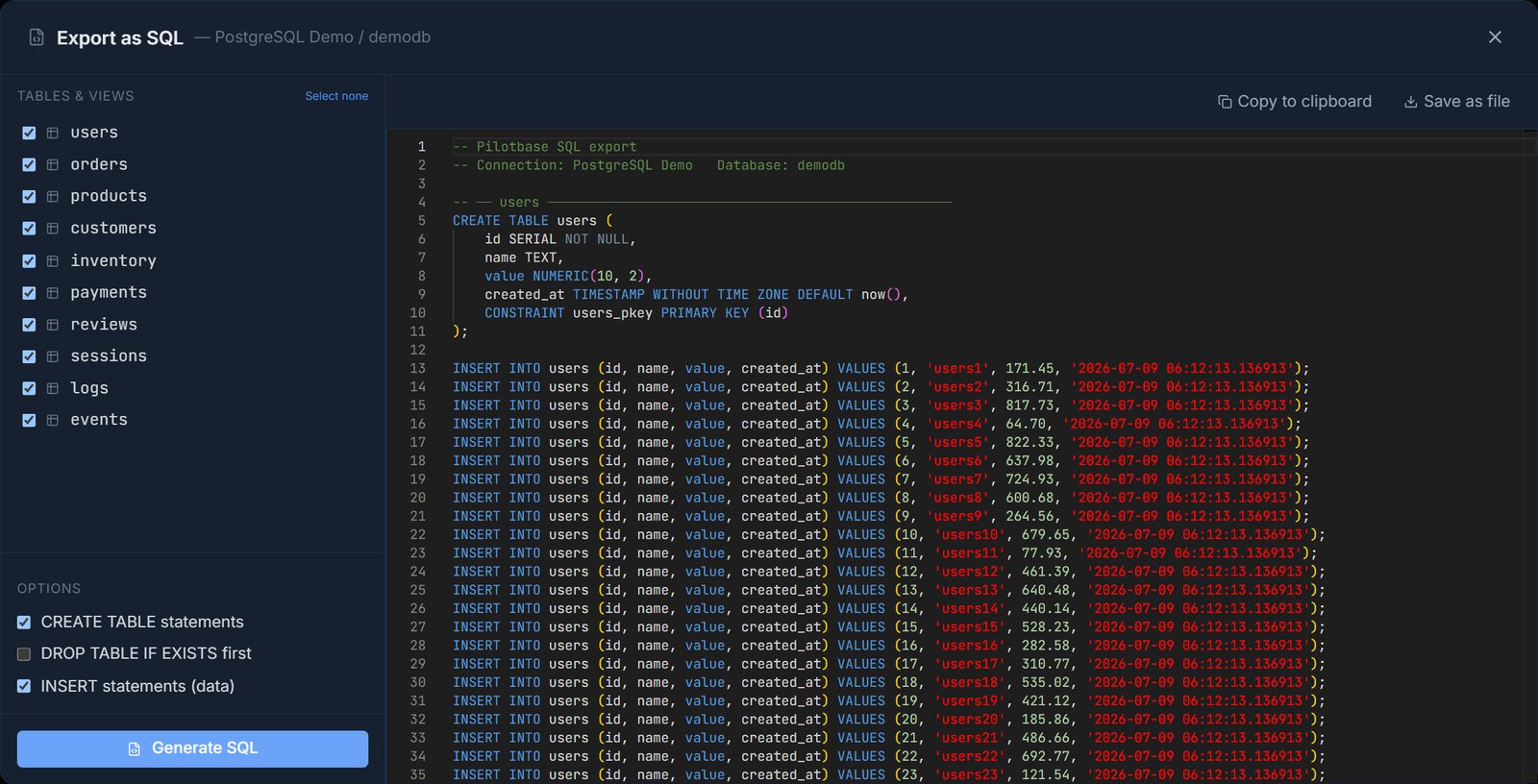
Verdict: if you manage functions, operators, publications or FDWs, pgAdmin's tree is the better tool. If you mostly work with tables, Pilotbase's tree is less to scroll through.
3. Writing and running a query
This is the job both tools are used for most. We ran nearly the same query in each: the top orders by value.
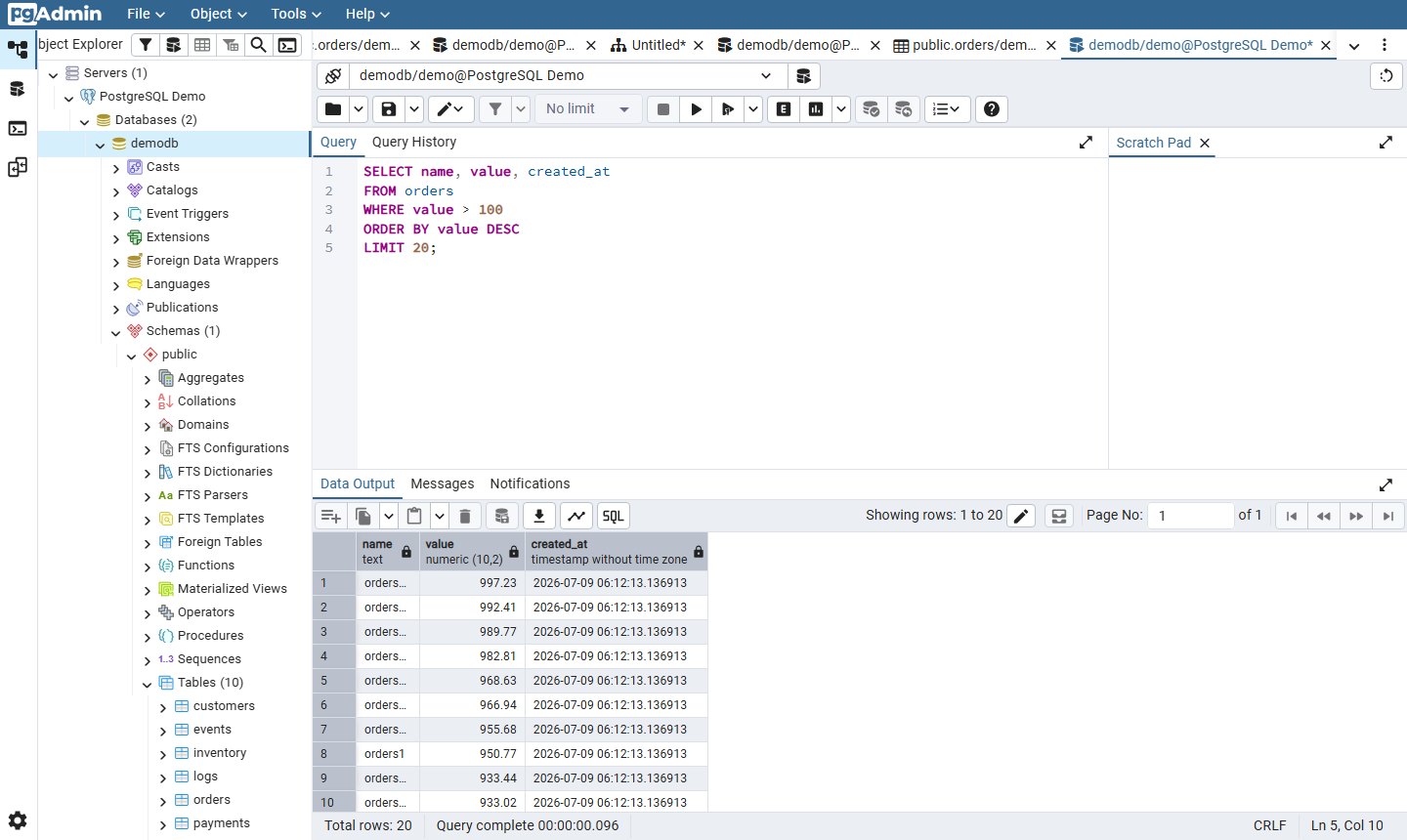
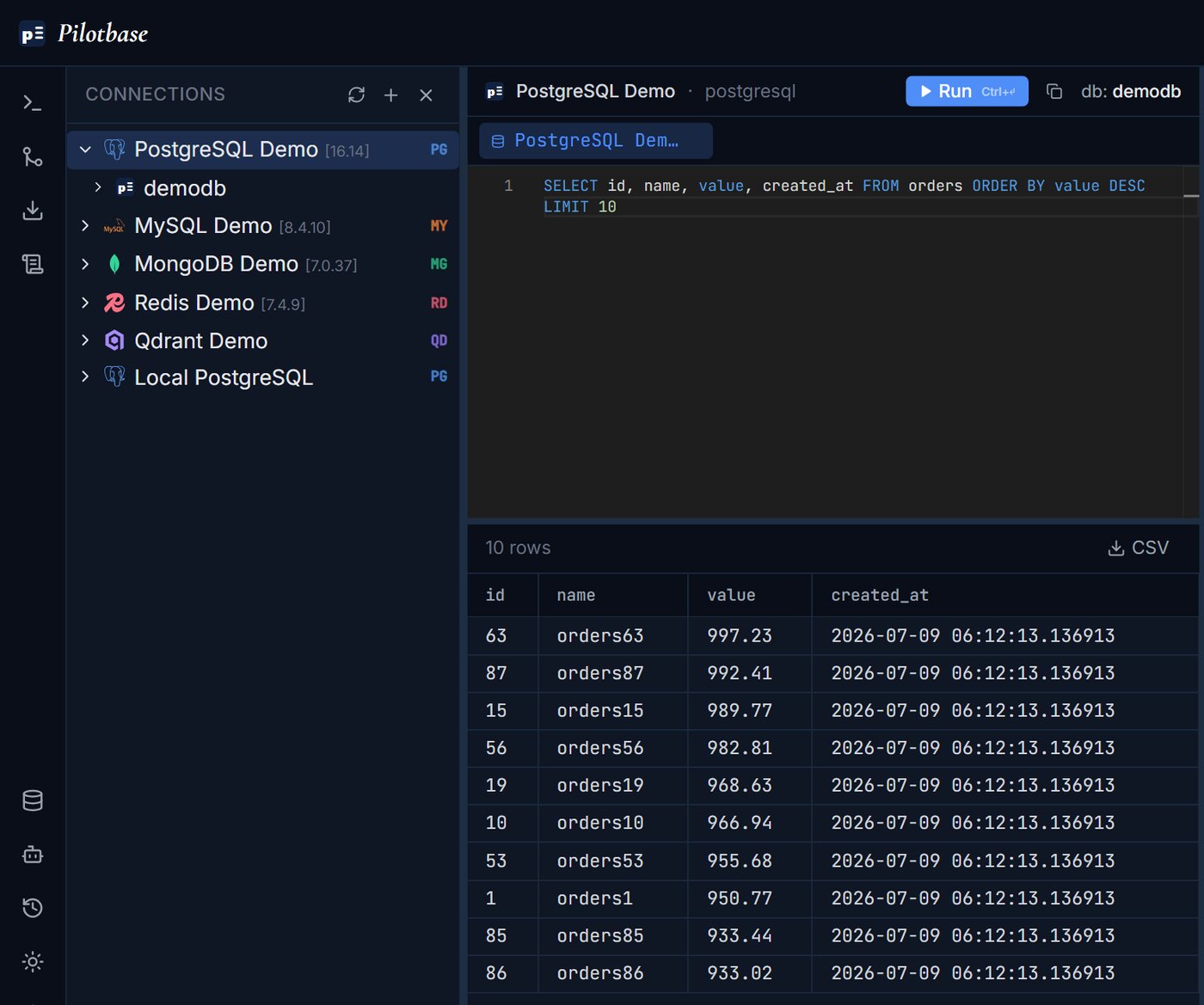
The results match row for row (997.23, 992.41, 989.77 …), as they should. pgAdmin's Query Tool has more built in: graphical EXPLAIN and EXPLAIN ANALYZE, a Scratch Pad, row limits, a macro system and query history. Pilotbase's editor is Monaco (the editor from VS Code) with query history and tabs, so you can keep several queries and tables open at once.
Verdict: pgAdmin, if you tune queries with EXPLAIN plans. For everyday SELECTs they're even, and Pilotbase's editor feels lighter.
4. Viewing and editing table data
pgAdmin's View/Edit Data opens the table in the Query Tool with editable cells. Each column shows its type and a pencil icon, and you save changes from the toolbar. That only works when the table has a primary key, which orders does.
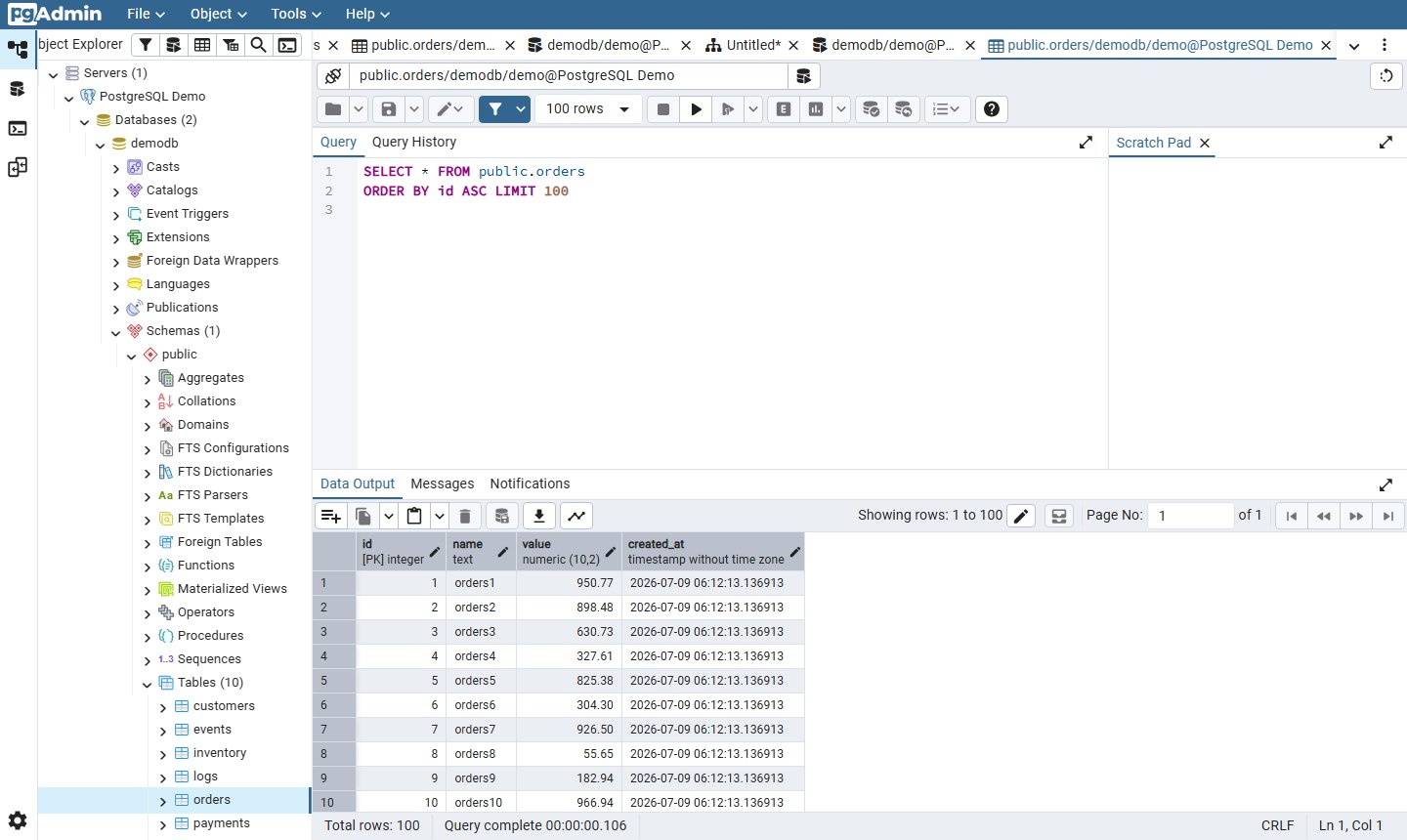
Pilotbase opens rows from the tree (all rows, or the latest 50), but the results grid is read-only for SQL tables. You change data with SQL, or ask the AI agent, which proposes the UPDATE and waits for your approval (section 7). Inline editing exists only for vector-database payloads.
Verdict: pgAdmin, clearly. If you fix data by typing into a grid, Pilotbase can't do that yet.
5. Backups
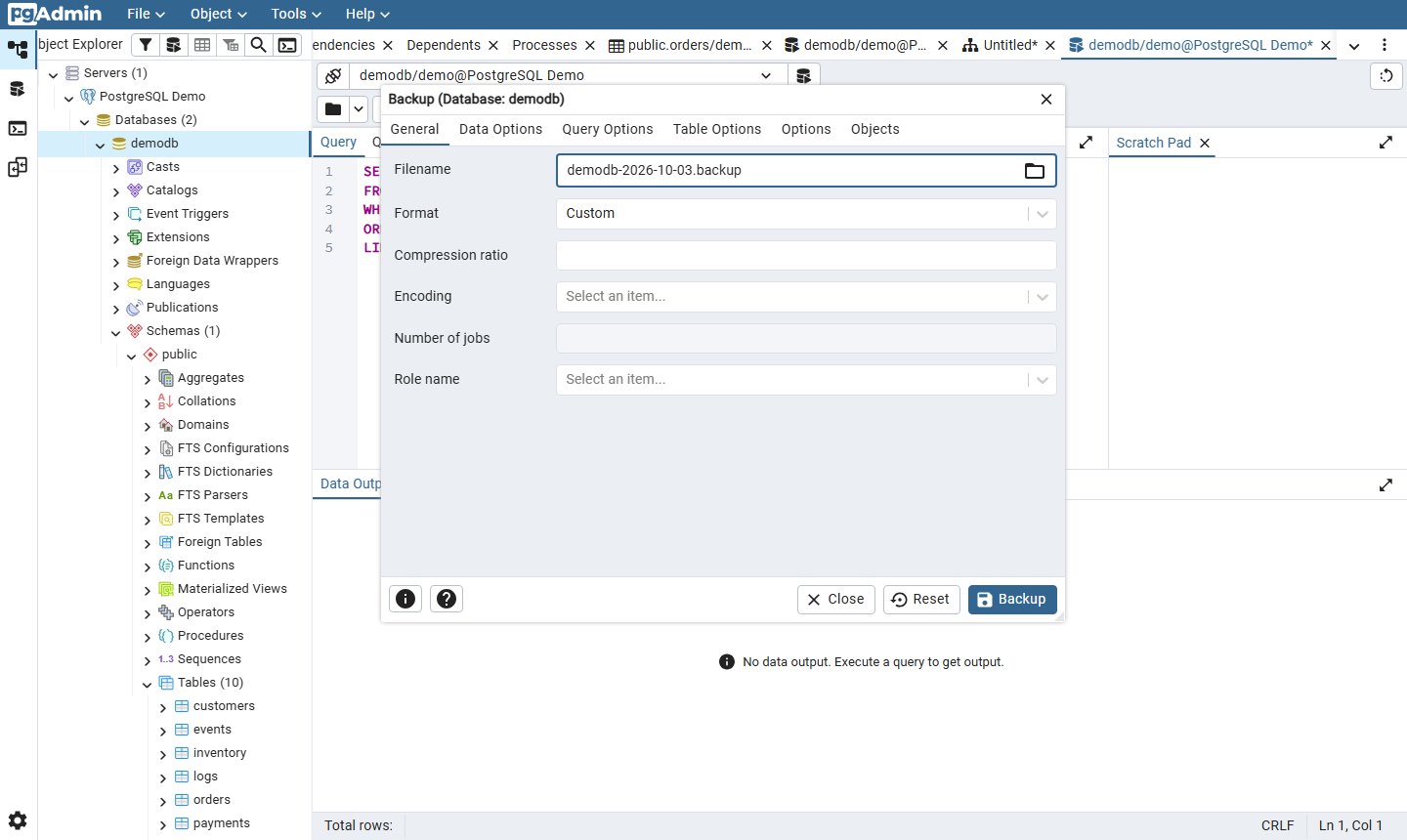
pgAdmin's Backup dialog is a front end for pg_dump. It offers Custom, Tar, Plain and Directory formats, compression, encoding, parallel jobs, roles, and tabs for data, query, table and object options. Restore (pg_restore) is in the same menu.
Pilotbase's Run backup now also uses pg_dump when it's installed, and falls back to a pure-SQL dump when it isn't. The backup appears in a list with its size and time, ready to download. There are no format or compression options, and no restore button: you restore with pg_restore or psql.
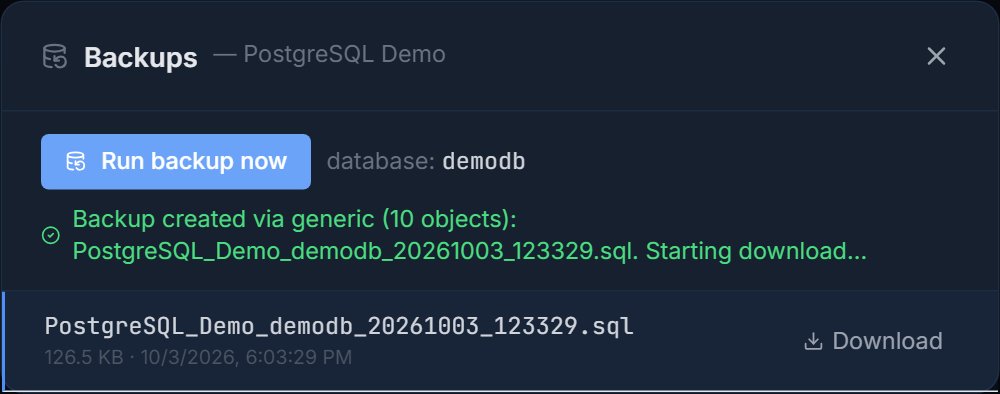
Verdict: pgAdmin for control and restore. Pilotbase for a quick safety copy before a risky change.
6. Comparing schemas between databases
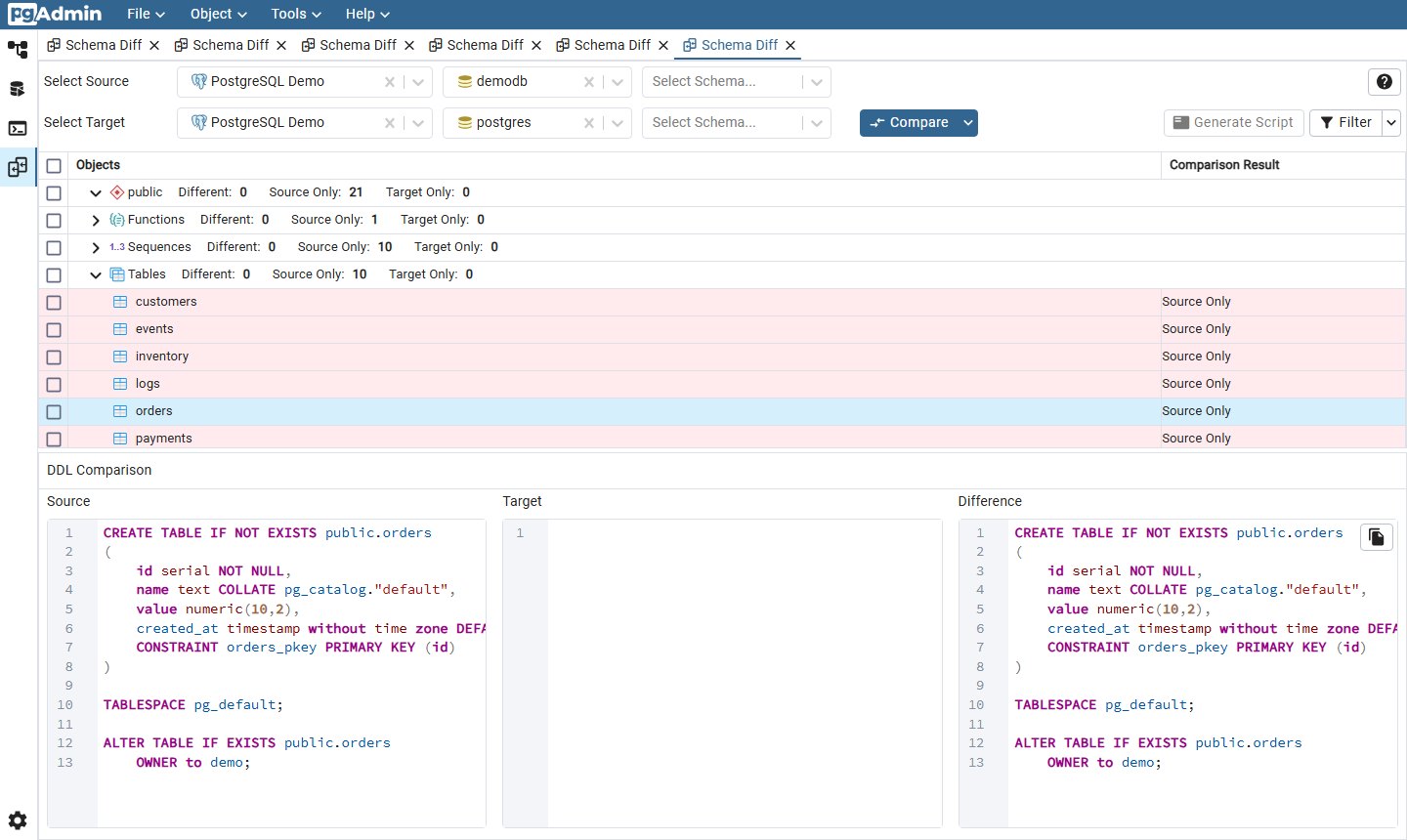
pgAdmin's Schema Diff compares two databases or schemas, lists each object as identical, different, source-only or target-only, shows the DDL side by side, and generates a sync script. It has one firm limit, shown on screen: source and target servers must be of the same major version, and both must be PostgreSQL (or EDB).
Pilotbase's Plan Migration compares and then moves data, and the target can be a different engine. Below, the same demodb is compared against a MySQL database. You choose schema only or schema plus data, review a per-table plan, and only then click Run Migration.
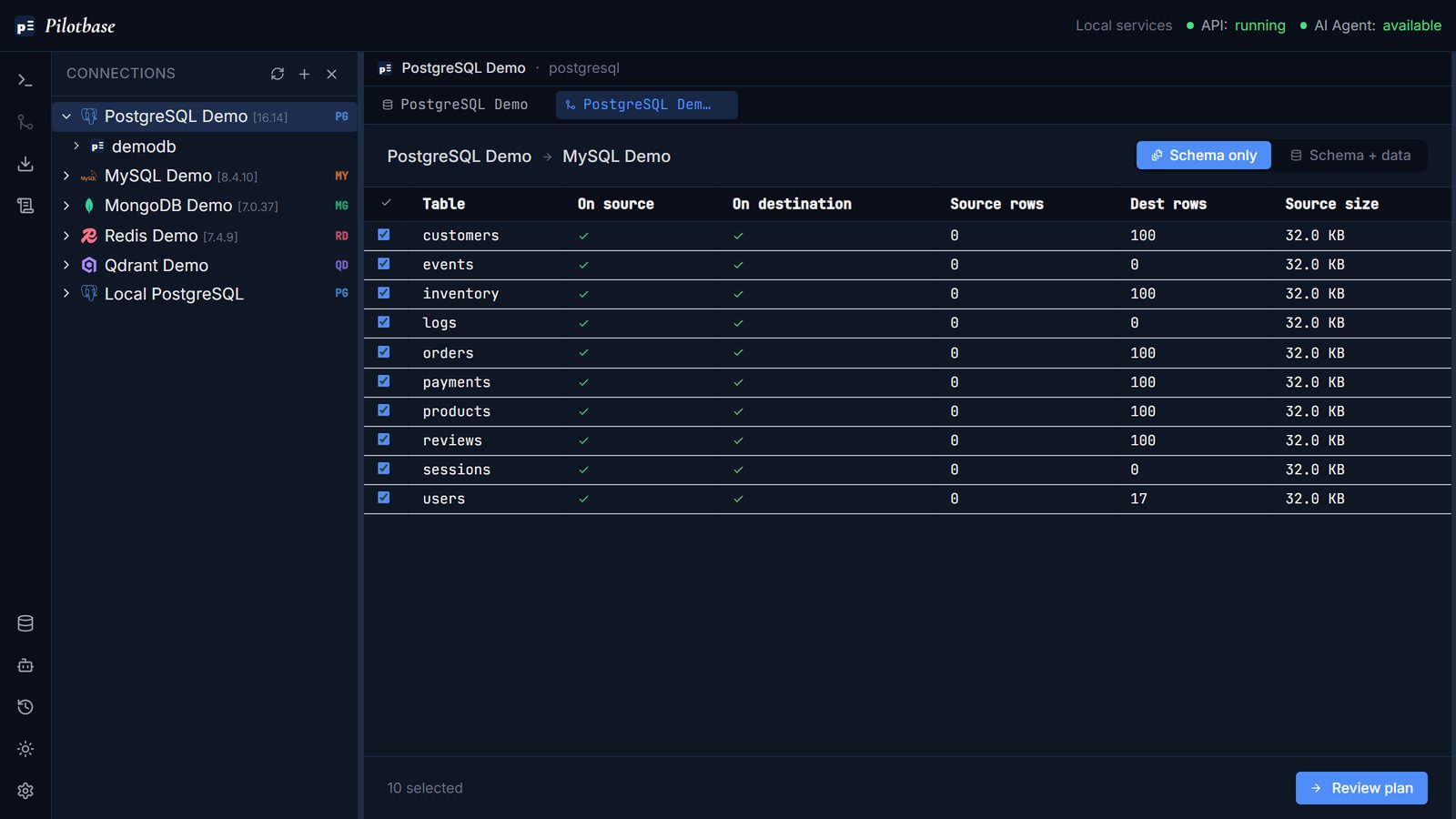
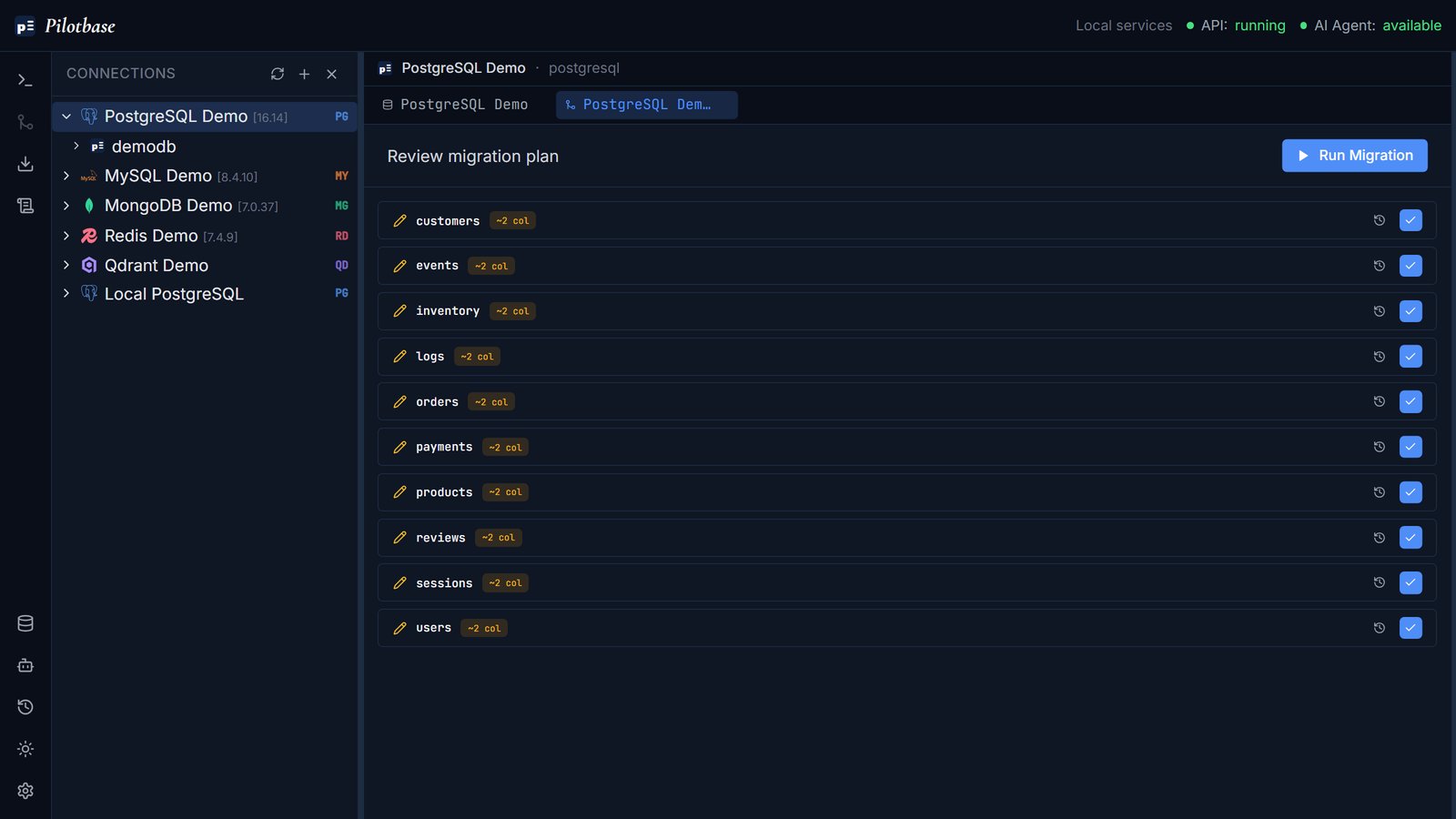
Verdict: pgAdmin for precise Postgres-to-Postgres DDL diffs and sync scripts. Pilotbase when the data also has to move, or the target isn't Postgres.
7. AI help: both tools have it now
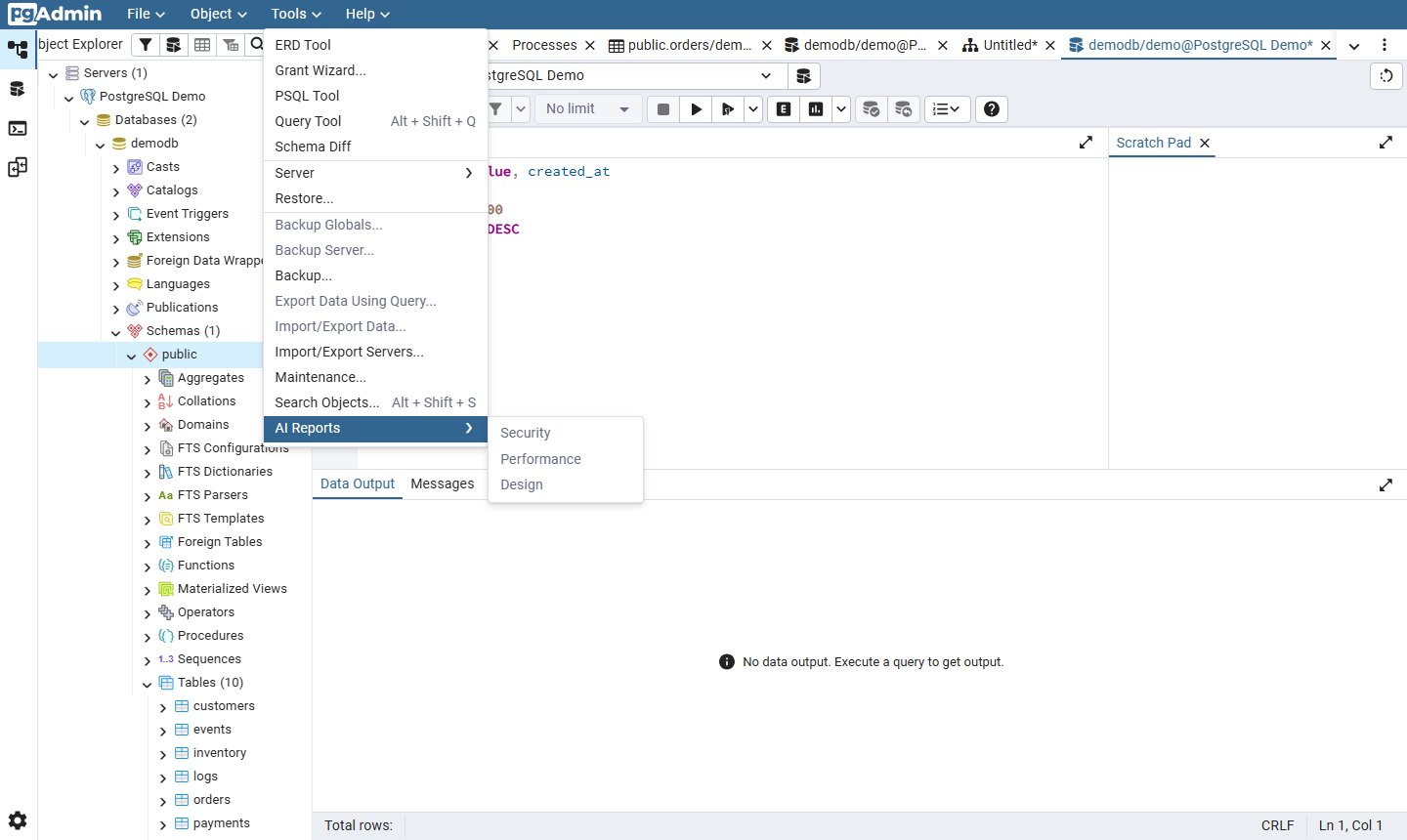
This changed this year. Since pgAdmin 9.13 (March 2026), pgAdmin has an AI chat in the Query Tool, AI Reports (Security, Performance, Design) and AI insights for EXPLAIN plans. It's off until you configure a provider: Anthropic, OpenAI, Ollama or Docker Model Runner, and 9.14 added custom OpenAI-compatible URLs. According to the pgAdmin docs, the chat agent runs its own queries in a read-only transaction capped at 1,000 rows, and the SQL it writes is placed in the editor for you to review rather than run for you (pgEdge's walkthrough covers this in detail).
Pilotbase's agent (LangGraph, ReAct) reads your schema by itself and runs read queries directly. Writes work differently: INSERT, UPDATE, CREATE and ALTER come back as a plan that you approve or reject. DELETE, DROP, TRUNCATE and GRANT are refused outright. It runs on a local Ollama model or OpenRouter, set in Settings, and it works on every engine Pilotbase supports, not just Postgres.
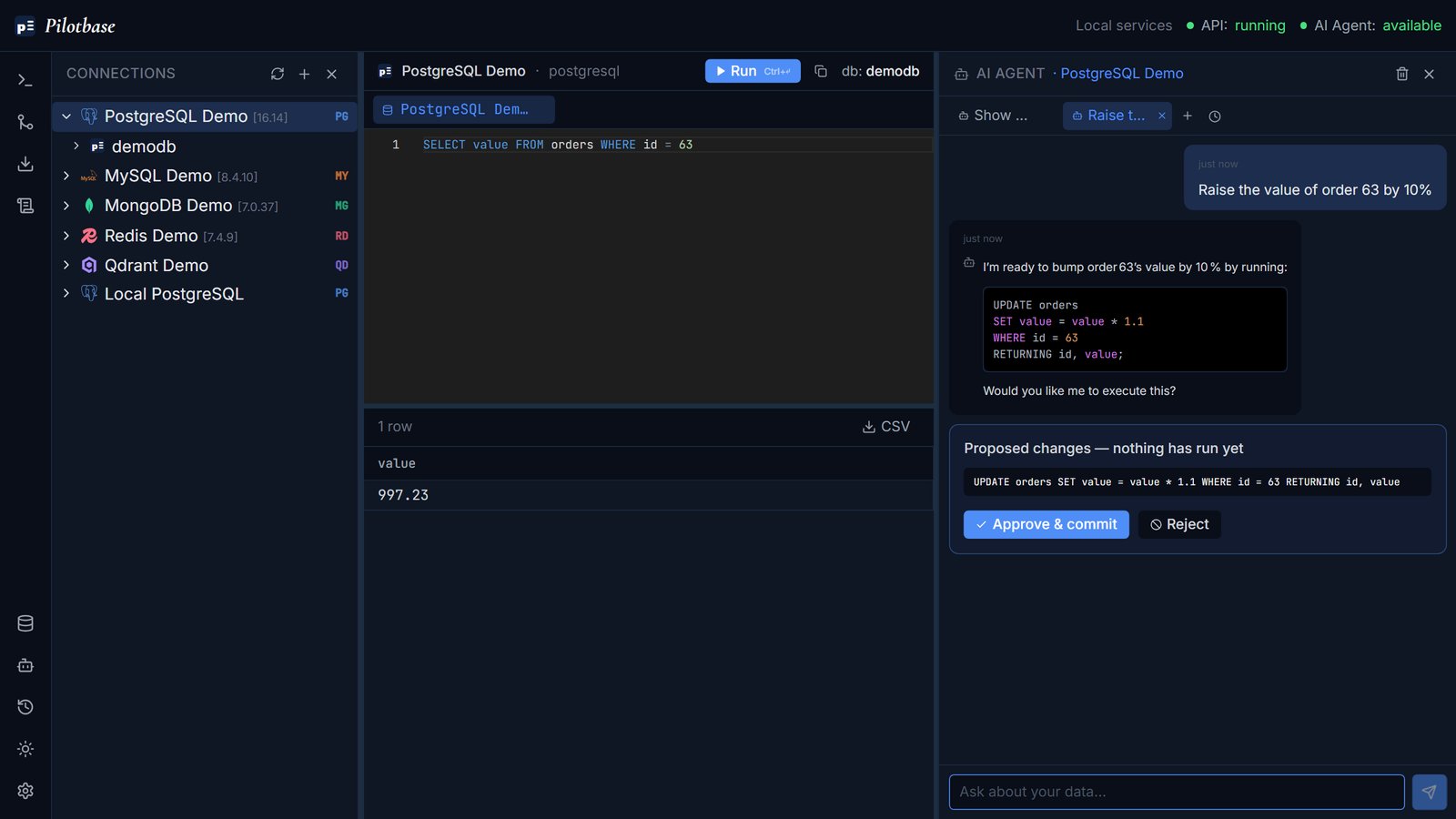
Verdict: call it even, with different strengths. pgAdmin's AI is built for Postgres analysis (reports, EXPLAIN). Pilotbase's is built to do the task, with an approval step on writes, and on any engine.
8. Where only one of them has it
Only in pgAdmin
ERD Tool: draw or reverse-engineer an entity-relationship diagram and generate DDL from it.
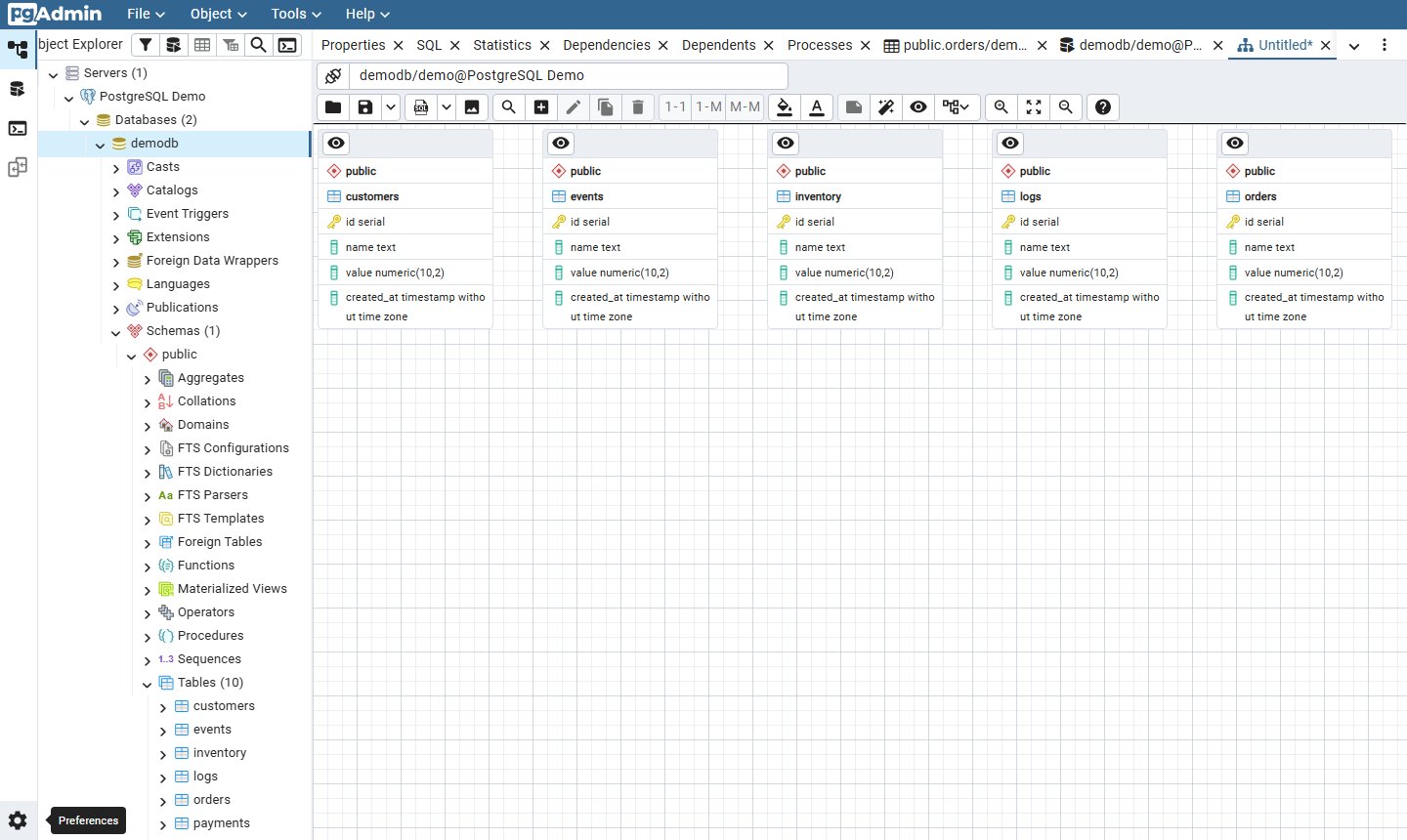
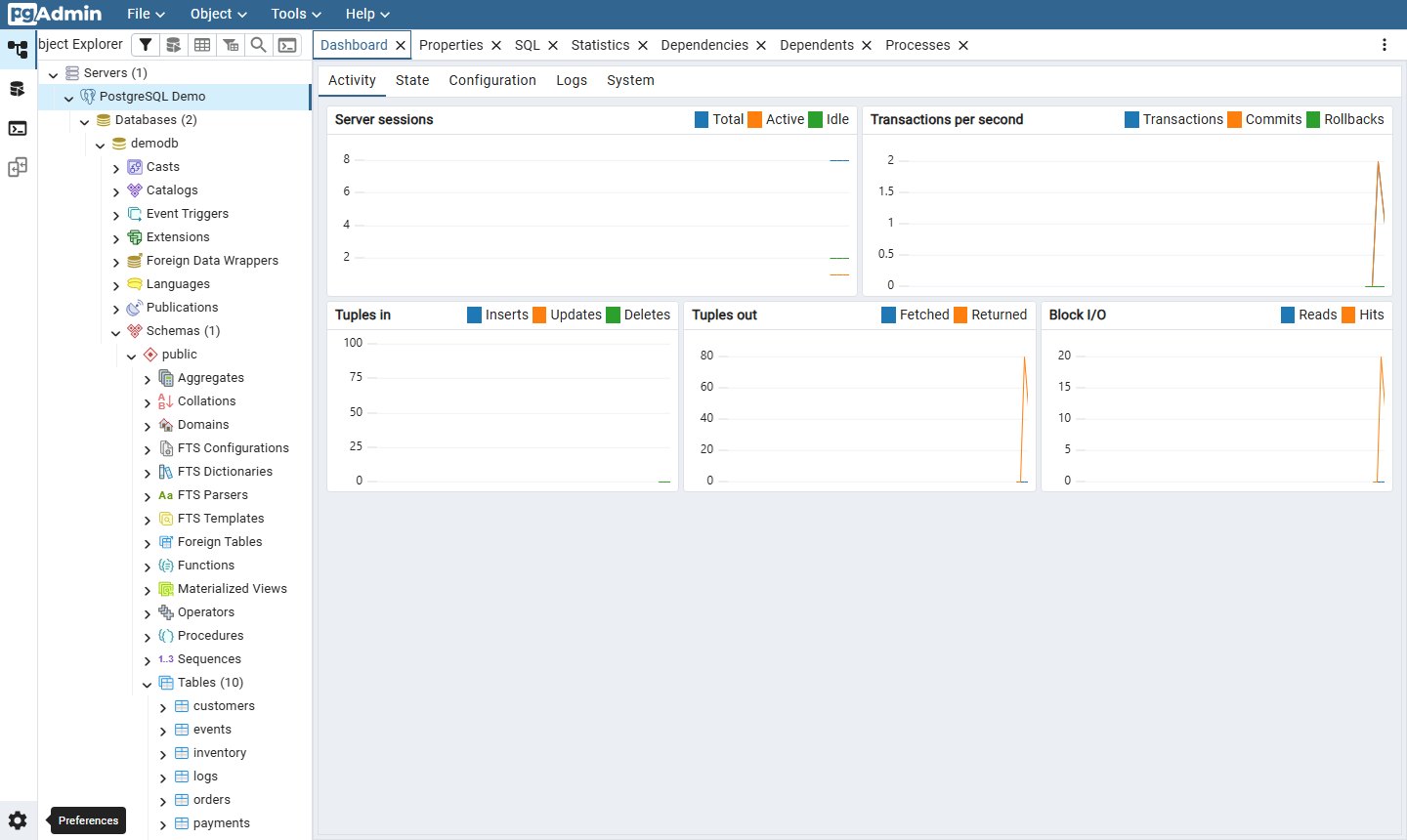
Server dashboard: live sessions, transactions per second, tuples in and out, block I/O, plus State, Configuration, Logs and System tabs.
Also in pgAdmin only: the PL/pgSQL debugger, Grant Wizard, Maintenance (VACUUM, ANALYZE, REINDEX), the PSQL Tool, roles, tablespaces, publications and subscriptions, and import/export of server lists.
Only in Pilotbase
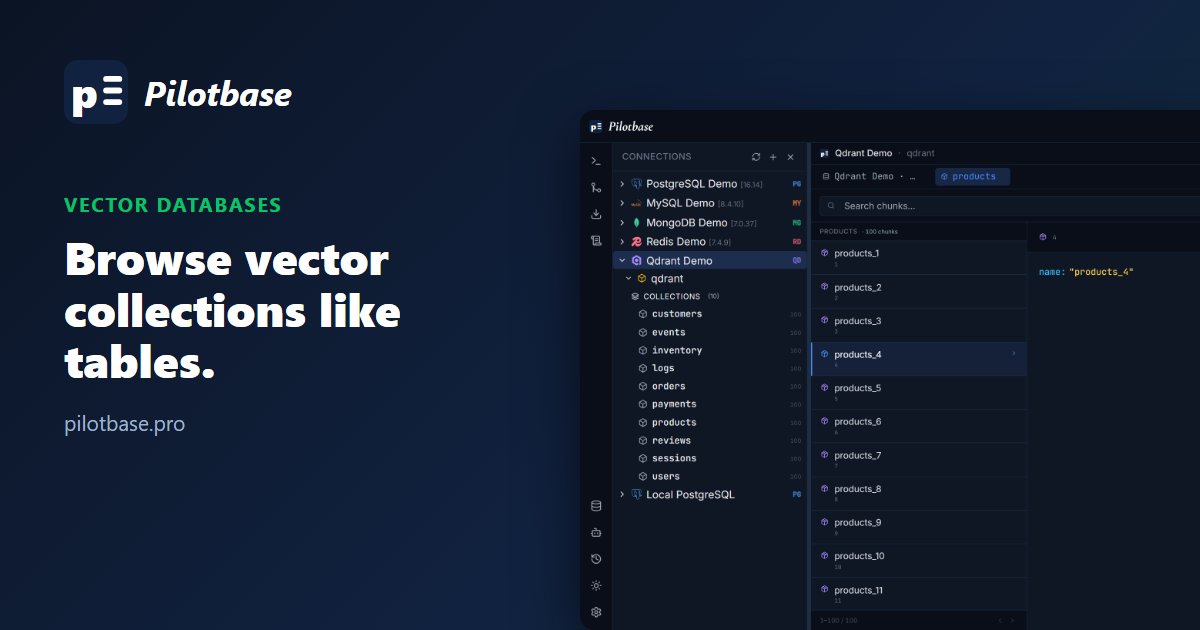
Every other database in the same window: MySQL, MariaDB, SQLite, DuckDB, SQL Server, Oracle, Db2, CockroachDB, Snowflake, MongoDB, Redis, Cassandra, CouchDB, DynamoDB, and the vector databases Qdrant, ChromaDB, Weaviate, Pinecone and Milvus.
Also in Pilotbase only: cross-engine migration (section 6), an optional generated REST API for a database, a built-in MCP server in the desktop app so desktop AI assistants and other MCP clients can browse your saved connections (read-only by default), and per-connection read/write/admin grants for team installs.
Summary, task by task
Connect: pgAdmin has more options. Pilotbase has one form for every engine.
Browse objects and DDL: pgAdmin (every object type).
Run queries: even. pgAdmin adds graphical EXPLAIN.
Edit rows in a grid: pgAdmin only.
Backup / restore: pgAdmin (formats, restore). Pilotbase does one-click backups.
Schema diff: pgAdmin for Postgres-to-Postgres. Pilotbase for migrations across engines.
AI: both. pgAdmin reports and explains, Pilotbase acts with an approval step.
ERD, monitoring, debugger: pgAdmin only.
Other databases, generated API, MCP: Pilotbase only.
Which one should you use?
Keep pgAdmin if you're a Postgres DBA who works with roles, replication, tablespaces, PL/pgSQL debugging and EXPLAIN plans, or if you edit data in a grid. Nothing else covers Postgres internals as fully, and it's free under the PostgreSQL License.
Try Pilotbase if Postgres is one of several databases you use, if you want an AI agent that changes data only after you approve it, or if you move data between engines. It's free and MIT-licensed, as a desktop app or with Docker.
Running both is reasonable too: pgAdmin for administration, Pilotbase for daily querying across your other databases. Pilotbase is in beta, so the pgAdmin-only list above is our backlog. The PostgreSQL comparison in the Pilotbase repo covers DBeaver, TablePlus, Postico and Beekeeper Studio as well.
Sources: pgAdmin 9.18 release notes, pgAdmin 9.13 release notes, pgAdmin AI tools documentation, pgEdge: the pgAdmin AI chat agent, Pilotbase README.
Pilotbase is free and MIT-licensed. Connect it to the Postgres database you already open in pgAdmin and compare for yourself.
Get Pilotbase
Comments (0)
Loading comments…