The first scaling wall most small apps hit isn't CPU or disk. It's this, usually the week a second app server or a few more workers go live:
Every Postgres connection is a separate server process. The default max_connections is 100, and each web worker, background job and cron script keeps its own pool open. The usual answer is PgBouncer in transaction mode: hundreds of application connections share a few dozen real ones, and a server connection is only borrowed for the length of one transaction. It works, but it changes what a "connection" means, and some ordinary code quietly does the wrong thing.
We measured both halves on PostgreSQL 18.6 with PgBouncer 1.26: pgbench with 500 clients straight to Postgres, through session pooling and through transaction pooling, and a script that checks what happens to session state when two app connections share one server connection.
What 500 connections cost
To get a baseline we raised max_connections to 600 and measured each backend's own memory on Linux (Private in /proc/<pid>/smaps_rollup, which leaves out shared buffers):
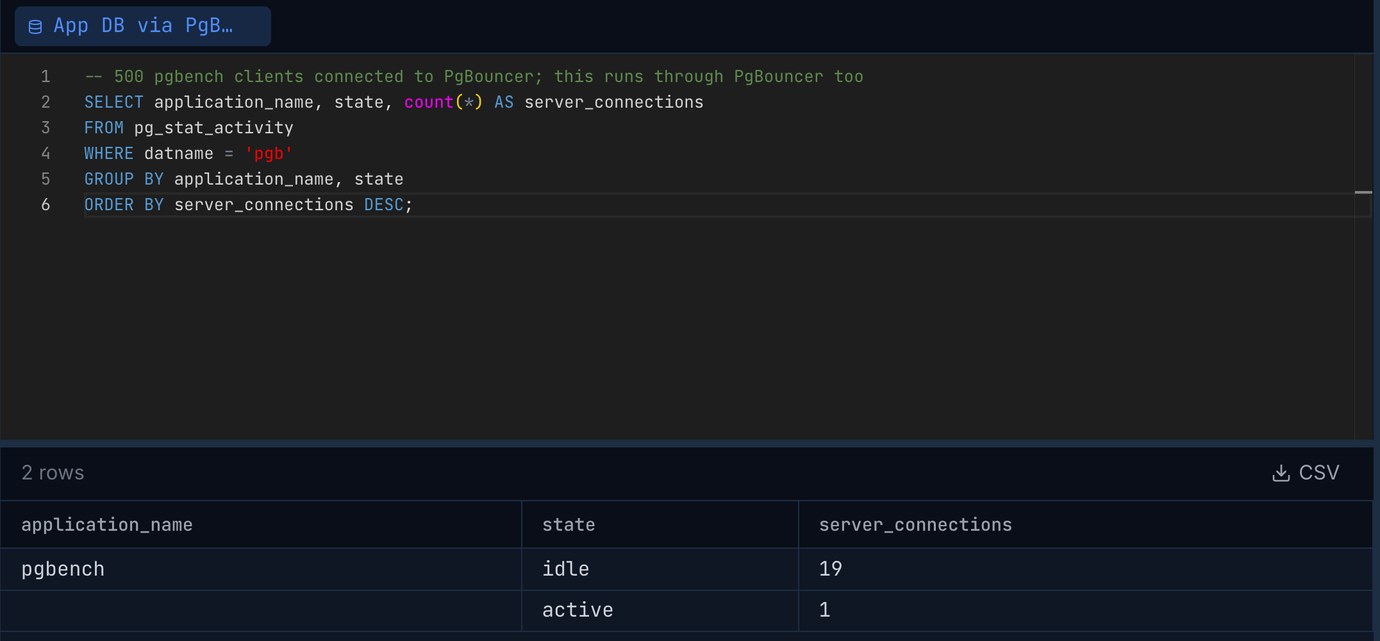
That's the floor. A backend keeps caches of every table, index and function it has touched, and anything a query sorts or hashes within work_mem, so on a real schema each one grows from there. The bigger cost is that 500 processes can all ask for CPU at once. With PgBouncer, Postgres saw 20 connections no matter how many clients were connected. Here it is from Pilotbase, itself connected through PgBouncer while 500 pgbench clients were running: 19 server connections idle between pgbench transactions, plus the one running this query.
What got faster, and what didn't
The clearest win is an app that opens a new connection for every request: PHP without persistent connections, serverless functions, scripts run from cron. Starting a Postgres backend means a fork, authentication and a cold cache; PgBouncer hands out a connection it already has. pgbench -C opens a new connection for every transaction:
That's 27 to 28 times the throughput, and the only change was the port number. With long-lived connections, the picture depends on the machine. Read-only pgbench, 500 clients, each holding its connection for the whole run:
On two cores, 500 busy backends fought over the CPU and 20 did more work than 500. On ten cores PgBouncer cut throughput by more than half: it runs on one thread, and at 200,000 tiny queries a second that one core is the limit. That's an extreme load (single-row lookups by primary key from a client on the same machine), but it's worth knowing. If one PgBouncer process sits near 100% CPU, run several on the same port with so_reuseport = 1. Real apps with queries that take milliseconds rarely get near it.
Session mode doesn't solve the problem
PgBouncer's default pool_mode is session: a client keeps its server connection until it disconnects. With 500 long-lived clients and a pool of 20, that's 20 clients working and 480 waiting. We ran 500 read-only clients for 20 seconds in each mode and logged every transaction:
Total throughput was about the same in both modes, which is why a benchmark summary can make session mode look fine. Session mode helps apps that connect and disconnect often. For an app server with a long-lived pool, it only moves the queue from Postgres into PgBouncer, unless the pool is as big as the number of clients, and then you're back to 500 backends.
What breaks in transaction mode
In transaction mode, two statements from the same app connection can run on different server connections, and two different app connections can run on the same one. Anything that lives in the session rather than the transaction goes wrong. To make it deterministic we set default_pool_size = 1, so two app connections (A and B) always shared one server connection. With a bigger pool the same things happen at random, which is harder to debug.
Most of these are leaks from one client to another. A SET statement_timeout from a reporting job cancelled another client's query, which shows up as random timeouts in a part of the app that never sets a timeout. The session-level advisory lock is the dangerous one: it's taken on whatever server connection the statement happened to use, so another client can "take" the same lock, and anything relying on it to stop two workers running the same job no longer does. LISTEN registers on a server connection the client doesn't keep, so its notifications go nowhere.
PgBouncer does keep some settings per client. It remembers the parameters Postgres reports to the client (TimeZone, DateStyle, application_name, client_encoding and a few more) and sets them again whenever it hands that client a server connection. Since PostgreSQL 18, search_path is one of the reported parameters. On PostgreSQL 16 the same test leaked:
On Postgres 17 and older, an app that switches search_path per tenant can read another tenant's tables through transaction pooling. Put the schema in the query, or set it with SET LOCAL inside each transaction.
What works in transaction mode: SET LOCAL (it ends with the transaction), pg_advisory_xact_lock() (released at commit; a direct session couldn't take lock 43 while A's transaction was open, and could right after), temporary tables created and dropped inside one transaction (ON COMMIT DROP), and per-role defaults (ALTER ROLE app SET statement_timeout = '30s'), which every server connection picks up when it logs in. For LISTEN, give the listener its own direct connection or a separate session-mode pool. That's one connection, not hundreds.
Prepared statements
Most drivers prepare statements at the protocol level: psycopg 3 after a query runs five times, asyncpg, JDBC after five executions, Npgsql when asked. Before PgBouncer 1.21 transaction mode couldn't support this, and every guide said to turn it off in the driver. We ran pgbench with -M prepared, 100 clients, through transaction mode with PgBouncer's max_prepared_statements at 0 (the old behaviour) and at 200 (the default since 1.24):
With it on, PgBouncer keeps track of which statements each client prepared and prepares them on whichever server connection the client gets. It only covers protocol-level prepares. A SQL-level PREPARE/EXECUTE is still per server connection, as the table above shows. If you're on an older PgBouncer (many distro packages and managed poolers lag behind), check SHOW config for the setting, or disable server-side prepares in the driver (prepare_threshold=None in psycopg 3, statement_cache_size=0 in asyncpg, prepareThreshold=0 in JDBC).
One more measurement surprised us: on the Mac, the same read-only load with simple (unprepared) queries ran at 77,976 tps through the same PgBouncer, against 54,892 prepared. On a one-row lookup, the bookkeeping cost more than skipping the parse saved. On real queries with more planning work the balance is different, so measure your own.
Sizing the pool
default_pool_size is per database and user pair, and it's the number that matters. Too small and clients queue in PgBouncer; too big and you're back to too many backends. For a write workload the right size was bigger than you might guess. 500 clients, each updating one row and inserting one (pgbench -N), on the 2-vCPU Linux box, three 20-second runs per setting:
Write runs are noisy (checkpoints land in some runs and not others), but the trend held: each commit waits for its WAL to be flushed, a server connection waiting on a flush isn't doing anything else, and Postgres flushes many commits together when more of them are waiting. A pool of 5 or 10 kept that batch small. For reads, a pool around two to four times the number of cores is a reasonable start; for write-heavy work, start higher, and watch cl_waiting and maxwait in PgBouncer's SHOW POOLS: if clients regularly wait while Postgres is idle, the pool is too small.
Then check the totals: the sum of all pools (plus reserve_pool_size, plus anything that connects directly, like migrations, backups and admin tools) has to stay under max_connections. max_client_conn is how many app connections PgBouncer will accept, and it can be in the thousands; each one costs PgBouncer a few kilobytes, not a backend.
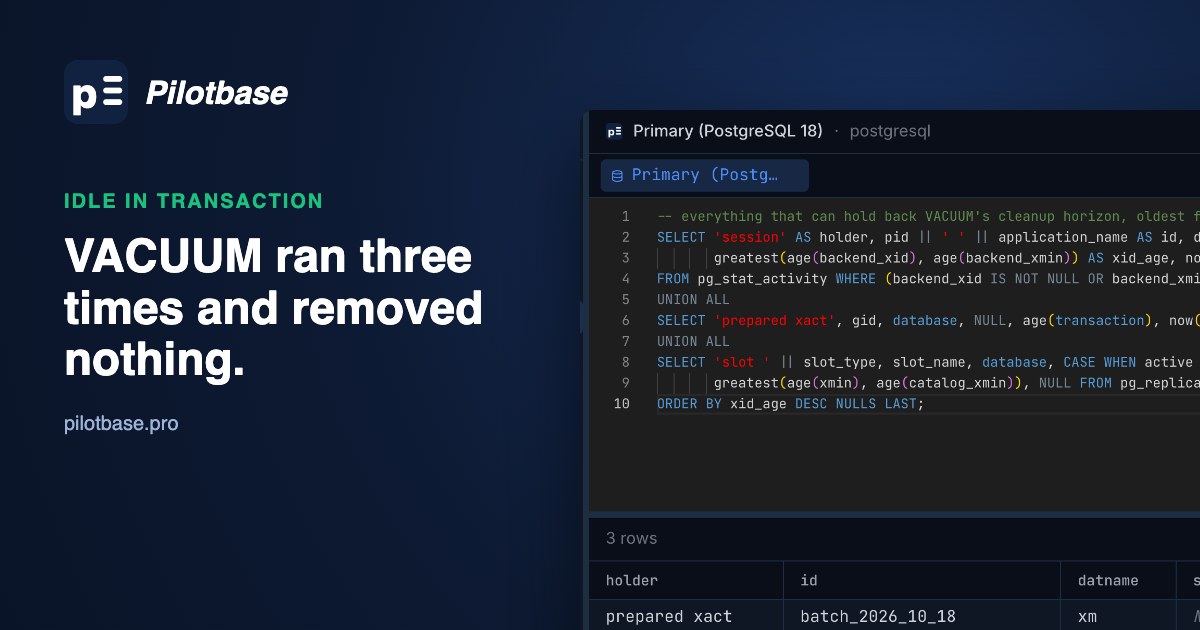
idle_transaction_timeout matters more with a pooler than without one: a client that opens a transaction and goes quiet keeps a server connection out of the pool for as long as it sits there, and also holds back VACUUM on every table, as one idle-in-transaction session shows.
Connecting Pilotbase through PgBouncer
Point the connection at PgBouncer's host and port 6432 with the database name from the [databases] section. Pilotbase's PostgreSQL driver doesn't use server-side prepared statements, so it works in transaction mode with any PgBouncer version; the screenshot above was taken that way. Two things to remember: a plain SET you run in the editor lands on whichever server connection ran it and can leak into other clients exactly as in the table above (use SET LOCAL between BEGIN and COMMIT, or the direct connection), and sessions in pg_stat_activity are PgBouncer's server connections, not your app's clients. To see the clients, connect to PgBouncer's admin database (pgbouncer) from psql and run SHOW CLIENTS and SHOW POOLS. Keep a direct connection as well for DDL, long migrations and anything that needs LISTEN or session settings.
Keep one connection through the pooler and one direct, and check what each sees side by side. Pilotbase is free for Windows, macOS and Linux, or Docker on a server.
Get PilotbaseSources
PgBouncer configuration (pool_mode, default_pool_size, max_prepared_statements, track_extra_parameters, so_reuseport), PgBouncer features: what works in each pool mode, PgBouncer changelog (prepared statements in 1.21), PostgreSQL 18 documentation: max_connections, advisory locks, LISTEN, reported parameters (ParameterStatus), pgbench, PostgreSQL 18 release notes. Measured in October 2026: PostgreSQL 18.6 and PgBouncer 1.26.1 on a 10-core Mac (pgbench over unix sockets on the same machine), PostgreSQL 18.6 and PgBouncer 1.26.0 in a Linux container with 2 vCPU and 2.8 GB, PostgreSQL 16.15 for the search_path check, psycopg 3.3.
Comments (0)
Loading comments…