Order records linked to line item records in a relational table

A Shopify GraphQL bulk result is not one big JSON document. It is JSON Lines: one object per line. Nested connections, such as Order.lineItems, are pulled out into their own lines and get a __parentId. That sounds like a simple parent-child import until refunds enter the query.

Order.refunds is a GraphQL list, not a connection. Refund headers therefore remain as an array inside the order line. In our generated Shopify-shaped fixture, 9 JSONL lines became 3 orders, 6 line items and 2 refunds. All six item links came from __parentId; neither refund needed it.

The query creates a mixed shape

graphql
{
  orders(first: 250, query: "processed_at:>=2026-11-01") {
    edges { node {
      id name processedAt currencyCode
      subtotalPriceSet { shopMoney { amount currencyCode } }
      totalPriceSet { shopMoney { amount currencyCode } }
      totalRefundedSet { shopMoney { amount currencyCode } }
      refunds {
        id createdAt
        totalRefundedSet { shopMoney { amount currencyCode } }
      }
      lineItems(first: 250) { edges { node {
        id sku quantity
        discountedTotalSet { shopMoney { amount currencyCode } }
      } } }
    } }
  }
}

The bulk API walks connection nodes. The root orders connection supplies order lines. The nested lineItems connection supplies child lines with __parentId. The refunds list is ordinary data on each order object. This distinction also explains a Shopify bulk-query limitation: a connection such as refundLineItems cannot sit below the refunds list in the same bulk query. Fetch detailed refund line items separately if you need them.

Three representative lines

json
{"id":"gid://shopify/Order/1001","name":"#1001","currencyCode":"USD","subtotalPriceSet":{"shopMoney":{"amount":"54.00","currencyCode":"USD"}},"totalPriceSet":{"shopMoney":{"amount":"54.00","currencyCode":"USD"}},"totalRefundedSet":{"shopMoney":{"amount":"12.00","currencyCode":"USD"}},"refunds":[{"id":"gid://shopify/Refund/5001","createdAt":"2026-11-05T12:00:00Z","totalRefundedSet":{"shopMoney":{"amount":"12.00","currencyCode":"USD"}}}]}
{"id":"gid://shopify/LineItem/2001","sku":"MUG-BLK","quantity":2,"discountedTotalSet":{"shopMoney":{"amount":"24.00","currencyCode":"USD"}},"__parentId":"gid://shopify/Order/1001"}
{"id":"gid://shopify/LineItem/2002","sku":"TEE-M","quantity":1,"discountedTotalSet":{"shopMoney":{"amount":"30.00","currencyCode":"USD"}},"__parentId":"gid://shopify/Order/1001"}

Do not identify a record only by testing whether __parentId exists. A query with several nested connections can produce different child types. The stable discriminator is the GID prefix: gid://shopify/Order/, LineItem/ and Refund/. Keep the full GID as text; stripping it to a number creates unnecessary assumptions.

Tables for PostgreSQL, MySQL and SQLite

sql
CREATE TABLE shopify_orders (
  order_id text PRIMARY KEY, order_name text NOT NULL,
  processed_at text, currency_code text NOT NULL,
  subtotal numeric NOT NULL, total_price numeric NOT NULL,
  total_refunded numeric NOT NULL
);
CREATE TABLE shopify_line_items (
  line_item_id text PRIMARY KEY, order_id text NOT NULL,
  sku text, quantity integer NOT NULL, discounted_total numeric NOT NULL,
  FOREIGN KEY (order_id) REFERENCES shopify_orders(order_id)
);
CREATE TABLE shopify_refunds (
  refund_id text PRIMARY KEY, order_id text NOT NULL,
  created_at text, amount numeric NOT NULL, currency_code text NOT NULL,
  FOREIGN KEY (order_id) REFERENCES shopify_orders(order_id)
);

This DDL runs with small type changes across the three engines: use timestamptz in PostgreSQL or datetime in MySQL for the time fields after parsing ISO 8601; SQLite can keep the original text. PostgreSQL numeric and MySQL decimal(20,4) preserve money exactly. SQLite stores numeric with dynamic affinity, so for accounting imports we prefer integer minor units plus an explicit currency exponent.

A streaming loader that does not depend on line order

python
import csv, json, sys

orders = csv.writer(open("orders.csv", "w", newline="", encoding="utf-8"))
items = csv.writer(open("line_items.csv", "w", newline="", encoding="utf-8"))
refunds = csv.writer(open("refunds.csv", "w", newline="", encoding="utf-8"))
orders.writerow(["order_id","order_name","processed_at","currency_code","subtotal","total_price","total_refunded"])
items.writerow(["line_item_id","order_id","sku","quantity","discounted_total"])
refunds.writerow(["refund_id","order_id","created_at","amount","currency_code"])

def money(obj):
    m = obj["shopMoney"]
    return m["amount"], m["currencyCode"]

for raw in sys.stdin:
    row = json.loads(raw)
    gid = row["id"]
    if gid.startswith("gid://shopify/Order/"):
        subtotal, currency = money(row["subtotalPriceSet"])
        total, _ = money(row["totalPriceSet"])
        refunded, _ = money(row["totalRefundedSet"])
        orders.writerow([gid,row["name"],row.get("processedAt"),currency,subtotal,total,refunded])
        for refund in row.get("refunds", []):
            amount, refund_currency = money(refund["totalRefundedSet"])
            refunds.writerow([refund["id"],gid,refund.get("createdAt"),amount,refund_currency])
    elif gid.startswith("gid://shopify/LineItem/"):
        amount, _ = money(row["discountedTotalSet"])
        items.writerow([gid,row["__parentId"],row.get("sku"),row["quantity"],amount])
    else:
        raise ValueError(f"unhandled Shopify object: {gid}")

Run it as python load_shopify.py < orders.jsonl. It reads one line at a time, so memory use does not grow with the export. It also does not assume children immediately follow a parent. Shopify now defaults groupObjects to false; grouping can slow an operation and raise its timeout risk, while the foreign key already carries the relationship.

Load parent rows first

sql
-- PostgreSQL in psql
\copy shopify_orders FROM 'orders.csv' CSV HEADER
\copy shopify_line_items FROM 'line_items.csv' CSV HEADER
\copy shopify_refunds FROM 'refunds.csv' CSV HEADER

-- MySQL client
LOAD DATA LOCAL INFILE 'orders.csv' INTO TABLE shopify_orders
  FIELDS TERMINATED BY ',' ENCLOSED BY '"' IGNORE 1 LINES;
-- Repeat for line_items.csv and refunds.csv.

-- SQLite CLI
.mode csv
.import --skip 1 orders.csv shopify_orders
.import --skip 1 line_items.csv shopify_line_items
.import --skip 1 refunds.csv shopify_refunds

Import orders before both child tables so the foreign keys can be checked. For a repeatable sync, load into staging tables, validate, then upsert by GID in one transaction. Never delete production rows merely because a partial bulk result omitted them: a failed operation can expose only partialDataUrl. Treat that as incomplete.

What the nine-line fixture produced

text
JSONL lines                         9
orders                              3
line-item records                   6
line-item quantity                 10
refund records                      2
order total                    $119.00
refund total                    $22.00
order total minus refunds       $97.00

The generated fixture has no shipping, tax or order-level discount, so its six item totals also add to $119.00. That equality is a fixture check, not a universal Shopify rule. In real orders, compare item discounted totals with the order subtotal, then reconcile shipping, tax, duties and discounts to totalPriceSet. Refunds are separate again.

Four checks before you trust the tables

sql
-- 1. Every item found its order
SELECT count(*) FROM shopify_line_items i
LEFT JOIN shopify_orders o ON o.order_id=i.order_id
WHERE o.order_id IS NULL;

-- 2. Every refund found its order
SELECT count(*) FROM shopify_refunds r
LEFT JOIN shopify_orders o ON o.order_id=r.order_id
WHERE o.order_id IS NULL;

-- 3. Embedded refund headers add back to the order field
SELECT o.order_id, o.total_refunded, coalesce(sum(r.amount),0) AS refund_rows
FROM shopify_orders o LEFT JOIN shopify_refunds r ON r.order_id=o.order_id
GROUP BY o.order_id,o.total_refunded
HAVING o.total_refunded <> coalesce(sum(r.amount),0);

-- 4. In this no-tax/no-shipping fixture, items equal subtotal
SELECT o.order_id,o.subtotal,coalesce(sum(i.discounted_total),0) AS items
FROM shopify_orders o LEFT JOIN shopify_line_items i ON i.order_id=o.order_id
GROUP BY o.order_id,o.subtotal
HAVING o.subtotal <> coalesce(sum(i.discounted_total),0);

All four checks returned zero problem rows on the fixture. On a real export, also compare your parsed counts with the bulk operation's objectCount and rootObjectCount. Remember that objectCount counts connection objects, not refund objects embedded in an order line.

Refund money is not the same as a successful refund payment

Shopify documents one more accounting trap: a Refund object can exist before money has actually reached the customer. The payment status lives on associated order transactions. If this import feeds a ledger rather than a returns report, fetch and retain refund transactions and count only the statuses your accounting policy accepts.

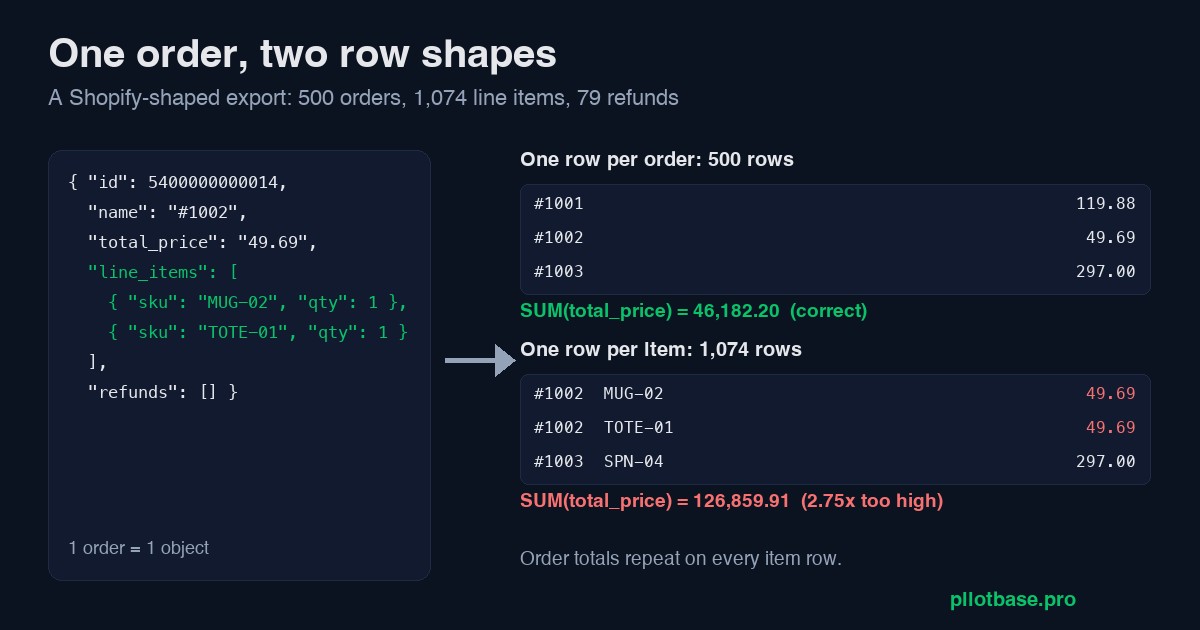
Related: Nested JSON to CSV explains how choosing one row per order differs from one row per item. Shopify, Square and ad spend in one weekly table covers the reporting grain after the load.

Use Data Converter to inspect a small JSON or JSONL slice, turn it into CSV and check that long IDs stay exact before loading the full export.

Open Data Converter

Open the three tables in Pilotbase, run the reconciliation queries and inspect any unmatched GIDs beside the source rows.

Get Pilotbase

Sources and test note

Shopify, Perform bulk operations with the GraphQL Admin API, documents JSONL streaming, __parentId, grouping and partial result URLs. Shopify's BulkOperation reference documents object counts and the query limits. The Order reference defines totals and refunds; the Refund reference explains why transaction status matters. Counts and dollar checks above come from our generated nine-line Shopify-shaped fixture, parsed on 2026-11-27. No database performance claim is made.