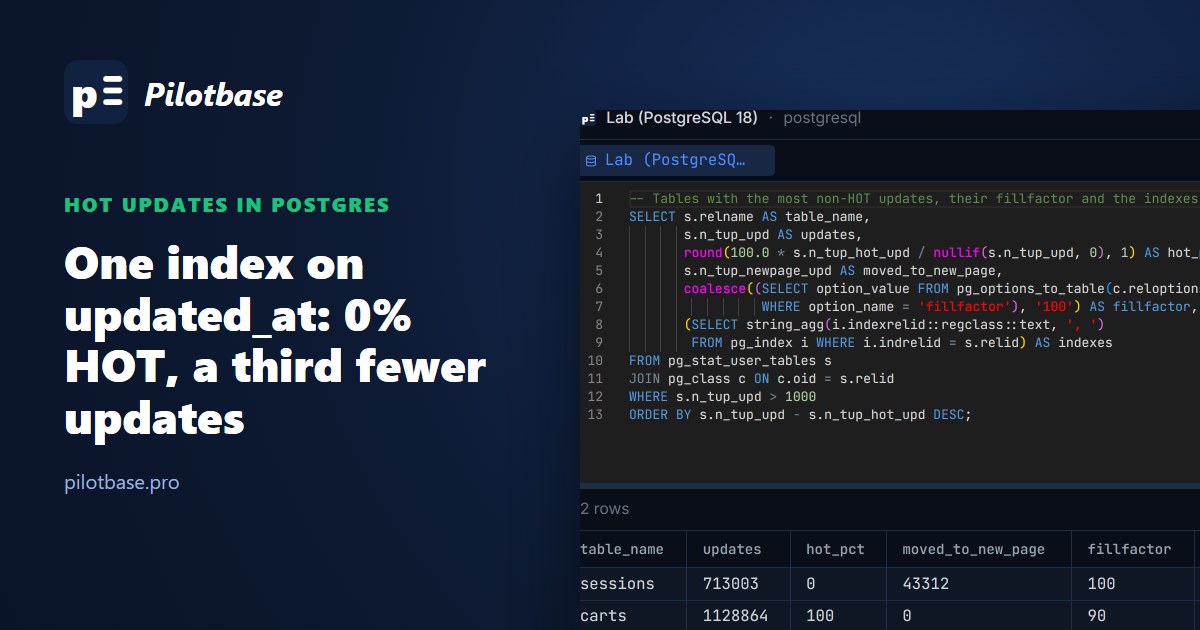
Most application tables have an updated_at column, and sooner or later somebody adds an index on it: for a sync job, an admin page sorted by "recently changed", or just because it seemed like a column worth indexing. On a table that is updated all the time, that one index can switch off an optimisation every update relied on. In our test it took the share of HOT updates from 98% to 0%, cut throughput by a third and grew the indexes from 30 MB to 96 MB in one minute.
Here's what HOT updates are, the measurements (index on or off, fillfactor 100 / 90 / 70, BRIN instead of B-tree, a partial index), and the query that finds the tables where this is happening on your database.
What a HOT update is
Postgres never updates a row in place. An UPDATE writes a new version of the row and marks the old one dead. Normally every index on the table then gets a new entry pointing at the new version, even indexes on columns the update didn't touch, because the row now lives at a different place.
A heap-only tuple (HOT) update skips that. If two conditions hold, the new version goes on the same page as the old one, the old version points to it, and no index is touched at all:
1. No indexed column changed. If the UPDATE sets any column that appears in an index (as a key column, an INCLUDE column, in an expression or in a partial index's WHERE), it can't be HOT. Since PostgreSQL 16 there is one exception: summarizing indexes such as BRIN don't block HOT.
2. There's room on the same page. The new version has to fit on the page the old one is on. Dead versions from earlier updates are cleared by page pruning, which happens on the fly when a page is read and is getting full, so a page that's updated often keeps recycling its own space.
When an update is HOT, the indexes don't grow, the WAL record is smaller, and VACUUM has less to clean. When it isn't, every index pays: a new entry per update, more pages to split, more WAL, more to vacuum later.
The test
PostgreSQL 18.6 (docker postgres:18, 16 cores, shared_buffers 1 GB). A sessions table with 1 million rows, a primary key and an index on user_id, and the update every app runs a thousand times a second:
For each variant the table was rebuilt, vacuumed, checkpointed and the stats reset; then we read n_tup_upd and n_tup_hot_upd from pg_stat_user_tables, the WAL written (LSN before and after) and the table and index sizes. We ran everything twice: once with default settings, where every commit waits for a disk flush, and once with synchronous_commit = off, where commits don't wait and the CPU work per update shows.
The results
With synchronous_commit = off (commits don't wait for the disk, so the work inside each update decides the speed):
With default settings (every commit waits for a flush):
The B-tree on updated_at
Every update sets updated_at, so with a B-tree on it not one update was HOT. With commits not waiting on the disk, throughput fell from 57,393 to 38,171 updates a second: the table without the index did 1.5 times the work. WAL per update went from 359 to 595 bytes, and the indexes went from 30 MB to 96 MB in a single minute, because each of the three indexes (not just the new one) got a fresh entry for every update. The primary key and user_id indexes grew too, for updates that changed neither.
With default settings the throughput difference nearly disappears (5,943 against 5,687, 4%), because the flush at each commit dominates. Don't read that as "it doesn't matter": WAL per update was still 27% higher, the indexes still bloated at the same rate, and that's what your replicas, your backups and the next VACUUM pay for. On a busy server where commits are grouped, or with synchronous_commit = off, the CPU cost shows up as well.
Fillfactor
Fillfactor leaves part of each page empty at load time so updated rows have room on the same page. The folklore says you need it for HOT. Our numbers are more modest: at fillfactor 100 the update was already 94-98% HOT, because once a row on a page has been updated once, pruning frees that space and the next updates fit. Fillfactor 90 took it to 100%, and the 2-6% of updates that moved to another page went away (n_tup_newpage_upd dropped to zero). Going to 70 bought nothing more and made the table 39% bigger (237 MB against 170 MB), which every sequential scan then reads.
So fillfactor is a small, cheap gain for tables with heavy updates on random rows, and 90 is a sensible first step. It does nothing for an update that changes an indexed column: fillfactor 90 with the B-tree on updated_at was still 0% HOT. Setting it on an existing table only affects pages written from then on; a VACUUM FULL or pg_repack rewrites the old ones.
BRIN keeps HOT, but isn't free
Since PostgreSQL 16, a BRIN index doesn't block HOT updates: it only stores a min/max per range of pages, so it doesn't point at individual row versions. Our BRIN on updated_at kept the updates 100% HOT and the indexes at 31 MB. But it still has to be maintained: with synchronous_commit = off the updates ran at 40,421 a second against 55,849 with no index, and WAL per update went from 348 to 440 bytes. Every update writes a new now(), which widens the summary of whichever page range the row is in, so each update still touches the BRIN. It's a lot cheaper than a B-tree in index size and vacuum work, not in raw update speed.
BRIN on updated_at also only helps queries if the column's values follow the physical order of the rows, which is true for an append-only log and false for a sessions table where any row can be updated at any time. Here it would keep HOT working and do little for the "recently changed" query, so test the query before you swap.
The partial index trap
A partial index whose key is a column the update changes still blocks HOT, even if no updated row matches its WHERE. We created CREATE INDEX ON sessions (hits) WHERE status = 'closed' while every row was active: the index stayed empty and the updates were still 0% HOT. Postgres decides HOT from the columns involved, not by evaluating the predicate.
Finding the tables where it's happening
pg_stat_user_tables keeps the counters since the last stats reset. This lists the tables with the most non-HOT updates, their HOT share, how many updates had to move to a new page, the fillfactor and the indexes on each:
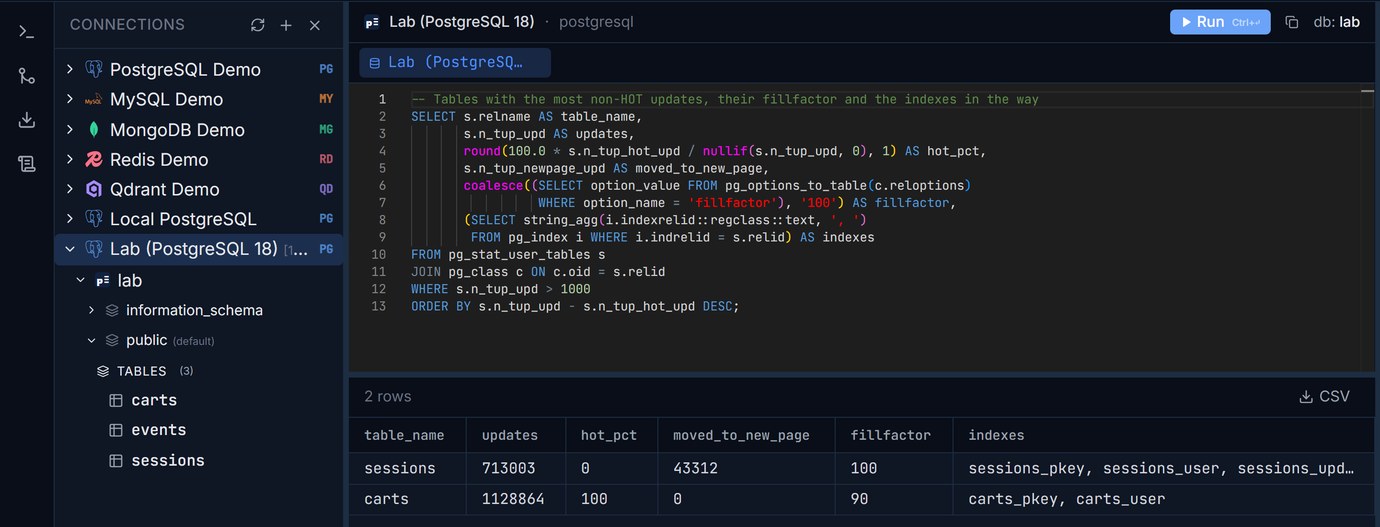
Two tables, the same update, the same minute of traffic: sessions with the updated_at index at 0% HOT, carts without it at 100%. A table with many updates and a low hot_pct is worth one more look: which of its indexed columns do the frequent updates set?
To answer that, list each index with its columns and how often it has been used since the stats reset. An index on a column your hot UPDATE sets, with a low idx_scan, is the candidate to drop:
Then match it with the statements that update the table (the UPDATE ... SET lines in your code, or pg_stat_statements if you have it). Remember that the counters are per server: on a primary with replicas, look at idx_scan on every node before deciding an index is unused, since reads on a replica don't show up on the primary. Our guide to unused and duplicate indexes has the full checklist and DROP INDEX CONCURRENTLY.
What to do about it
Drop the index if nothing needs it. The cheapest fix by far. An index on updated_at added "just in case" is the most common case we see.
Index something that doesn't change on every update. If a sync job needs "rows changed since T", a separate change log table, or an updated_at that's only set when the business data changes (not on every counter bump), keeps the hot path HOT.
Move the hot counter out. A hits or last_seen_at column that's bumped on every request is the classic HOT breaker once anything indexes it. Putting it in its own narrow table (session_stats (session_id, hits, last_seen_at)) makes those updates small and keeps the main table's indexes out of the way.
Use BRIN where the column follows insert order. For append-mostly tables, a BRIN on the timestamp keeps HOT working and costs 1 MB instead of 66 MB.
Set fillfactor 90 on tables with heavy random updates. It cleaned up the last few percent here; it won't rescue an update that changes an indexed column.
If you find you need to drop an index on a big, busy table, DROP INDEX CONCURRENTLY avoids the lock that blocks every query on it; sqlInspector flags the plain DROP INDEX in a migration file before it reaches production.
Run the HOT ratio and index checks on your own database in Pilotbase: PostgreSQL, MySQL and the other engines in one app, desktop for Windows, macOS and Linux, or Docker on a server.
Get PilotbaseSources
PostgreSQL documentation: Heap-Only Tuples (HOT), fillfactor and storage parameters, pg_stat_user_tables (n_tup_hot_upd, n_tup_newpage_upd), BRIN indexes; PostgreSQL 16 release notes, HOT updates with summarizing indexes. All numbers are from our own pgbench runs on PostgreSQL 18.6 in docker; your hardware and row width will change the absolute numbers, not the direction.
Comments (0)
Loading comments…