A running balance, a 7-day moving average and a month-to-date total are the same query underneath: a SUM or AVG with an OVER clause. The part that decides whether the number is right is the frame, the few words after ORDER BY that say which rows count for each row. Most people never write a frame and get the default, which is right for some reports and quietly wrong for others. And a "7-day" average written as 7 rows stops meaning 7 days as soon as a day is missing.
Here are the cases where the frame changes the answer, run on the same data in PostgreSQL 18, MySQL 8.4 and SQLite 3.54 (all three got the same numbers wherever they support the syntax), and then the same queries on a million rows, with timings.
A running balance, and the default frame
Account A has six transactions over five days, two of them on 2026-03-01 and two on 2026-03-04:
With an ORDER BY and no frame, the SQL standard (and all three engines) uses RANGE BETWEEN UNBOUNDED PRECEDING AND CURRENT ROW. RANGE works on values, not rows: "current row" includes every row with the same tx_date. So both rows of 03-01 show 70, the balance at the end of the day, and the first one counts the second one's -30 before it happened. On a bank statement that's wrong: row 1 should show 100. On a daily report it's what you want.
ROWS counts physical rows, so each row adds only itself, but among tied rows the order is whatever the engine reads first, and nothing in the query fixes it. We loaded the same six rows into a table without a primary key twice, once in id order and once in reverse, and ran the same ROWS query on both:
Same rows, same query, different running balances on four rows, and PostgreSQL, MySQL and SQLite all did the same. On a real table the order of ties can change with an index, a VACUUM, a parallel plan or an UPDATE that moves a row. The fix that works everywhere is to make the ORDER BY unique by adding a tie-breaker, usually the primary key: ORDER BY tx_date, id. Then there are no ties, ROWS and RANGE give the same answer, and the result is the same every run (the last column of the first table).
The rule: for a running balance per row, ORDER BY something unique. For a total per date, leave the default RANGE and let tied rows share the day's figure.
A 7-day moving average when days are missing
Daily sales with gaps: nothing sold on 03-04, 03-05 and 03-08, nor in the second half of March.
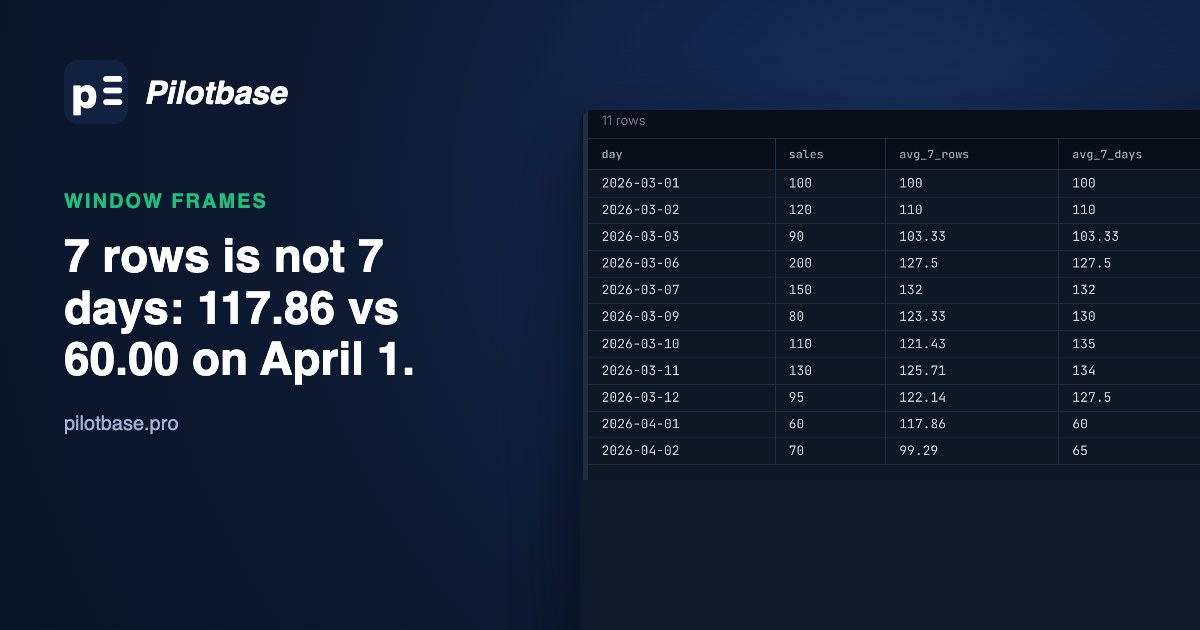
ROWS 6 PRECEDING averages the last 7 rows. On 04-01 those rows go back to 03-06, almost four weeks, so the "7-day" average of 117.86 is mostly March. RANGE INTERVAL '6 days' PRECEDING takes the rows whose date is within six days of the current one, so on 04-01 it sees only that day: 60.00.
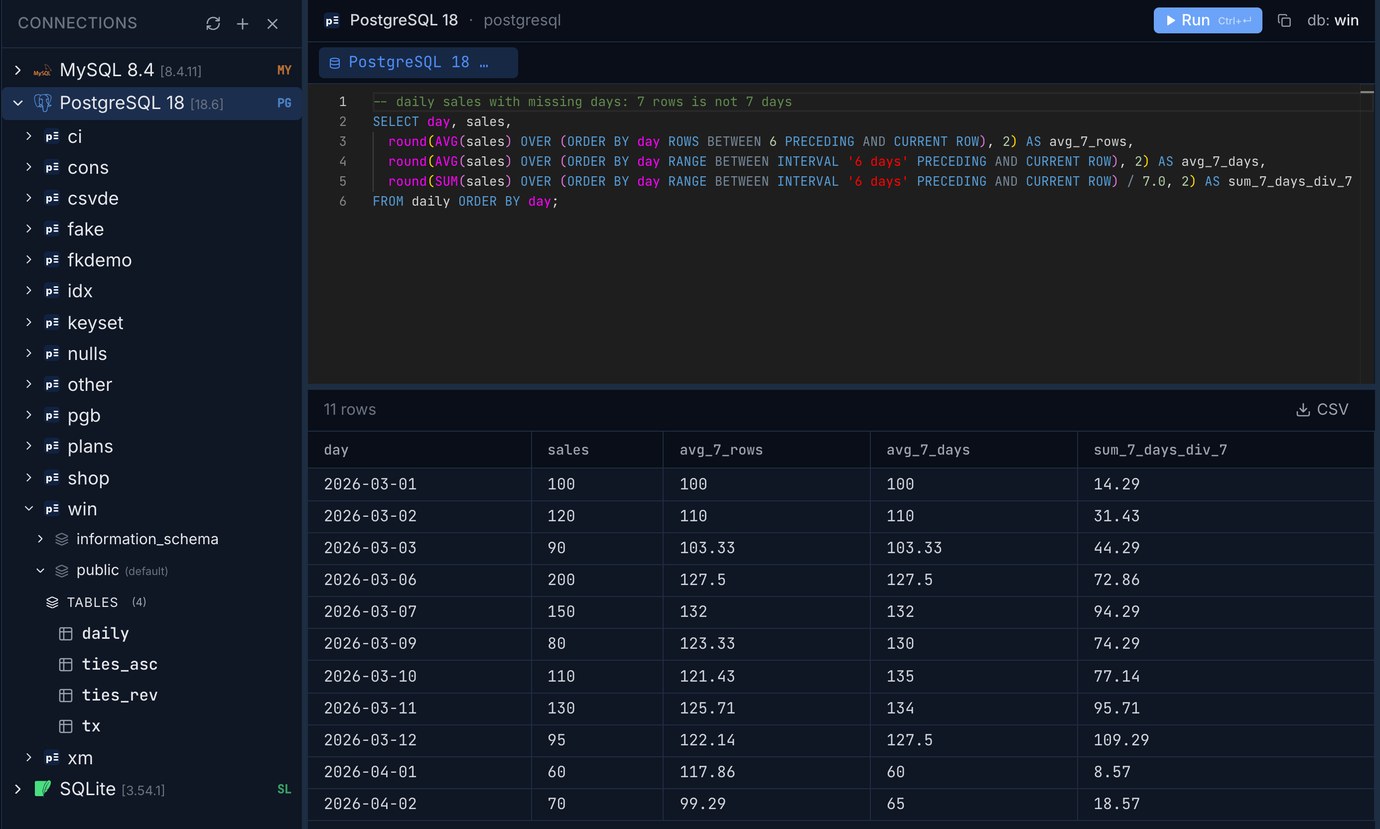
Then there's a choice the frame can't make for you. AVG over the RANGE frame divides by the days that have rows: on 03-12 it's (200 + 150 + 80 + 110 + 130 + 95) / 6 = 127.50. If a missing day really means zero sales, the 7-day average is the sum divided by 7, 109.29. The two answers differ by 17%, and both are correct for different questions. If the missing days are zeros and you want them in the data, join to a calendar table first, so every day has a row and ROWS and RANGE agree.
The same frame in MySQL and SQLite
All three returned the same averages. The SQLite form needs care. Dates in SQLite are usually text, and if you write the frame against the text column, ORDER BY day RANGE BETWEEN 6 PRECEDING AND CURRENT ROW, SQLite accepts it without an error and returns each day's own sales as its "average": a text value has no numeric distance to the others, so the frame holds only the rows with the same value. PostgreSQL and MySQL refuse the same mistake:
Month to date
A month-to-date total is a running total that starts again each month, so partition by the month. Each engine has its own way to say "the month of this date":
Here the default RANGE frame is what you want: one row per day, and if there were two rows for a day, both would show the day's month-to-date figure. For a year to date, partition by the year. For a fiscal year that starts in April, partition by EXTRACT(YEAR FROM day - INTERVAL '3 months') (PostgreSQL) or the equivalent.
GROUPS: the last N dates that have rows
The third frame type counts groups of tied values: GROUPS BETWEEN 1 PRECEDING AND CURRENT ROW means this date and the previous date that has any rows, however far back. For account A on 03-09 that's 03-04 and 03-09, so 20 + 5 - 40 = -15. PostgreSQL (11+) and SQLite (3.28+) support it. MySQL 8.4 doesn't: ERROR 1235: This version of MySQL doesn't yet support 'GROUPS'. It's rarely needed, but it's the right tool for "the last three trading days" when the data only has rows on trading days.
LAST_VALUE and the frame you didn't ask for
The default frame catches people with LAST_VALUE too. With an ORDER BY, the frame ends at the current row, so LAST_VALUE(amount) OVER (PARTITION BY account ORDER BY tx_date, id) returns the current row's own amount on every row: 100, -30, 50 and so on. To get the account's last transaction on every row, the frame has to reach the end: ROWS BETWEEN UNBOUNDED PRECEDING AND UNBOUNDED FOLLOWING gave -40 on all six rows in all three engines. (FIRST_VALUE works with the default frame, because the frame always starts at the beginning.)
A million rows: how fast
1,000 accounts with 1,000 transactions each, spread over 2024 to 2026 with some days having two or three and some none, and an index on (account, tx_date, id). Each query computes the window over all million rows and sums the result, so nothing large travels to the client. Times are the median of three runs after a warm-up, on a Mac mini; PostgreSQL with work_mem = 64MB, the other two with their defaults.
All three engines returned the same sums for every query, to the cent, so the frames really are interchangeable between them where the syntax allows.
The ORDER BY here is unique (tx_date, id), so the ROWS frame and the default RANGE frame return identical numbers, and still the explicit ROWS frame was faster everywhere: 16% in PostgreSQL, 22% in SQLite and more than three times in MySQL, which spends the extra time checking each row for peers that can't exist. If your ORDER BY is unique, writing ROWS BETWEEN UNBOUNDED PRECEDING AND CURRENT ROW costs nothing and is quicker.
The RANGE frame with an interval was the slowest window in each engine (481 ms, 2.8 s, 0.6 s for a million rows), and it's the one that gives the right answer when days are missing, so pay for it where you need it.
The bottom two rows are the old way of writing a running total, a correlated subquery that sums all earlier rows for each row, against the window function, on a tenth of the data. Even with the index on (account, tx_date, id), the subquery was 124 times slower in PostgreSQL, 370 times in MySQL and 204 times in SQLite, and it gets worse with the square of the rows per account. If you find one in an old report, it's the first thing to rewrite.
A checklist
Pilotbase runs the same query against PostgreSQL, MySQL and SQLite connections side by side, which is how we checked these: paste the statement, switch the connection, compare the grids, and export the result as CSV when the numbers are right.
Run the same statements against Postgres, MySQL and SQLite side by side, with the results in a grid you can export. Pilotbase is free for Windows, macOS and Linux, or Docker on a server.
Get PilotbaseTurn a pasted query result into a pivot with totals, and get the SQL that produces it for PostgreSQL, SQLite, DuckDB or MySQL.
Open pivotTableRelated: A calendar table in SQL: one row per day for reports that don't skip empty days · Gaps and islands in SQL: streaks, missing days and sessions with window functions
Sources: PostgreSQL 18 documentation, Window Function Calls (frame_clause, RANGE with offset, GROUPS, EXCLUDE) and Window Functions; MySQL 8.4 Reference Manual, Window Function Frame Specification (RANGE with INTERVAL, the default frame; GROUPS is not supported); SQLite documentation, Window Functions (frame types, RANGE with a numeric ORDER BY, available since 3.28.0). Data and timings our own, 2026-10-24 and 25, on a Mac mini: PostgreSQL 18.6, MySQL 8.4.11, SQLite 3.54.1 (Python's sqlite3). Scripts: cases.py (the small cases on all three engines) and bench.py (the million rows).