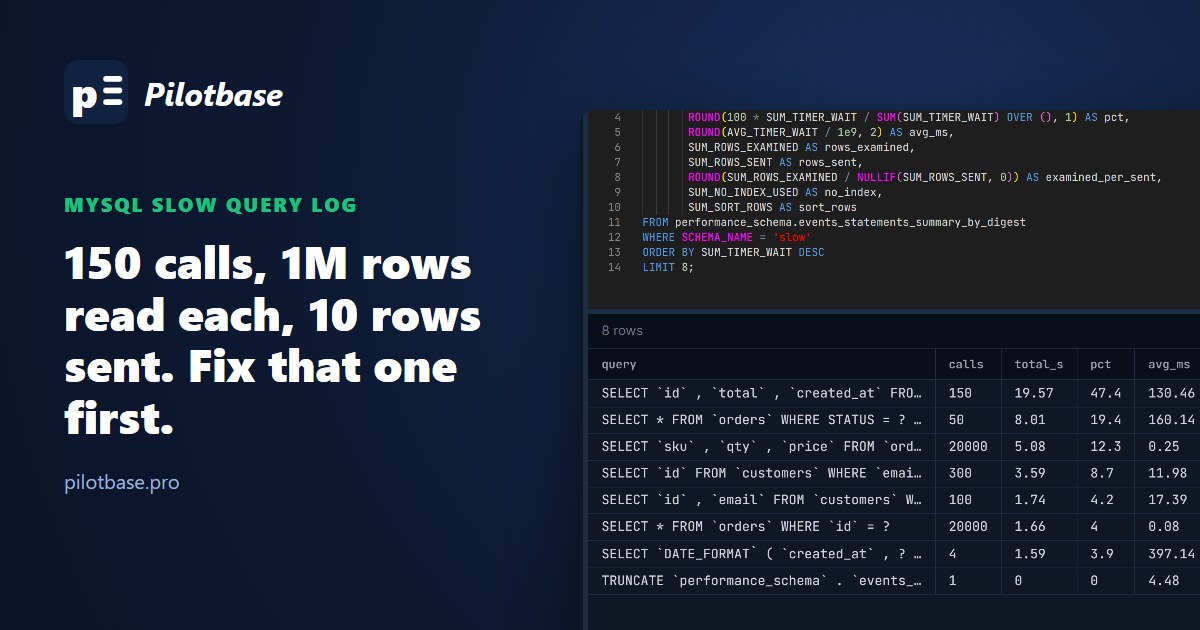
A MySQL server feels slow and you want to know which queries to fix. The slow query log is the classic answer, and with its default settings it will tell you nothing at all: long_query_time is 10 seconds, and most of the queries that make an application slow take a tenth of that. Turn it down and it records everything, and then you need a way to read a log with tens of thousands of entries. That's what pt-query-digest is for. MySQL also keeps the same totals in memory, in performance_schema, with no log file at all.
We ran both against one workload and compared what they found. The setup: MySQL 8.4.13 in Docker, a made-up shop with 100,000 customers, 1,000,000 orders and 2,000,000 order items, and a script that plays 40,604 queries of the kind a web app sends (seven kinds, in a fixed random order). Three mistakes are planted: no index on orders.customer_id, no index on orders.status, and no index on customers.email. Everything below is output from those runs.
The three settings that decide what gets logged
long_query_time is the threshold in seconds (fractions allowed, down to microseconds). log_queries_not_using_indexes also logs any query that scans a whole table or index, however fast. min_examined_row_limit then drops logged queries that read fewer rows than its value, which is how you keep tiny full scans of 20-row lookup tables out of the log. All three are dynamic: SET GLOBAL works without a restart, and applies to new connections.
Here is how the threshold changes what you'd see from our workload. We logged everything (long_query_time = 0) and then asked pt-query-digest what each threshold would have kept:
The slowest single statement in the whole run took 0.411 seconds. Nothing reached one second, yet the planted mistakes were costing the server about 31 seconds out of 43 seconds of total statement time. A threshold of 0.1 s caught the two biggest; the rows-examined filter caught the email lookups as well, which at 12 ms each never come close to any sensible time threshold but read the whole customers table every call.
Logging everything for a while
The most useful way to run the slow log is the least obvious one: set long_query_time to 0 for a short window at a busy time, then turn it back. You get every statement with its timing, and pt-query-digest does the ranking.
What it cost us: the 40,604 statements wrote a 24 MB log (about 590 bytes per statement with log_slow_extra on). The workload took 67.9 s with the log off and 71.4 s with every statement logged, about 5%; in our first run (on an earlier version of the test data) the logged run was 1.6% faster, so on this box the cost was within run-to-run noise. On a server doing 5,000 queries a second, the same rate is about 10 GB an hour, so keep the window short, check free disk first, and rotate with FLUSH SLOW LOGS after moving the file. Changing long_query_time globally only affects connections opened after the change; a pooled application keeps its old setting until its connections are recycled.
pt-query-digest: one line per query shape
pt-query-digest (Percona Toolkit, 3.7.2 here) groups statements by fingerprint (the query with literals replaced and whitespace normalised) and ranks the groups by total response time. We ran it from Percona's Docker image so nothing had to be installed on the server:
Read the Response time column first: rank 1 is 45.1% of all the time the server spent on statements. R/Call is the average per call, and V/M (variance to mean) says whether every call is about the same (0.00) or a few calls are wildly slow, which points at locking or cache misses rather than a bad plan. Notice where the monthly report ended up: in MISC. It had the slowest calls in the whole log (0.396 s on average) and it's the least important query in the list, because it ran four times. Sorting by slowest call would have put it first. Use --limit 100% to see the MISC rows by name.
Each ranked query then gets a detail block. For rank 1:
Rows examined 976.57k (pt-query-digest counts in units of 1,024, so that's 1,000,010 rows) for 10 rows sent, on every call. That ratio is the tell, and it's the thing to look for on every ranked query. It also gives you a real sample statement to paste into EXPLAIN.
The same answer without a log file: performance_schema
performance_schema is on by default in MySQL 8, and events_statements_summary_by_digest keeps running totals for every statement shape since the server started (or since you last truncated it). No file, no restart, no extra tool:
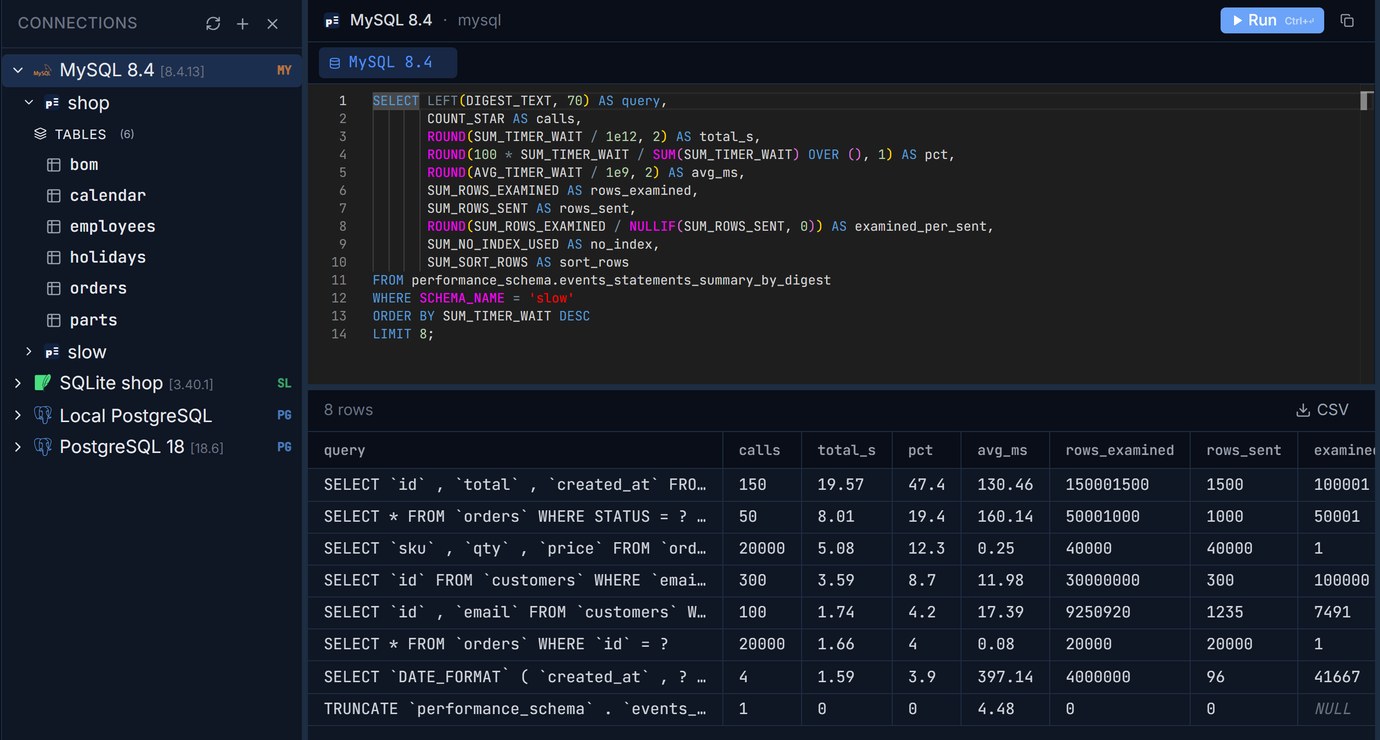
The timers are in picoseconds, hence the 1e12 and 1e9. Run against the same workload (we truncated the table just before it), it ranked the queries in the same order as pt-query-digest, with nearly the same totals, and added columns the slow log doesn't give you directly:
examined_per_sent sorts the list into two groups at a glance: the queries that read about what they return (ratio 1) and the ones that read a whole table to return a handful of rows (100,001, 50,001, 100,000). The second group is where the indexes are missing, and no_index confirms it: every call of those queries did a full scan.
Three things to know about this table. It's capped at performance_schema_digests_size rows (10,000 on our server), after which new shapes are counted in a single NULL-digest row. DIGEST_TEXT is cut at 1,024 bytes (performance_schema_max_digest_length), so very long statements share a digest if they only differ past that point. And it resets on restart, so for a before-and-after comparison, TRUNCATE performance_schema.events_statements_summary_by_digest right before the workload you're measuring. The sys schema has ready-made views over it (sys.statement_analysis, sys.statements_with_full_table_scans) if you'd rather not write the query.
If you'd rather not read the raw table: statementsRanker, one of our free data tools, now has a MySQL tab with this query (plus the on-disk temp table and sort columns). Paste its result, tab-separated or the mysql client's boxed table, and you get the ranking by share of total time, with every query that reads thousands of rows per row it returns flagged, and the EXPLAIN ANALYZE to copy. It runs in the browser; nothing you paste is uploaded.
Which one to use? performance_schema for a quick look on a running server, and for anything continuous: sample the table every few minutes and diff the totals. The slow log when you need individual executions (the actual literal values, timestamps, which call was the slow one in a high-V/M group) or a file to hand to someone else.
What the totals hide: round trips
Look at the two 20,000-call queries. performance_schema says they used 7.43 s and 2.01 s of server time. Our client, timing the same calls from outside, measured 20.68 s and 15.19 s. The difference is the network round trip and the client's own work, about 0.6 ms per call even with MySQL in Docker on the same PC. Neither the slow log nor performance_schema can see it, because the server is idle while it happens.
So a query with a ratio of 1 and a tiny average can still be the thing that makes a page slow, if the application calls it 200 times per page (the N+1 pattern: one query for a list, then one more per row). The server-side tools rank it low. Look at the calls column next to the total: tens of thousands of calls of a one-row lookup is a code change (one query with WHERE order_id IN (...) or a join), not an index.
Fixing the top of the list, and measuring again
For the three full-scan queries, the fix is three indexes:
ALGORITHM=INPLACE, LOCK=NONE makes MySQL refuse with an error rather than quietly fall back to a table copy that blocks writes. Adding a secondary index is an online operation in InnoDB, so here it just ran. EXPLAIN for rank 1 went from type ALL, rows 997444, Using where; Using filesort to type ref, key orders_customer_created, rows 10, Backward index scan: the index serves both the WHERE and the ORDER BY. We truncated the digest table and ran the same workload again:
Two results are worth a second look. The email search didn't move: LIKE '%user123%' starts with a wildcard, so no B-tree index can help, and MySQL just scans the new email index instead of the table. If that search matters, it needs a FULLTEXT index with the ngram parser or a search service, not a B-tree.
The monthly report got two and a half times slower. Its WHERE status = 'shipped' matches 700,000 of the 1,000,000 orders, and the optimizer now chose the new status index anyway (it estimated 498,722 matching rows), then fetched each row from the table by primary key to read created_at and total. Reading 70% of a table through a secondary index is slower than reading the table. We timed the options:
A histogram on status didn't change the choice either: for a column that has an index, MySQL estimates from the index itself (index dives), so the histogram had nothing to add. Making the index covering did: with total in it, the report reads only the index, and the latest-pending query still uses it (2.8 ms). That's the general lesson of a before-and-after run: rank again after every change, because an index added for the top query can move another one up the list.
A checklist
This is the MySQL side of what we did for PostgreSQL with pg_stat_statements: the same idea (rank by total time, not by slowest call), different views and tools. If you're running both, the habits carry over.
Run the performance_schema query against MySQL, and EXPLAIN the top query next to it, in one window. Pilotbase is free for Windows, macOS and Linux, or Docker on a server.
Get PilotbasePaste the performance_schema digest summary and get every statement ranked by its share of total time, with the full scans flagged.
Open statementsRankerBefore you run the ALTER on a big table: paste it into sqlInspector and see whether MySQL 8.4 runs it INSTANT, INPLACE or as a COPY that blocks writes.
Open sqlInspectorRelated: pg_stat_statements: find the five queries worth tuning first · Unused and duplicate indexes in Postgres: find them, then drop them safely
Sources: MySQL 8.4 Reference Manual: The Slow Query Log (long_query_time, log_queries_not_using_indexes, min_examined_row_limit, log_slow_extra), Statement Summary Tables and Performance Schema Statement Digests (performance_schema_digests_size, performance_schema_max_digest_length), the sys schema views, Online DDL Operations, Optimizer Statistics (histograms are not used for indexed columns); Percona Toolkit documentation, pt-query-digest. Workload, data and all timings are our own, run on 2026-10-23 on MySQL 8.4.13 in Docker on a desktop PC.
Comments (0)
Loading comments…