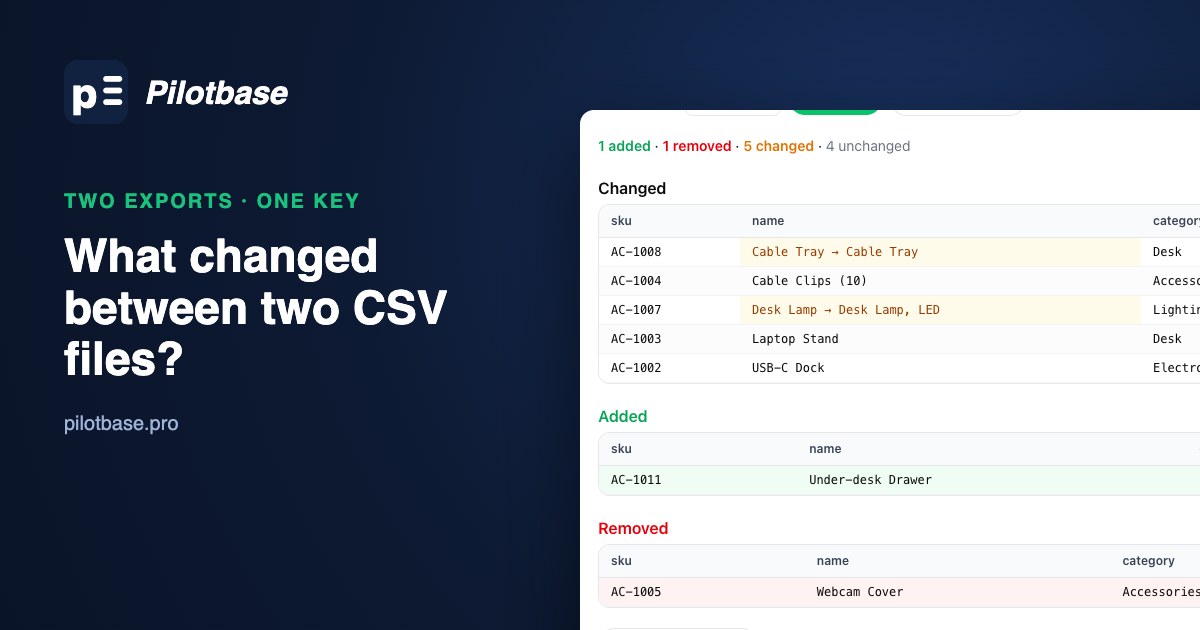
A supplier sends their product catalogue as a CSV every night, and you need to know what changed before you sync it. Or you exported a table before a migration and again after, and want proof that nothing moved that shouldn't have. Either way the question is the same: given two versions of a CSV, which rows were added, which were removed, and which values changed?
It sounds like a job for diff. It isn't, and seeing why is the quickest way to understand what a useful comparison needs. This guide walks through one real pair of files, first with diff, then with our free browser tool csvDiff, then in PostgreSQL for files that are big or arrive every day.
The two files
Monday's export, products_2026-10-05.csv, has ten products:
Tuesday's, products_2026-10-06.csv, has ten as well, but in a different order, because the supplier's system happened to export them differently:
By eye, you might spot a price change or two. The real list of changes is longer, and two of the items on it aren't changes at all.
Why diff doesn't answer the question
diff compares lines, in order. Because Tuesday's rows come out in a different order, nearly every line looks different:
Sorting both files first (diff <(sort a.csv) <(sort b.csv)) gets closer: it narrows things down to six lines on each side. But it still can't tell you that AC-1011 is new while AC-1002 merely changed, it marks whole lines rather than the cell that changed, and it breaks on anything a line-based tool can't see: a quoted field with a line break in it, columns in a different order, or a header that moved. A CSV is a table, so it needs a table comparison.
Step 1: decide what identifies a row
To say a row changed rather than "one row disappeared and a similar one appeared", you need a key: a column whose value means "this is the same product" in both files. Here it's sku. In a database export it's usually the primary key. Sometimes it takes two columns (order_id plus line_no); in that case add a column that joins them (1001-3) to both files before comparing.
The key has to be unique in each file, and it's worth checking rather than assuming. Drop each file on csvProfiler and compare the key column's filled count with its distinct count; if they differ, there are duplicates. That matters for any by-key comparison, and for csvDiff in particular: when a key appears twice, only one of those rows (the last) is compared.
Step 2: compare by key with csvDiff
Open csvDiff, drop Monday's file on the left and Tuesday's on the right, pick sku as the key column and press Compare. Both files stay in your browser.
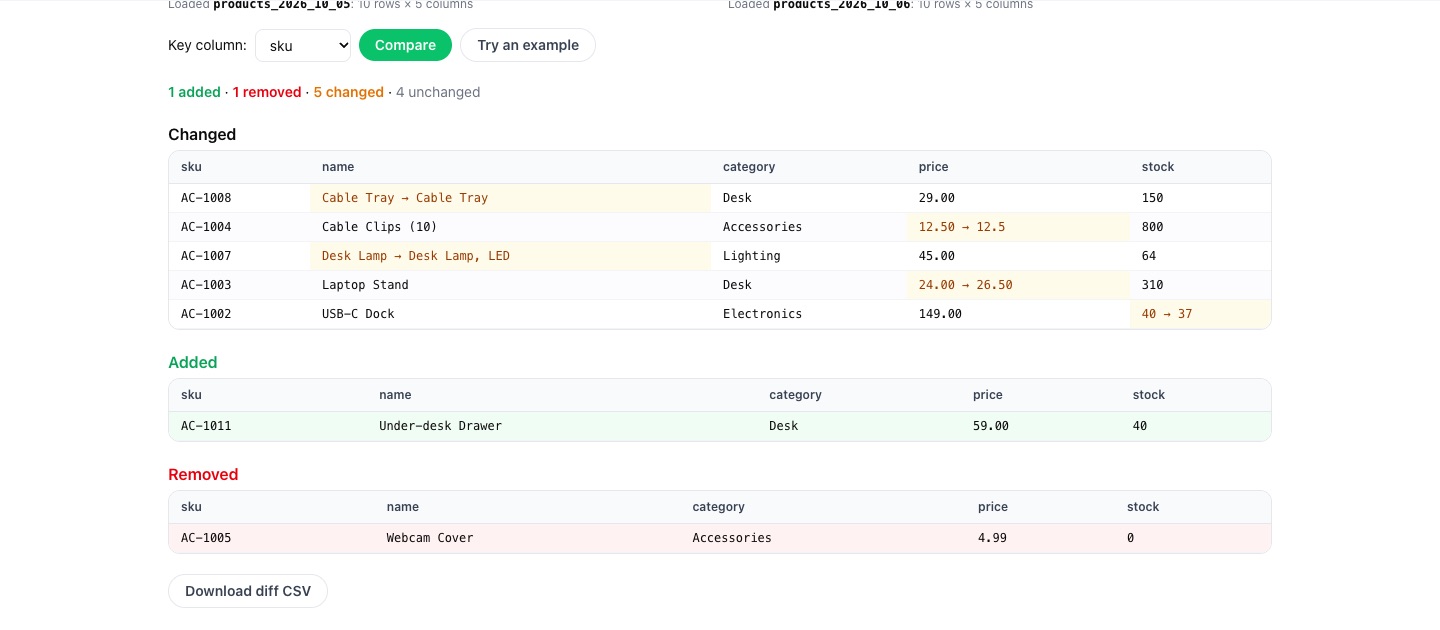
Row order is gone as a source of noise. AC-1011 (Under-desk Drawer) is new, AC-1005 (Webcam Cover) is gone, and five products changed, each with the old and new value side by side. Now read the five changes like a reviewer:
AC-1003 Laptop Stand, price 24.00 → 26.50: a real price change. AC-1002 USB-C Dock, stock 40 → 37: real, and expected every day. AC-1007, "Desk Lamp" → "Desk Lamp, LED": a real rename (note the comma inside the quoted field, which a line-based tool would have to understand to split correctly). AC-1008, "Cable Tray" → "Cable Tray": looks identical, because the new value has a trailing space. AC-1004, price 12.50 → 12.5: the same number, formatted differently.
Three real changes and two pieces of noise. That ratio is normal for exports from systems you don't control, and it's why a comparison is only as good as the cleaning before it.
Step 3: remove the noise, not the changes
Whitespace is the easy one. Run both files through csvCleaner with "Trim spaces and collapse doubles" ticked, download the cleaned files and compare again. The Cable Tray row drops out: 1 added, 1 removed, 4 changed, 5 unchanged.
Number formatting is a decision rather than a fix. csvDiff compares cell text exactly, so 12.50 and 12.5 count as different, and that's sometimes what you want (a price field that suddenly loses its trailing zero can mean the export format changed). If you only care about values, compare in a tool that knows the column is a number, which is what the database approach below does. Do the same thinking for dates (2026-10-05 vs 05/10/2026) and case (ACME vs Acme): normalise in both files first, or accept them as changes.
When the result looks right, "Download diff CSV" gives you one file with a change column (added, removed or changed) and, for changed rows, old → new in each changed cell. That's a reasonable artefact to attach to a ticket or a migration sign-off.
Step 4: when the files are big or arrive every day, use SQL
A browser tool is the fastest way to answer the question once. When the files run to millions of rows, or the comparison has to run every night, load both into PostgreSQL and let a FULL JOIN do it. Typed columns take care of the formatting noise: 12.50 and 12.5 are equal as numeric.
On our two files, run in psql, the first query returns:
The price formatting is gone, because both values are the number 12.5. The trailing space is still there, because name is text: trim it while loading (UPDATE new_products SET name = btrim(name)) or clean the file first. A few details make the query work. FULL JOIN keeps rows that exist on only one side, and the side that's missing comes back as all NULLs, which is how change is worked out. o IS DISTINCT FROM n compares the whole row at once and, unlike <>, treats NULL as a value, so a cell that went from empty to filled counts as a change. The per-column IS DISTINCT FROM tests build the readable what column.
Without a key, the second query is the fallback: EXCEPT returns rows in the new file that don't appear, exactly, in the old one. It can't tell an added row from a changed one, but it does tell you whether anything differs at all, which is often the question after a migration. Run it both ways round to see what was removed, and use EXCEPT ALL if duplicate rows matter.
If you'd rather stay on the command line, two open-source tools do keyed comparisons: Simon Willison's csv-diff (csv-diff old.csv new.csv --key=sku, with a --json option) and daff, which also detects added, removed and renamed columns and can apply a diff as a patch.
A checklist
Pick the key, and check it's unique in both files. Trim whitespace and normalise dates and case in both files the same way. Compare by key, not by line. Read every changed row and ask whether it's a real change or formatting. For big or recurring comparisons, load into typed tables and use a FULL JOIN with IS DISTINCT FROM. Keep the diff file as a record.
For the loading part, our walk-through of getting a messy CSV into Postgres covers types, dates and leading zeros, and if the nightly comparison query gets slow, reading EXPLAIN ANALYZE top-down shows where the time goes.
Compare two CSV exports in your browser with csvDiff, free and with nothing uploaded. When the comparison moves into the database, Pilotbase opens both tables side by side, for PostgreSQL and 18 other engines.
Open csvDiffSources: PostgreSQL documentation, Comparison functions and operators (IS DISTINCT FROM), Combining queries (EXCEPT) and COPY; csv-diff; daff. The diff, csvDiff and SQL results are from our own runs on the files above (PostgreSQL 16.15).