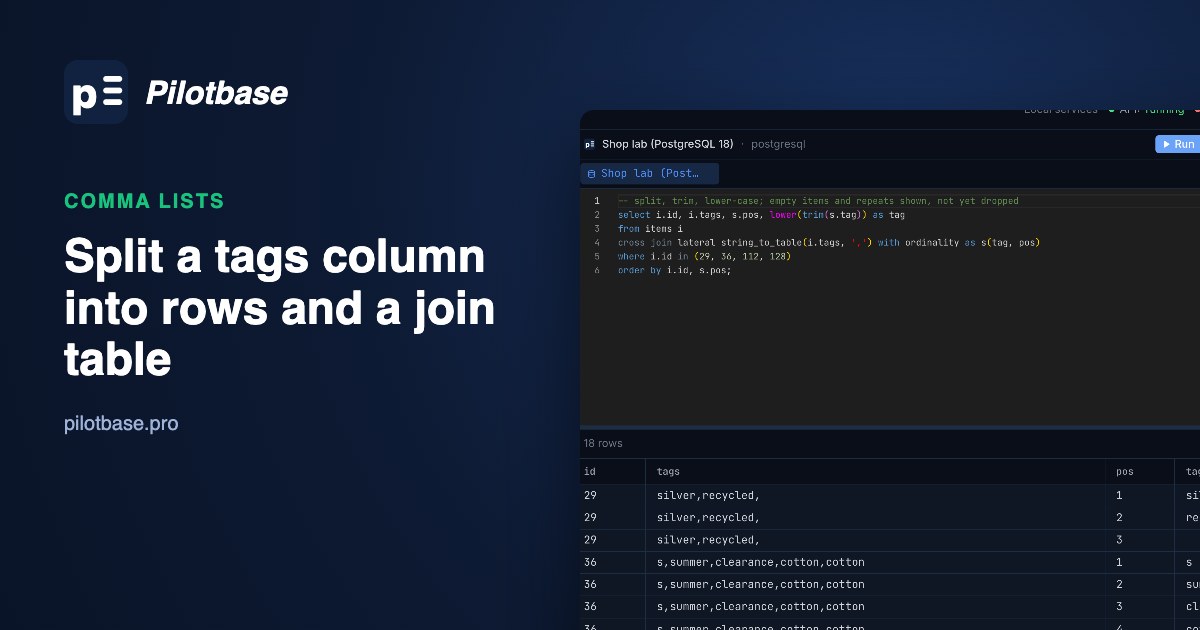
Somebody exported products from a shop, a spreadsheet or an old CRM, and one column holds a list: red,blue, green. It loads into a text column without complaint, and then every question about it gets awkward. Which items are blue? How many use each tag? Rename a tag everywhere? Each of those is a string search, and string searches on lists are wrong in small ways that are hard to spot.
The fix is old and boring: a tags table, an item_tags join table, one row per item and tag. This piece is about getting there from the messy column on PostgreSQL 18.6, MySQL 8.4.11 and SQLite 3.54: splitting, trimming, dropping empty items and repeats, keeping the order, and going back to a list when an export needs one. Everything was run on 1,000,000 generated items on 2026-10-29, and the three engines produced exactly the same 3,325,482 item-tag rows.
The data, and what can go wrong in one cell
The test table has 1,000,000 items with up to six tags each from 48 words (colours, materials, sizes like s and xl, sale, vintage). It's messy the way real exports are: 30% of lists have a space after each comma, and a few percent each have an empty item (grey,, red), a trailing comma, a capital (Summer), a repeated tag (cotton,cotton) or spaces around the whole cell. 30,358 items have NULL and 19,859 an empty string.
Six cells cover every case worth testing:
PostgreSQL: string_to_table with ordinality
PostgreSQL 14 added string_to_table, which returns one row per item. WITH ORDINALITY adds the item's position, so the original order survives:
It splits on the comma and nothing else. Item 1 gives red, blue and ' green' with the space; item 2 gives ' red', '', blue, ''; item 3 gives red, Red, red. NULL gives no rows, and so does the empty string, because PostgreSQL treats '' as a list with no items. unnest(string_to_array(tags, ',')) behaves the same and works on older versions.
regexp_split_to_table(tags, '\s*,\s*') looks tempting because the pattern eats the spaces round the commas, but it still left the padded ' red' at the start of item 2, still returned the empty items, and returned one empty row for the empty string. You need trim and an empty check either way, so the plain split is the better start. It was also the fastest: splitting all 1,000,000 lists into 3,363,444 non-empty items took 0.23 s with string_to_table, 0.28 s with unnest(string_to_array) and 0.51 s with the regex.
The cleaned version: trim, lower-case, drop empties, and keep each tag once at its first position:
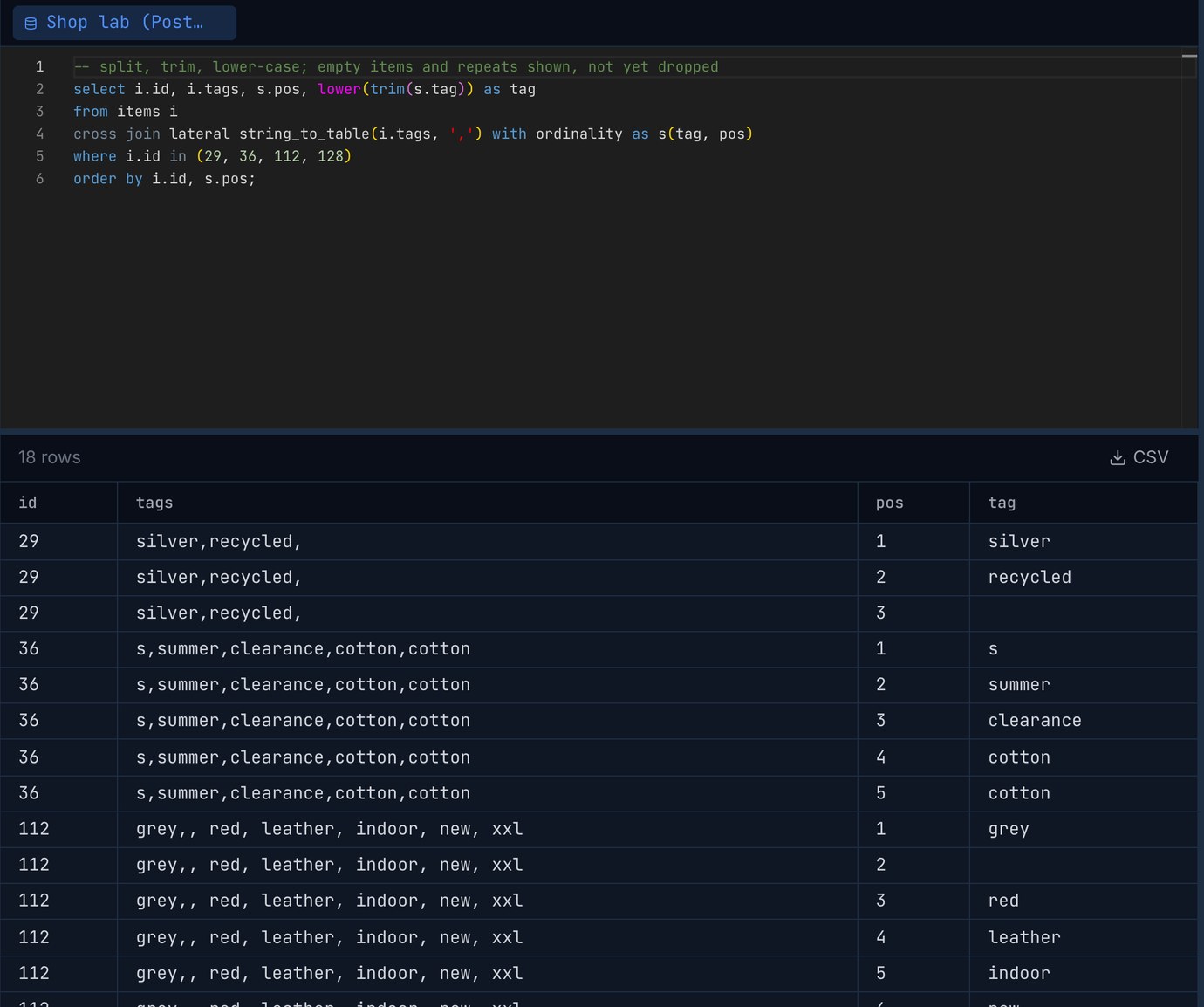
Positions keep their gaps (item 2 above has red at 1 and blue at 3), which is fine for ordering. If you want 1, 2, 3, number them again with row_number() over (partition by id order by min(pos)).
One thing to watch: a plain comma join drops items that have no tags. If the next step needs every item, for a count of untagged ones say, use left join lateral string_to_table(...) on true.
MySQL: JSON_TABLE over an array you build
MySQL has no split function that returns rows. The usual trick in 8.0 and later is to turn the list into a JSON array by replacing each comma with ",", then read it with JSON_TABLE, which has its own ordinality column:
Split results matched PostgreSQL item for item, with one difference: the empty string becomes [""], an array with one empty item, so the trim(j.tag) <> '' filter is not optional here. All 1,000,000 lists split in 1.47 s.
Three things broke it in testing:
A quote or backslash in the data. A tag like say "hi" makes the built text invalid JSON and the whole statement fails, not just that row: ERROR 3141 (22032): Invalid JSON text in argument 1 to function json_table: "Missing a comma or ']' after an array element." Escape backslashes first, then quotes:
An item longer than the column. With tag varchar(20) path '$', a 45-character item came back as NULL, no error and no warning. Add error on error to the column and you get ERROR 3669 (22003): Value is out of range for JSON_TABLE's column 'tag' instead. Size the column for the longest item you could see, or check max(length(...)) first.
Accents and case in the tags table. The default collation, utf8mb4_0900_ai_ci, is accent and case insensitive, so a unique key on tags.name treats cafe and Café as the same tag: ERROR 1062 (23000): Duplicate entry 'Café' for key 'tag_names.PRIMARY'. That's often what you want for tags. If it isn't, give the column a binary or _as_cs collation.
The older ways work but cost more. A recursive CTE peeling off one item at a time with SUBSTRING_INDEX took 2.24 s, and it stops at cte_max_recursion_depth (default 1000): a list of 1,500 items failed with ERROR 3636 (HY000): Recursive query aborted after 1001 iterations until the session setting was raised. JSON_TABLE read the same 1,500 items with no limit. The numbers-table version you find in many old answers (join to 1..100 and take SUBSTRING_INDEX(SUBSTRING_INDEX(tags, ',', n), ',', -1)) gave the right count but took 23.33 s.
SQLite: json_each, or a recursive CTE
SQLite has the same JSON trick with json_each. Its key column is the 0-based array index, so it doubles as the position:
It behaves like MySQL: one empty item for the empty string, nothing for NULL, and malformed JSON for a quote in the data (the same two replace calls fix it). It split the million lists in 0.52 s. A recursive CTE has no JSON to break and no depth limit, at 1.94 s:
Building tags and item_tags
Same two statements on all three engines: distinct cleaned names into tags, then one row per item and tag, with the first position kept and repeats dropped by the group by. On PostgreSQL:
The result was the same everywhere: 48 tags, 3,325,482 item-tag rows for 949,783 items (37,962 repeats removed). The (tag_id, item_id) index is the one that answers "which items have this tag"; the primary key answers "which tags does this item have".
The one-statement fill was slow on PostgreSQL and very slow on MySQL, mostly because of the keys. On PostgreSQL the same INSERT into a table with no keys took 4.2 s, the primary key 2.3 s and both foreign keys 0.4 s afterwards. On MySQL, writing the split rows to a staging table (7.7 s), then the grouped insert with only the primary key (12.1 s), the second index (1.5 s) and the foreign keys (8.3 s) came to 29.6 s against 1 min 19.8 s in one go. For a one-off migration of a big table, load first and add the keys after. SQLite, with foreign keys switched on and a WITHOUT ROWID join table, did it all in 7.4 s.
The join table is bigger than the column it replaces, at least on PostgreSQL, where every row carries a 24-byte header: 140 MB of table and 200 MB of indexes against 92 MB for all of items. That's the price of being able to ask questions quickly.
What the join table buys you
Finding items tagged s (the size) is the classic case where the string version goes wrong:
LIKE '%s%' matched summer, silk and sale alike. The comma-wrapping trick missed the 535 items written S, because LIKE is case-sensitive in PostgreSQL (and case-insensitive in MySQL and SQLite, which is why their LIKE counts differ). MySQL's FIND_IN_SET looked right and quietly missed 15,258 items, each with a space next to the s. The split-on-the-fly query gets the right answer but reads the whole table every time. The join table gave the right answer from the index: 3.5 ms in PostgreSQL as an index-only scan, against 127 ms for the parallel scan of items. Items with two given tags (red and wool, 4,971 items) took 5.5 ms as a self-join on item_tags.
Going back to a list
Exports, APIs and spreadsheets still want the list. Aggregate with an explicit order, or the order is whatever the plan produces:
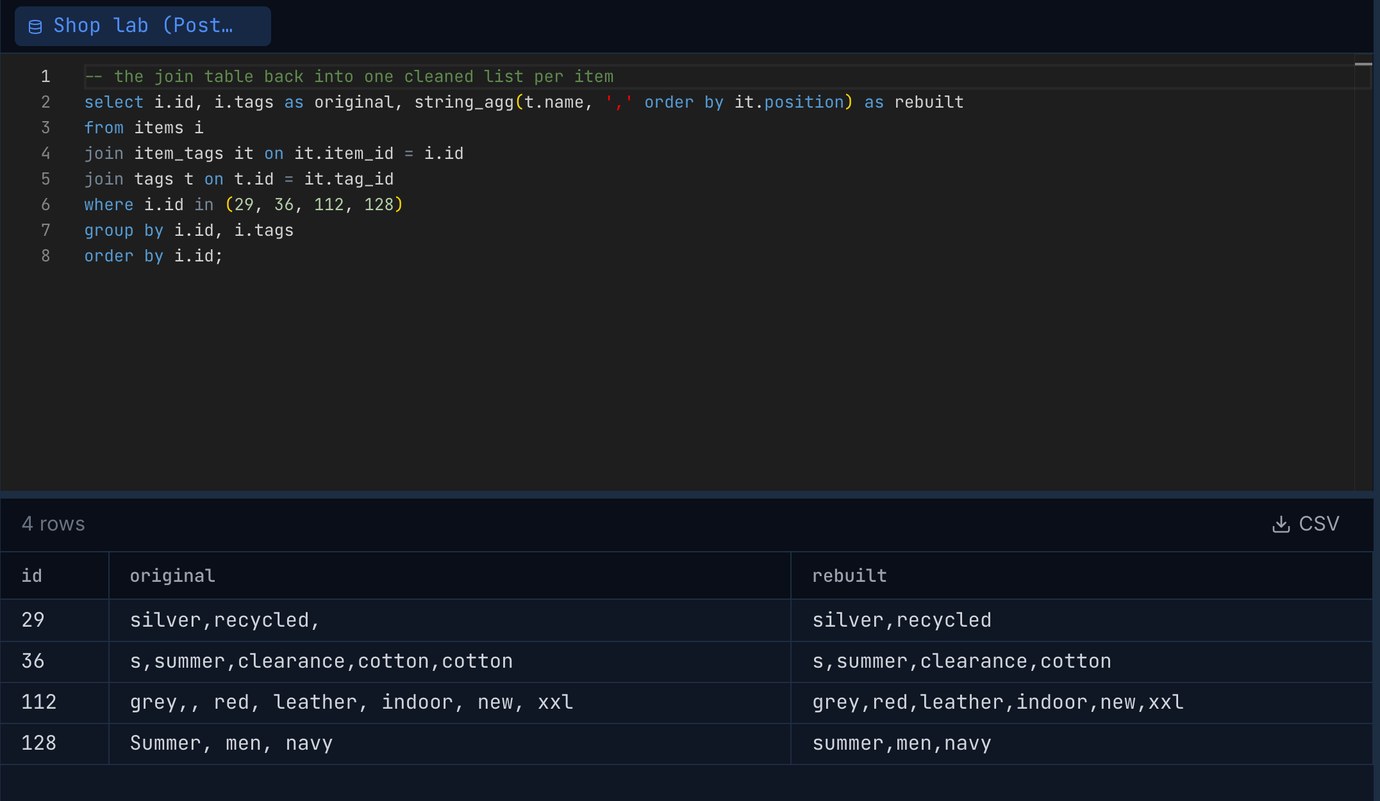
Rebuilding all 949,783 lists took 1.03 s on PostgreSQL, 5.45 s on MySQL and 1.02 s on SQLite. On PostgreSQL every rebuilt list equalled the cleaned original (lower-cased, trimmed, no empties or repeats, same order): 0 mismatches out of 949,783.
MySQL cuts GROUP_CONCAT at 1,024 bytes by default (group_concat_max_len). An item with 200 tags, 2,091 characters of list, came back exactly 1,024 characters long, ending mid-word in olour-102,colour-103. A plain SELECT only adds a warning most clients never show: Warning 1260: Row 104 was cut by GROUP_CONCAT(). Writing the same thing into a table in the default strict mode failed outright with ERROR 1260 (HY000), which is the better outcome. Raise it for the session before any export:
PostgreSQL's string_agg and SQLite's group_concat have no such limit short of the engine's maximum value size.
Clean the file before you load it, too
Most of the trimming and lower-casing above is there because the file was messy. If the list arrives as a CSV, a pass through a cleaner before the load takes care of padded cells, stray capitals and rows that appear twice, and the SQL then only has to deal with the spaces after commas inside a cell. Load the file as it is into a staging table, split into tags and item_tags with the statements above, check the counts (raw items, items after cleaning, repeats removed), and only then drop the old column. Keep it until the export that rebuilds the list matches what you expect.
More on getting a file into the database in A messy CSV into Postgres without surprises: profile, clean, then load and on load speed in Loading a million rows: COPY, multi-row INSERT and executemany, measured.
Run the split on your own table and look at the rows before you build anything from them: Pilotbase connects to PostgreSQL, MySQL, SQLite and more. Free for Windows, macOS and Linux, or Docker on a server.
Get PilotbaseTags column full of padded cells and odd capitals? csvCleaner trims spaces, lower-cases a column and removes duplicate rows in your browser before you load the file.
Open csvCleanerSources: PostgreSQL 18 documentation: string functions (string_to_table, string_to_array, regexp_split_to_table), table functions and WITH ORDINALITY, aggregate functions (string_agg). MySQL 8.4 reference manual: JSON_TABLE, GROUP_CONCAT and group_concat_max_len, recursive CTEs and cte_max_recursion_depth, FIND_IN_SET. SQLite: json_each, aggregate functions with ORDER BY, WITH RECURSIVE, WITHOUT ROWID tables. All results are from our own run on 2026-10-29: PostgreSQL 18.6, MySQL 8.4.11 and SQLite 3.54.0 with default settings on an Apple M4 Mac mini, 1,000,000 generated items with a fixed seed.