Most tutorials get you to a working app by connecting as postgres. It works, and that's the problem: the app can now drop any table, read every database on the server, create roles and turn off security checks. One bad query or one leaked .env file and there's nothing standing in the way.
Doing it properly takes about fifteen lines of SQL: one role that owns the database and runs migrations, one role the app logs in as, and the grants between them. There are three places where the obvious command doesn't do what you think, and they're the reason this article exists. We ran every step on a fresh PostgreSQL 18.6 cluster and connected in Pilotbase as each role; every error message below is copied from those runs.
The plan: two roles, one database
Why not one role for the app? Because the owner of a table can drop it, change it and grant on it, and it isn't held back by row-level security unless you force it. Your app needs none of that at runtime. Keeping the owner separate means a bug in the app can delete rows, which a backup fixes, but can't drop the table or change the schema.
Step 1: create the roles and the database
Connect as the superuser (on a fresh Linux install that's sudo -u postgres psql) and run:
\password asks for the password and sends it already hashed, so it doesn't end up in your shell history or, if statement logging is on, in the server log. CREATE ROLE ... PASSWORD '...' works too; it just leaves the plain text in more places.
The REVOKE matters more than it looks. Every new database lets every role connect to it by default (the grant goes to PUBLIC). On a server with more than one app, that means each app's user can log in to the others' databases. After the REVOKE, only the owner and shop_app can connect to shop.
The last line gives the app a 30-second limit on any single statement. A runaway query from the app gets cancelled instead of holding locks for an hour, and you can still run long jobs as shop_owner. CONNECTION LIMIT 20 does the same for a connection leak. Here's what psql shows afterwards:
Neither new role has any attribute at all, which is what you want.
Step 2: the owner creates the tables
Now connect as shop_owner and create the schema. In a real project, this is the role your migration tool (Alembic, Prisma, Flyway, Rails, whatever you use) connects as.
This works because shop_owner owns the database. Since PostgreSQL 15, the public schema belongs to a built-in role called pg_database_owner, which means "whoever owns this database", and only that role may create things in it. Before 15, every role could create tables in public.
The app user can't do anything yet
The first error is the PostgreSQL 15 change at work, and it's good news: the app can't create tables. If you're following an older tutorial that never had to deal with it and you see this message, the fix is not to grant CREATE on public to the app. It's to run the CREATE as the owner.
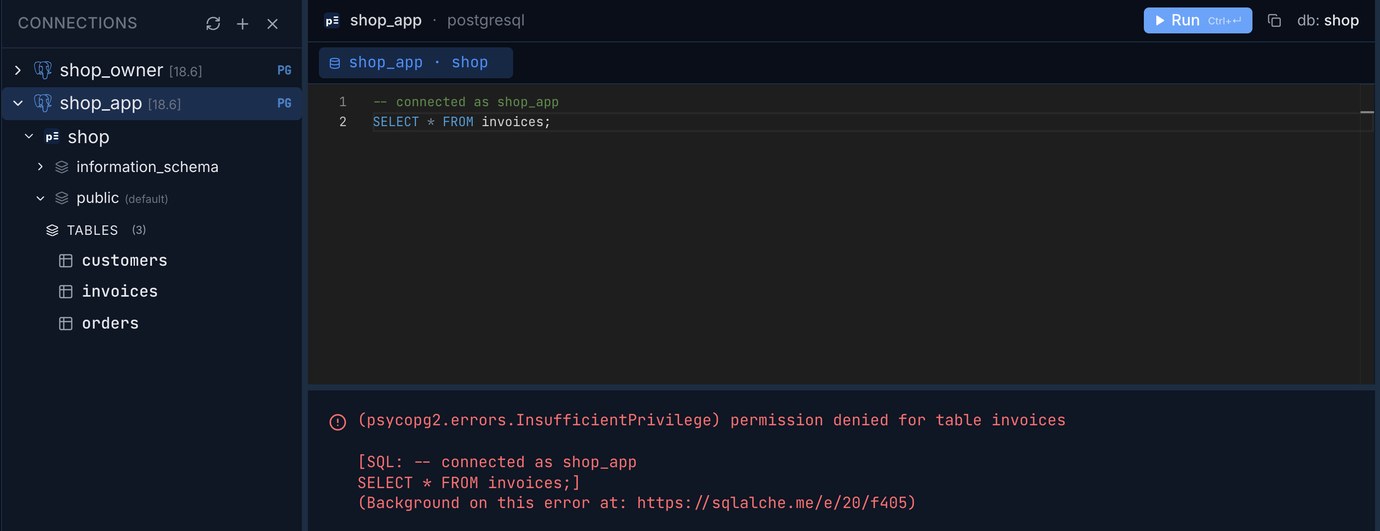
The second error is just as expected: owning nothing and granted nothing, shop_app can read nothing.
Step 3: grant what the app needs
On the public schema the USAGE grant is already there (PUBLIC still has USAGE in 15 and later, only CREATE was taken away), but put it in anyway: the day you move your tables to their own schema, it's required, and the error you'd get otherwise (permission denied for schema app) sends people looking in the wrong place.
Now the app can work with rows, and nothing more:
TRUNCATE isn't in the list on purpose. It empties a table in one statement with no WHERE clause; if the app ever needs it, grant it to that one table.
Trap 1: the INSERT that fails on a sequence
The insert into customers worked, the insert into orders didn't, and the app has exactly the same grants on both tables. The difference is the id column. orders.id is a serial, which is shorthand for an integer with a default of nextval('orders_id_seq'), and calling nextval needs its own privilege on the sequence. customers.id is an identity column, and PostgreSQL doesn't ask for a separate grant on an identity column's sequence.
Two ways out. Use identity columns for new tables (they've been the recommended form since PostgreSQL 10), or grant the sequences:
USAGE is enough for nextval. Many tools still generate serial columns, so if you didn't write the CREATE TABLE yourself, check.
Trap 2: the next migration's table is locked out
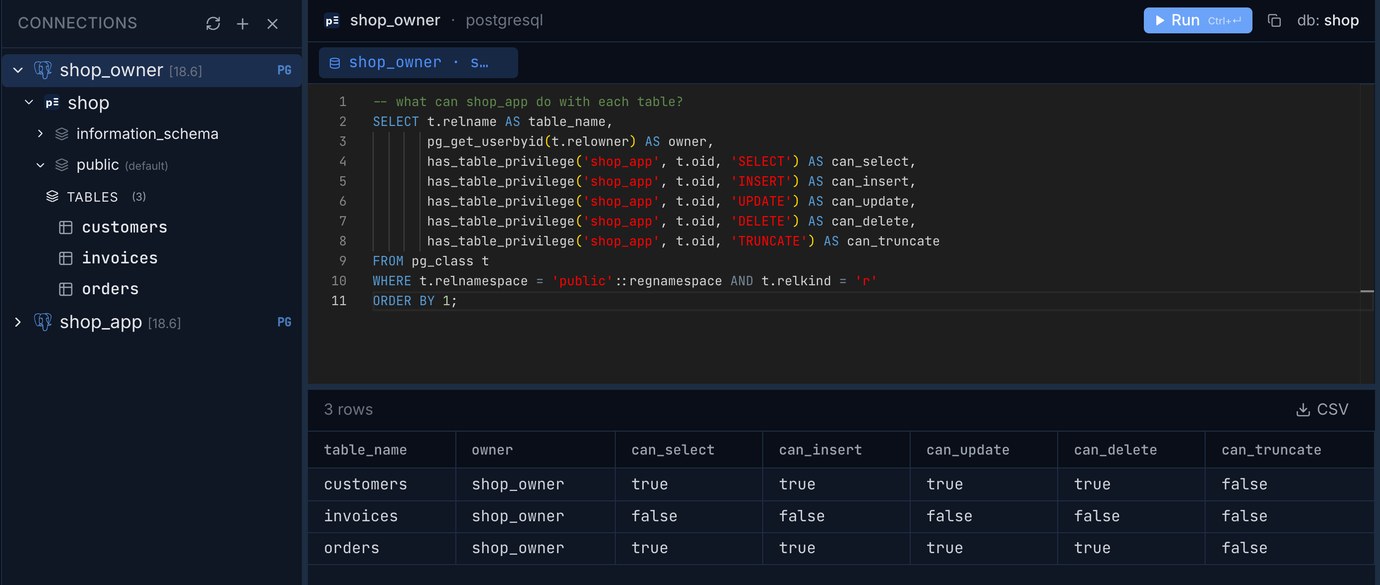
GRANT ... ON ALL TABLES means all the tables that exist right now. A week later a migration adds an invoices table, the deploy goes out, and the app gets permission denied for table invoices. The fix everyone finds is ALTER DEFAULT PRIVILEGES, which sets the grants for tables created in the future. And here is where most people get it wrong, because they run it as the superuser:
No error from the ALTER, and no effect on the new table. Default privileges belong to the role that creates the objects, and without FOR ROLE that's whoever ran the ALTER. psql's \ddp shows it plainly:
That reads "tables that postgres creates in public get SELECT, INSERT, UPDATE, DELETE for shop_app". postgres creates no tables here. shop_owner does. Here's the privilege check in Pilotbase, run as shop_owner after that migration:
The fix is to name the role that will create the tables. Either run the ALTER while connected as shop_owner, or say so:
Default privileges never touch tables that already exist, which is why invoices still needs its own GRANT. After that, we added one more table as shop_owner (refunds, with a serial id) and the app inserted into it on the first try. The same check, run as shop_app this time:
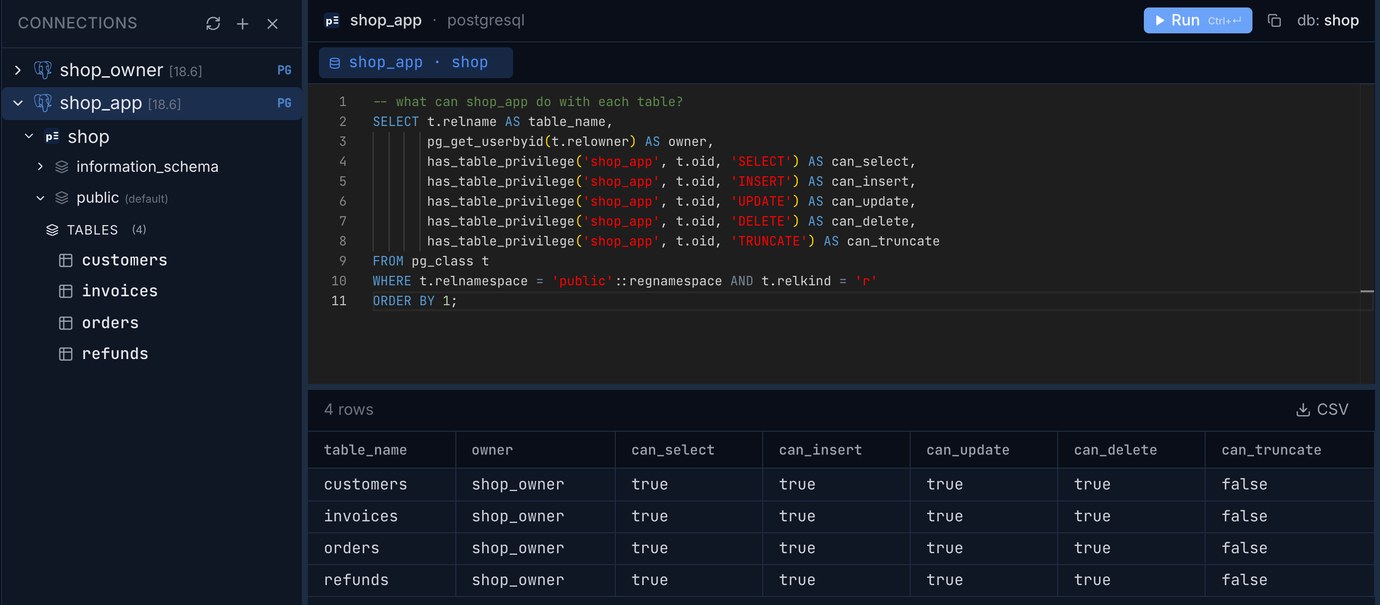
The related trap: a migration that someone runs once as postgres "just to get it done" leaves a table owned by postgres. shop_owner then can't alter it, and the default privileges don't apply to it. The owner column in that query is there to catch it. Fix it with ALTER TABLE ... OWNER TO shop_owner.
Trap 3: pg_hba.conf decides who gets in at all
Grants control what a role can do once it's connected. Whether it may connect, from where and how it proves who it is, is decided earlier, in pg_hba.conf. Each line is checked in order and the first one that matches the connection wins. The cluster we tested with had only two lines:
(trust means no password, which is fine on a laptop for the local socket and nowhere else; on Linux packages the default for that line is peer, which checks that your system user is also called postgres.) With that file, here's what three wrong attempts look like, and they're worth recognising, because each one points at a different fix:
"No pg_hba.conf entry" means no line matched: wrong database, wrong user or wrong address, and no password was even asked for. "Password authentication failed" means a line matched and the password was wrong. The third one is the point of the exercise: the superuser can't log in over the network at all. After editing the file, reload it with SELECT pg_reload_conf();, and check what the server actually read with SELECT * FROM pg_hba_file_rules;, which also shows any line with a syntax error.
For an app on another machine, the line has that machine's address and, on anything that crosses a network you don't control, hostssl instead of host so the connection must use TLS. On a managed database (RDS, Cloud SQL, Supabase, and so on) you don't edit pg_hba.conf; the provider's network rules play that part, but everything else here applies unchanged.
Check it from the app's side
A query worth keeping, run as either role. It lists every table with its owner and what the app may do:
Run it after each deploy, or put it in a test: any row with a false where you expected true is a table the app is about to fail on. Then your app's connection string becomes postgresql://shop_app:<password>@db-host:5432/shop, and the migration tool gets the same with shop_owner. Two connection strings, two passwords, and the powerful one never lives on the app server's environment at runtime.
Save a connection as shop_owner and one as shop_app, and see exactly what each one is allowed to do, side by side. Pilotbase is free for Windows, macOS and Linux, or Docker on a server.
Get PilotbaseWhere to go next
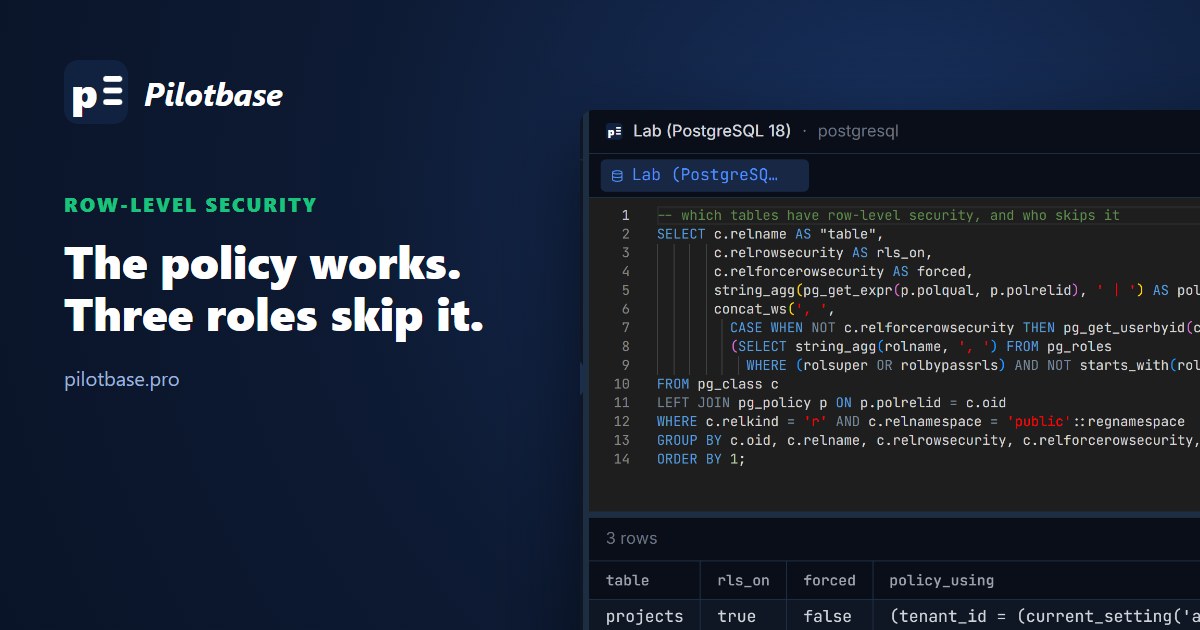
If several customers share these tables, the app role is also where row-level security starts; row-level security for a multi-tenant app picks up from here, including why the table owner skips the policies unless you force them. If you're moving a project over from SQLite, which has no users at all, SQLite to Postgres when the side project grows up covers the rest of the move. And when the app's connection limit starts to bite, PgBouncer in transaction mode is the next step.
A short checklist
A database owner that isn't a superuser, and an app role with no attributes. REVOKE CONNECT ON DATABASE ... FROM PUBLIC. Grants on schema, tables and sequences (or identity columns). ALTER DEFAULT PRIVILEGES with FOR ROLE set to the role that runs migrations, checked with \ddp. A statement_timeout and a connection limit on the app role. pg_hba.conf lines that name the database and the users, and no network line for postgres. And the privilege query above, run once after every migration.
Sources
PostgreSQL 18 documentation: CREATE ROLE, database roles and attributes, privileges (default PUBLIC grants, the ACL letters), schemas (the public schema and pg_database_owner), GRANT, ALTER DEFAULT PRIVILEGES (FOR ROLE), CREATE TABLE (identity columns), the pg_hba.conf file, pg_hba_file_rules, psql (\password, \du, \ddp). PostgreSQL 15 release notes (CREATE on public removed from PUBLIC). Our tests: 2026-10-22, PostgreSQL 18.6 on macOS, a fresh cluster with scram-sha-256 over TCP.
Comments (0)
Loading comments…