Moving an app from MySQL to PostgreSQL usually goes one of two ways. Either someone rewrites every query by hand, or someone runs the SQL through a translator and assumes the job is done. The first is slow and the second is risky. The useful question is narrower: which parts can a translator do reliably, and which parts still need a person?
To find out, we ran a set of everyday MySQL statements through sqlTranslate, our free translator built on the open-source sqlglot library (version 26.33), and then ran the output against PostgreSQL 16. The short answer: queries translate well, but writes and schema don't. Every output below is what the tool actually produced.
Queries: the translator earns its keep
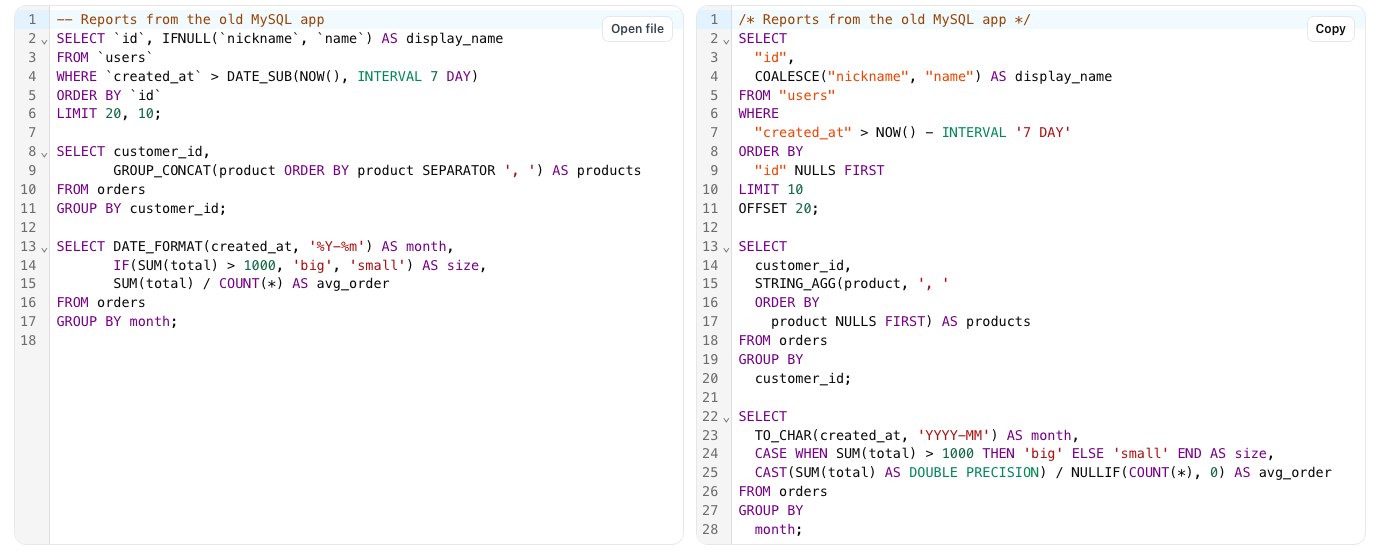
These are the rewrites people get wrong by hand, and the translator gets them right:
Backticks become double quotes. IFNULL becomes COALESCE. MySQL's LIMIT 20, 10 (skip 20, take 10) becomes LIMIT 10 OFFSET 20, which is the one people most often flip by accident. Note the NULLS FIRST too. MySQL sorts NULLs first in ascending order and PostgreSQL sorts them last, so the translator adds it to keep your results in the same order. It's a detail almost nobody remembers when rewriting by hand.
Aggregates and date functions come across as well: GROUP_CONCAT(product ORDER BY product SEPARATOR ', ') becomes STRING_AGG(product, ', ' ORDER BY product NULLS FIRST), DATE_FORMAT(created_at, '%Y-%m') becomes TO_CHAR(created_at, 'YYYY-MM'), IF(...) becomes a CASE, and DATE(x) becomes CAST(x AS DATE).
Division is a subtle one. In MySQL 7 / 2 is 3.5 and dividing by zero gives NULL. In PostgreSQL 7 / 2 is 3 (integer division) and dividing by zero is an error. The translator rewrites SUM(total) / COUNT(*) as CAST(SUM(total) AS DOUBLE PRECISION) / NULLIF(COUNT(*), 0), which keeps MySQL's behaviour. It's ugly, but it's correct, and a silent integer division in a revenue report is the kind of bug that survives for months.
Writes and schema: read every line
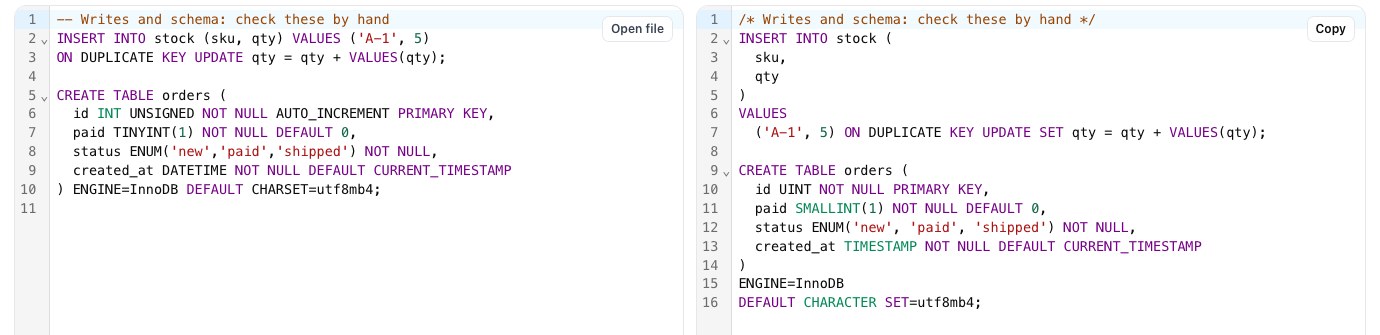
Here the translator mostly reformats and passes the statements through. That isn't really a bug: these statements depend on things a translator can't see, like which unique key the upsert means and what the column is for. But you need to know it, because the output looks plausible and won't run.
Upserts
INSERT ... ON DUPLICATE KEY UPDATE qty = qty + VALUES(qty) comes out as ON DUPLICATE KEY UPDATE SET ..., which PostgreSQL rejects. MySQL fires on any unique key; PostgreSQL wants you to name the conflict target, and the incoming row is called EXCLUDED:
REPLACE INTO is passed through unchanged. It also deserves a second look on its own: in MySQL it deletes the old row and inserts a new one, which fires delete triggers and cascades. ON CONFLICT ... DO UPDATE is almost always what you actually wanted.
CREATE TABLE
The schema is where translation is weakest. From the screenshot: INT UNSIGNED ... AUTO_INCREMENT became UINT with the auto-increment dropped, TINYINT(1) became SMALLINT(1), ENUM stayed ENUM, and ENGINE=InnoDB DEFAULT CHARSET=utf8mb4 stayed too. None of that is valid PostgreSQL, and losing the auto-increment would break every insert even after you fix the syntax. Write the table by hand:
bigint covers the range of INT UNSIGNED (PostgreSQL has no unsigned types; add CHECK (x >= 0) if the sign matters). TINYINT(1) was MySQL's boolean, so make it a real boolean. A CHECK constraint is the simplest replacement for ENUM, and it's easier to change later than CREATE TYPE ... AS ENUM. Character set and engine just go: PostgreSQL databases are normally UTF-8 throughout.
Passed through, and wrong at run time
The last group is the most dangerous, because some of these statements run without error and return different answers. We checked each one against PostgreSQL 16:
Number 4 is the one that bites in production. Nothing errors: a login lookup or a search page just quietly stops matching mixed-case input. Search the codebase for LIKE and = comparisons on emails, usernames and codes, and decide for each one whether it should be ILIKE, lower(x) = lower(y) or a citext column. Also watch for MySQL's zero dates ('0000-00-00'), which PostgreSQL rejects, so convert them to NULL during the data copy.
A workable migration order
1. Write the PostgreSQL schema by hand, table by table, using the rules above. It's the smallest part of the code and the part translators handle worst. 2. Copy the data, converting zero dates to NULL and TINYINT(1) to boolean on the way. 3. Run every query through the translator in bulk; sqlTranslate takes a whole .sql file. 4. Grep the output for what it passes through: ON DUPLICATE KEY, REPLACE INTO, UPDATE ... JOIN, UNIX_TIMESTAMP, comparisons of booleans with 0/1, and every LIKE. 5. Run your test suite against PostgreSQL before any of it ships.
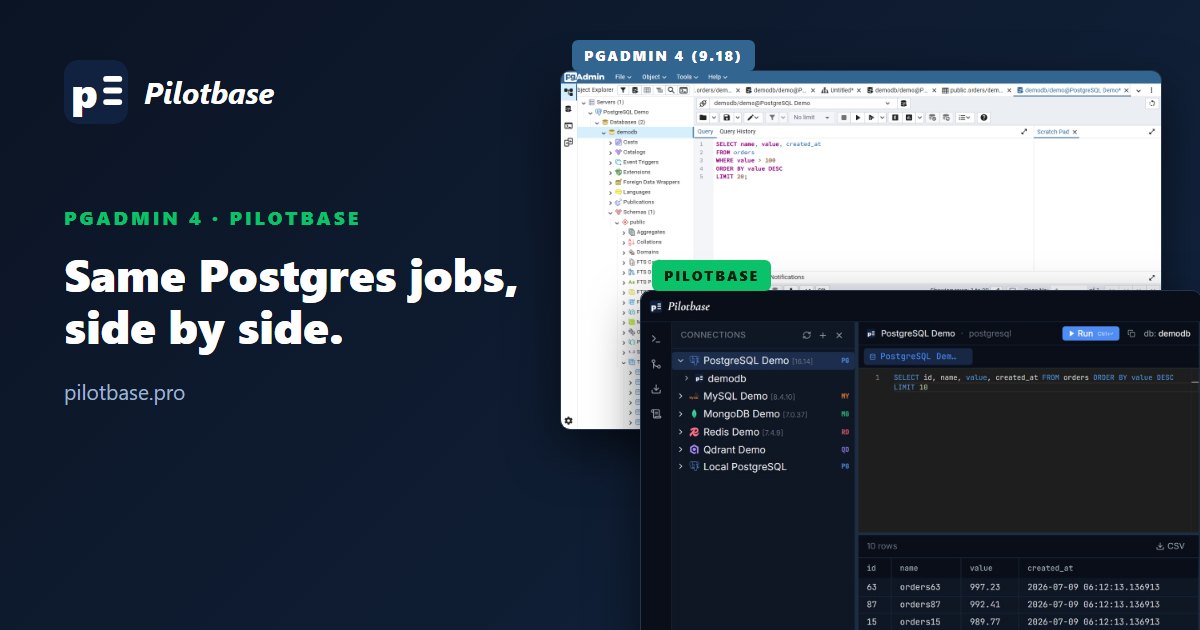
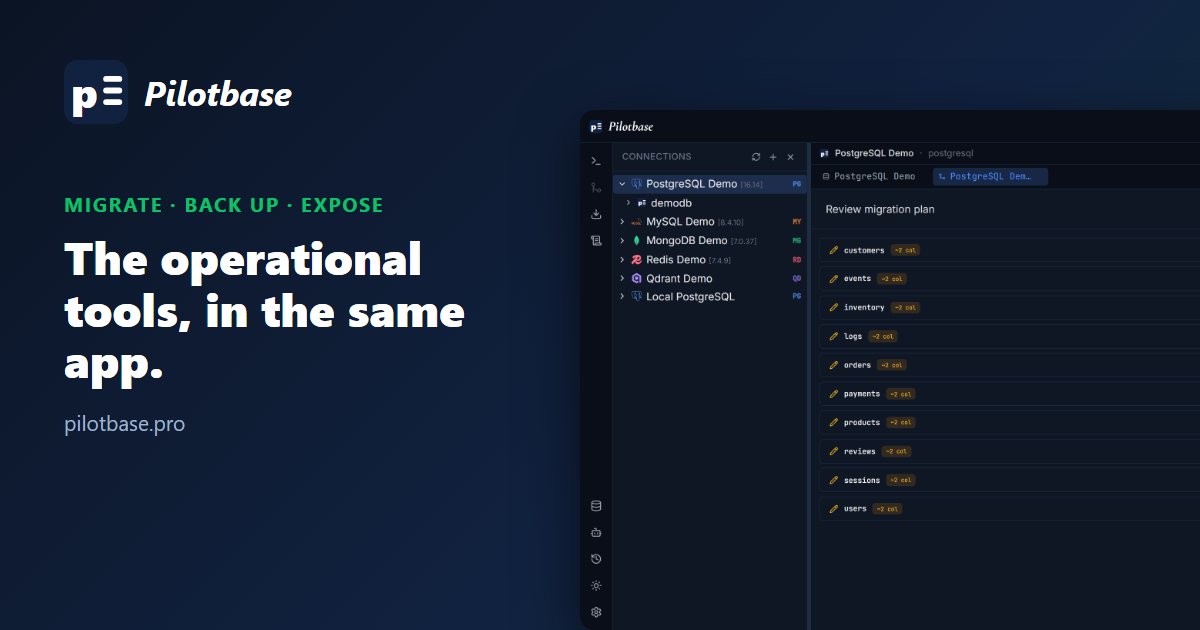
The translator does the tedious 80% (quoting, function names, LIMIT, NULL ordering, division) faster and more consistently than a person would. The other 20% is about what your data means, and that part is still yours. If you're moving data as well as code, our guide to migrating, backing up and exposing your data safely covers the copy step, and pgAdmin 4 vs Pilotbase covers working day to day on the PostgreSQL side.
Pilotbase connects to MySQL and PostgreSQL side by side in one app, so you can run the old query and the translated one and compare the results. Free and MIT-licensed.
Get Pilotbase
Comments (0)
Loading comments…