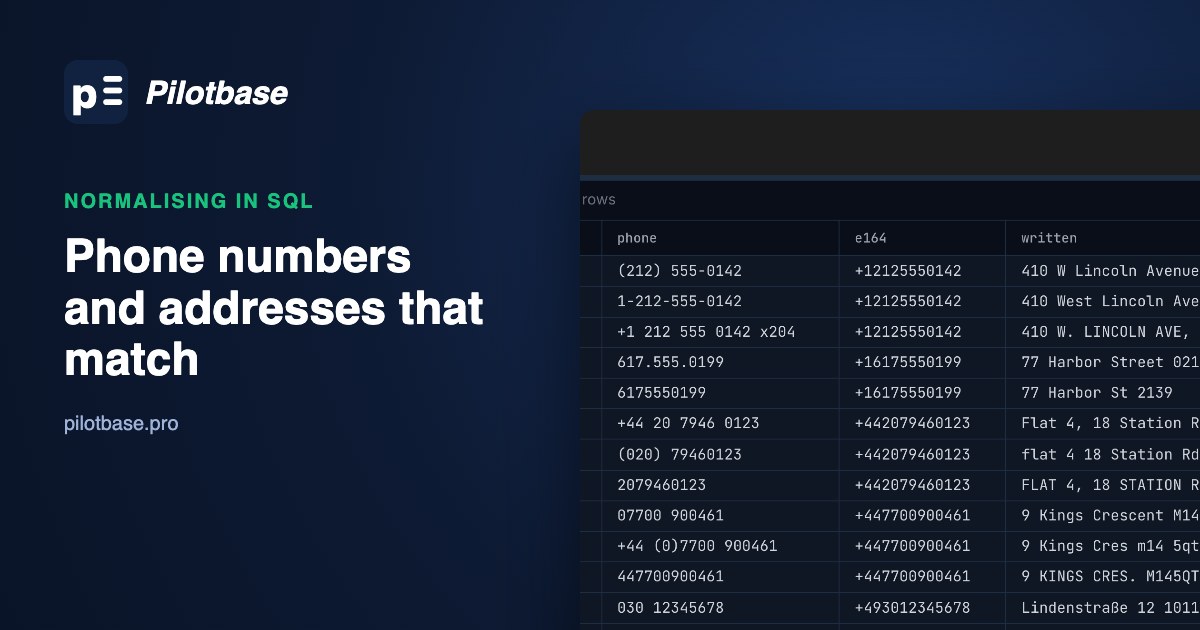
The same customer is in your list three times. Once as +44 20 7946 0123, once as (020) 79460123, and once as 2079460123, because the third copy went through Excel, which decided it was a number and dropped the zero. The address is Flat 4, 18 Station Road, flat 4 18 Station Rd. and FLAT 4, 18 STATION RD, with the postcode as SW1A 2AB or sw1a2ab. A join on phone finds none of them. Neither does a join on address.
Before any fuzzy matching, there is a cheaper step: write each field one canonical way, then compare exactly. We wanted to know how much each small rule is worth, so we built a 100,000-row list where we know which rows are the same customer, and measured the exact-match rate after every step, in SQL that runs on PostgreSQL 18, MySQL 8.4 and SQLite. The numbers below are from that list; the code is all here.
The test list: 100,000 rows, 12,834 known pairs
88,000 made-up customers in the UK (50%), the US (35%) and Germany (15%), plus 12,000 extra rows that are an existing customer typed again. Every row writes the phone and the address in one of the ways people and exports actually do. The answer (which rows are one customer, and the true number) sits in a separate file the SQL never sees.
Addresses vary the same way: Street/St/St./ST, Apt 3B/#3B/Apartment 3B, West/W/W., German straße/str./strasse, upper or lower case, double spaces, and postcodes with or without the space. US ZIP codes that start with 0 sometimes lost it (2139 for 02139), and some carry ZIP+4. 8% of the extra rows got a new phone number, so 11,733 of the 12,834 pairs share a number; all 12,834 share an address.
Two kinds of real collisions are planted on purpose, because your data has them too: 2% of customers share a household landline and address with someone else, and some staff at small firms share one switchboard number with their own extension. Two different people, same number: that's 1,392 pairs, or 892 if the extension counts.
Phones: what each step adds
Each step keeps the one before it. "Matched" is out of the 11,733 pairs that really share a number; "different customers matched" counts pairs of different people whose keys are now equal.
Digits only (regexp_replace(phone, '\D', '', 'g')) is the step everyone writes first, and it gets you less than half way. 020 7946 0123 and +44 20 7946 0123 are still 02079460123 and 442079460123. And +44 (0)20 7946 0123 becomes 4402079460123, a number that matches nothing, which is why the (0) has to go before the digits are taken.
Step 2 also shows a trap. Cutting the extension raised the matches a little and nearly doubled the different-customer matches, because everyone on a switchboard collapsed into one number. Don't throw the extension away: keep it in its own column and compare on both when you need a person, not an office (line 4b).
Step 3 is the big one, and it needs the customer's country. A number written 0... is national, and what replaces the zero depends on where the customer lives: +44 in the UK, +49 in Germany. In the US there is no trunk zero; ten digits get +1, and eleven starting with 1 are already there. 00 is the international prefix across most of Europe, so 0044... is +44.... E.164 is the result: a +, the country code, the national number, at most 15 digits, no spaces.
Step 4 is specific to files that passed through a spreadsheet. A cell holding +442079460123 gets read as a number and saved back as 442079460123; 02079460123 loses its zero. Without step 4, those 4,456 + 2,519 rows, and the 2,555 where someone wrote 44 without the +, can't match their twins. The fix is guesswork with rules: in the UK a 12-digit value starting 44 is international, a 9-11 digit value is a national number that lost its zero. Guesswork gets risky in Germany, where area codes starting 049 exist (Leer is 0491), so 491... could be either. The length check covers our list; on yours, look at what this rule changes before you trust it.
Is 100% realistic? No, and it isn't meant to be. We wrote rules for every format we planted, so this shows what each rule is worth, not what you will get. On real data, the useful number is how many rows the function returns NULL for, and what they look like:
The phone function in PostgreSQL, the one that produced the table above:
Addresses: what each step adds
For addresses we compared one key: the cleaned street line plus the cleaned postcode. Out of 12,834 pairs:
The street suffix list (step 3) did the most work, more than all the cleaning before it put together. Use the USPS list in Publication 28, Appendix C1, for US addresses; it maps every common spelling of a suffix to one abbreviation, and the same idea works for UK words (Crescent to Cres, Gardens to Gdns). Map both sides to the short form; the reverse breaks on words like St that can also be Saint.
Postcodes (step 2) are their own small job per country. A UK postcode's second half is always a digit and two letters, so after stripping spaces the space goes back before the last three characters: sw1a2ab and SW1A 2AB both become SW1A 2AB. A US ZIP keeps its first five digits (ZIP+4 dropped for matching) and gets its leading zero back with lpad(..., 5, '0'). German postcodes are five digits; Dresden's start with 01 and lose the zero the same way.
Step 6 exists because of one character. USPS allows # when the kind of unit isn't known, and our list, like real ones, used #3B for apartments and suites alike. Mapping # to apt in step 4 left 116 pairs where one side said Suite 25 and the other #25. A single token for any unit word fixed all of them. It's a matching key, not an address you'd print.
The last column is the honest check. After every step, different customers matched rose to 909, which is exactly the number of planted pairs where two people really share an address. Normalising didn't create a single false match on this list; everything it joined was either the same customer or a real shared address. Phones end the same way: 1,392 is precisely the number of different people sharing a true number.
Phone or address, either one matching, over all 12,834 pairs: 2,653 (20.7%) as written, 12,834 (100%) after both sets of rules.
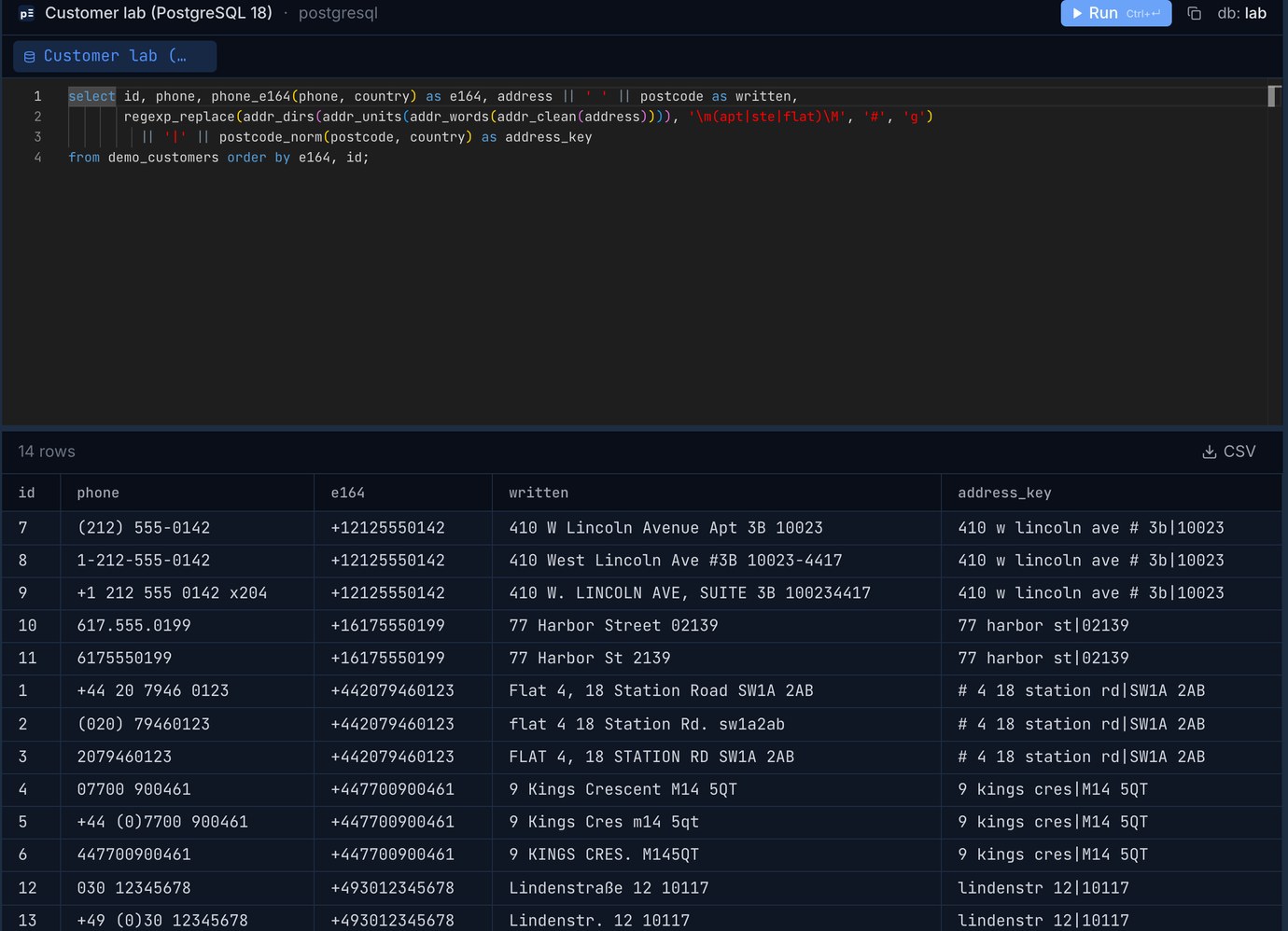
In Pilotbase this is one query on a sample table, with the written form next to the key. Run the same select on your own table, sort by the key, and every group with more than one row is a pair you can look at before you merge anything.
The same rules in MySQL 8.4
MySQL has had REGEXP_REPLACE since 8.0.4 (ICU underneath). Two differences from PostgreSQL: word edges are \b, not \m/\M, and a captured group is $1 in the replacement, not \1. The phone function translates line by line. Keys from MySQL matched PostgreSQL's on all 100,000 rows.
Speed was the surprise. Written as a stored function with a SET s = regexp_replace(...) line for each rule or two, the address key took 39.6 s for 100,000 rows. The same 22 replacements nested into one expression in a plain SELECT took 0.84 s, 47 times faster, same output. Calling the stored phone function (one expression inside) took 1.13 s, so the cost is in running many statements per call, not in calling a function. If you write normalisers in MySQL, write each as a single nested expression, or a generated column:
(The doubled backslashes are for the MySQL string literal: '\\b' reaches the regex engine as \b.)
SQLite, without any regex
SQLite has no regexp_replace, and the REGEXP operator only exists if your program supplies the function. Plain replace() gets there anyway, and it was the fastest of the three: 0.9 s for both keys over 100,000 rows. Two tricks do it.
For phones: remove the characters you expect, then let GLOB catch anything you didn't. SQLite's GLOB has character classes, so '*[^0-9]*' finds any value still holding a non-digit:
For words: pad the string with spaces and replace ' street ' with ' st ', so streets and Weststreet are left alone. That trick has a bug we hit: two neighbouring words. ' north north st ' (direction North, on North Street) needs both changed, but once replace() consumes ' north ' with its trailing space, the second north has no space in front left to match. 19 rows came out different from PostgreSQL until every single space was doubled first, so each word owns its own padding:
Also note that SQLite's lower() and upper() only fold ASCII. Straße survives lower() fine, but ÄRZTE does not become ärzte unless you build with ICU. Postcode padding without lpad: substr('00000' || zip, -5).
After the fix, all three engines produced the same keys on all 100,000 rows: 0 differences for phones, 0 for addresses. The full scripts are about 60 lines each.
SQL by hand, or libphonenumber in the load script?
Google's libphonenumber knows the numbering plan of every country, which hand-written SQL never will. We ran its Python port (phonenumbers 9.0.42) on the same 100,000 rows with the customer's country as the default region:
Both kinds of misses are the library being correct about dialling. From the US, the international prefix is 011, not 00, so 001 212 555 0142 parsed with region US is read as national digits. And 493012345678 with region DE is, strictly, a German national number starting 49. A person typing 001 was almost certainly writing from Europe, and a spreadsheet ate the +; that's knowledge about how your data was made, which the library can't have. A two-line fallback (when the number isn't valid, try the digits with a + in front and keep it if the region matches) brought it to 99.7%.
The library also tells you things SQL can't: 88,829 of our random numbers were valid; the other 11% fell in ranges that aren't allocated. It even knows that 07700 900461 is not a real mobile (Ofcom keeps 07700 900000-900999 for TV drama). For a one-off clean-up of a list already in the database, SQL is enough and keeps everything in one place. For a load script or an import that runs every day, use libphonenumber with the fallback, store E.164 and the extension in their own columns, and keep the number as written next to them.
The order that works
Step 2 stops most of the step-4 repairs from ever being needed. If the list must go through Excel, open it as text columns, or build the .xlsx with something that keeps +44... and 0161... as text; csvToExcel does that, and Leading zeros and long numbers: what Excel does to IDs in a CSV shows what happens otherwise.
Step 7 is where Near-duplicate customers in a list: pg_trgm, a clean-up first, and precision measured on 50,000 rows picks up: names don't have a canonical form, so they need similarity scores. Normalised phones and addresses make the best second column for confirming those name matches.
Run the key queries, sort and review the groups in a grid, on PostgreSQL, MySQL, SQLite and more. Pilotbase is free for Windows, macOS and Linux, or Docker on a server.
Get PilotbaseTrim spaces, collapse doubles and drop exact duplicate rows before the list reaches the database. In your browser, nothing uploaded.
Open csvCleanerSources: ITU-T Recommendation E.164 (international number format, at most 15 digits); Ofcom, Telephone numbers for use in TV and radio drama (020 7946 0000-0999, 07700 900000-900999); USPS Publication 28, Appendix C1: street suffix abbreviations and C2: secondary unit designators; libphonenumber and its Python port phonenumbers 9.0.42; PostgreSQL 18 pattern matching (\m, \M, regexp_replace); MySQL 8.4 regular expressions (ICU, REGEXP_REPLACE); SQLite core functions (replace, ASCII-only lower) and GLOB. Our test: PostgreSQL 18.6, MySQL 8.4.11 and SQLite 3.54 on an Apple-silicon Mac mini, October 2026; the generator and every script are reproducible from a fixed seed.