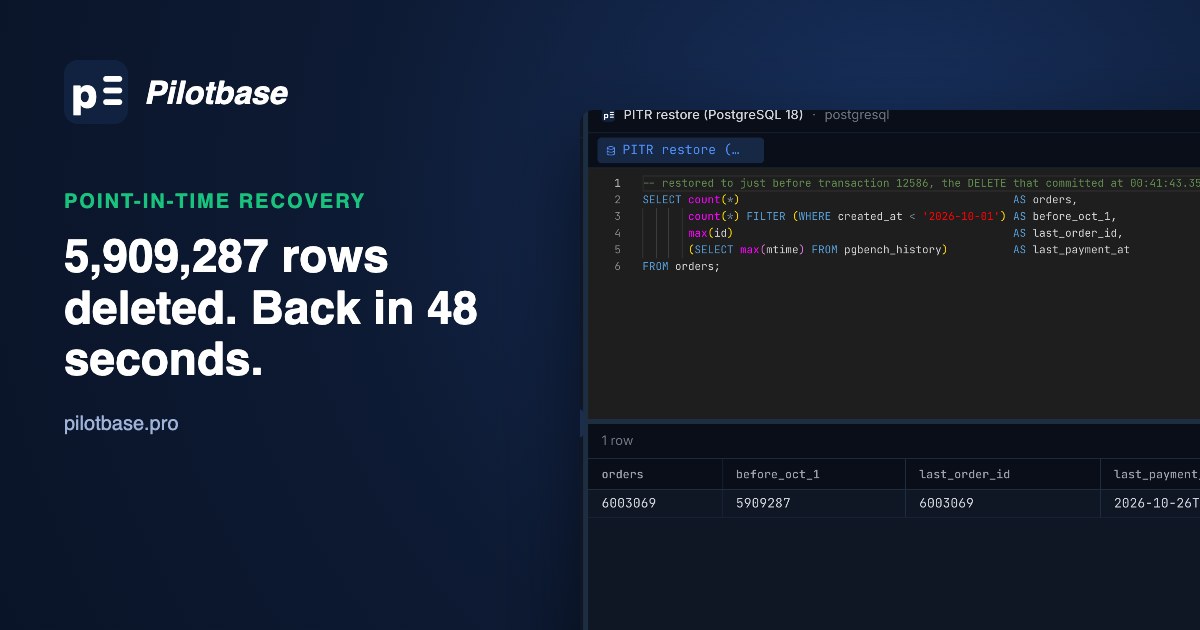
Someone meant to purge orders older than three years and typed 2026-10-01 instead of 2023-10-01. The DELETE took 6.3 seconds and removed 5,909,287 rows. Last night's pg_dump would bring them back, along with the loss of every order and payment since midnight. What you want is the database as it was one moment before that DELETE committed, and that's what point-in-time recovery (PITR) gives you.
We ran the whole thing on PostgreSQL 18.6 with pgBackRest 2.60: a 7.1 GB database taking about 100 transactions a second, a full backup, the bad DELETE, finding its exact commit in the WAL with pg_waldump, and a restore that stopped one transaction short of it. Every number below comes from that run, on an Apple silicon Mac mini (10 cores, 16 GB, internal SSD) with the backup repository on the same disk.
Why a dump can't do this
pg_dump takes a logical snapshot: the database as it was when the dump started, and nothing after. Restoring one is worth testing (how we test a pg_dump restore), but it can only take you back to that moment. PITR works on two other pieces:
The WAL already records every change the server makes, in commit order, with a timestamp on every commit. Archiving it just means keeping the segments somewhere safe instead of letting the server recycle them. That's the part that has to be set up before the accident: without an archive there is nothing to replay.
The setup: archive_mode, archive_command and a pgBackRest stanza
Three server settings. wal_level is already replica by default; archive_mode needs a restart, archive_command only a reload:
archive_timeout matters on a quiet database: a segment is archived only when it fills or is switched, so a server writing a few kilobytes a minute could sit on an unarchived hour. With 60 s, a lost server costs you at most about a minute of commits. pgBackRest compresses each forced segment, so the mostly empty ones cost almost nothing.
pgBackRest's own config names the repository and the cluster. This is the one we ran (a local repository, zstd, four processes):
check is worth running every time you change anything: it fails loudly if archive_command can't write to the repository, which is otherwise only visible as archive_status/*.ready files piling up in pg_wal until the disk fills.
The test database and the backup
Take the backup sizes with a pinch of salt. pgbench's accounts table is mostly blank padding, so its 5.9 GB compressed to 273 MB on its own; the 1.3 GB orders table, full of random text, was most of the rest. Your data will compress less. The WAL figure is the more useful one: about 1.5 MB/s of WAL for 100 small transactions a second, a third of it after compression.
The accident
Two minutes into the workload, the purge ran:
Nobody noticed for three minutes. In that time the application kept working: 4,309 new orders and 12,941 payment transactions went into the damaged database. Hold on to those two numbers; they come back at the end.
Finding the exact moment with pg_waldump
A time from an application log or a Slack message ("around 00:41") isn't good enough. The target has to sit between the last transaction you want to keep and the DELETE's commit, and on a busy server those can be milliseconds apart. The WAL has the exact answer.
First narrow it down to a segment. Each archived segment's commits carry timestamps, so a loop that prints the first and last commit time per segment finds the right file in seconds. pgBackRest's archive-get fetches and decompresses one segment; pg_waldump reads it. Set TZ, because pg_waldump prints commit times in the machine's local time zone:
In our archive, segments with a commit every few milliseconds went quiet around 00:41:37: about a thousand commits per segment dropped to a few dozen or none for nearly 1.3 GB of WAL, which is what one long statement crowding out everything else looks like. The commit that ended it:
To be sure 12586 is the DELETE and not some other big transaction, look at its records. The table's file node comes from SELECT pg_relation_filenode('orders') and the database OID from pg_database; pg_waldump's --relation filter takes tablespace/database/filenode:
Heap DELETE records on orders, from transaction 12586, committed at 00:41:43.351658 at LSN 4/28699A28. Notice the transaction IDs around it: 13232 committed before 12586 did. Transaction IDs are handed out when a transaction starts writing, and the DELETE started six seconds before it finished, so hundreds of transactions that started after it (IDs up to 13232) committed while it ran. Recovery follows commit order, not ID order, which is why all of them are kept below.
Three ways to name the stopping point, and the one that bites
recovery_target_inclusive defaults to on, so the exact commit time or XID of the DELETE, used as is, replays the DELETE too. Either set inclusive to off, or pick a time just before the commit. Rounding down to the second looks safe and is, but it isn't free: our archive had 37 commits between 00:41:43.000 and the last good one at 43.228894, and a target of 00:41:43 throws them away. Always write the time zone as a numeric offset; the PostgreSQL 18 docs say abbreviations like IST or EST are refused.
The restore: 28 seconds of files, 20 seconds of replay
The quickest route puts the cluster back in place. Stop PostgreSQL, then let pgBackRest restore with --delta, which checksums the files already in the data directory and only rewrites those that differ:
pgBackRest writes the recovery settings into postgresql.auto.conf and creates recovery.signal for you:
Then start PostgreSQL and read its log. These are the lines from our run (times are when recovery ran, five minutes after the accident):
recovery stopping before commit of transaction 12586 is the line to look for. Replay covered 1.47 GB of WAL (92 segments, from the backup's start to the DELETE) in 7.9 seconds; the other 10.6 seconds were the end-of-recovery checkpoint writing all those replayed pages to disk.
The delta restore was the slower one here, because the bad DELETE and three minutes of writes had touched nearly every file of the orders table and pgbench's tables, so it hashed everything and rewrote most of it anyway. Delta pays off when little has changed (a dropped small table, a recent accident on a mostly static database), and in any case it saves you deleting the data directory by hand.
How this scales: the file part is a copy plus zstd decompression, about 250 to 340 MB/s on this SSD, so a 10 GB database is roughly 30 to 40 seconds of restore from a local repository. From object storage the download comes first: about 1.2 GB compressed at our ratio, 10 seconds on a gigabit link, much more on a slower one. Replay depends on how much WAL lies between the backup and the target, not on the database size: a day of WAL at our test's rate is about 130 GB and would replay for something like 12 minutes at the speed we saw. That is the real argument for a full or differential backup every day or two rather than once a week.
Timelines: what changed after the restore
Recovery ended on timeline 2. From here the cluster's WAL segment names start 00000002..., and the archive got a small history file that records where the timelines split:
This is what keeps the two histories apart. The archive still holds timeline 1's WAL after 4/28699A28, the version of events where the DELETE happened and 4,309 more orders came in. Nothing will replay that by accident, because recovery follows the history file, but it is still there if you need to go back and read it.
We restored a second time into an empty directory to time it, with the same target. That run became timeline 3, with a history file of its own: timeline numbers are never reused, so every recovery that promotes gets a fresh one. By default (recovery_target_timeline = 'latest') recovery follows the newest timeline in the archive; pass --target-timeline=current to pgBackRest to stay on the timeline the backup was taken on, which is what you want when the target is before the latest split.
Two chores after any PITR on a production cluster: take a new full backup at once, so the next restore doesn't have to replay across the timeline switch; and check that archiving resumed (pgbackrest check), since the promoted server now archives timeline 2 to the same repository.
What the rewind cost, and the better way to use it
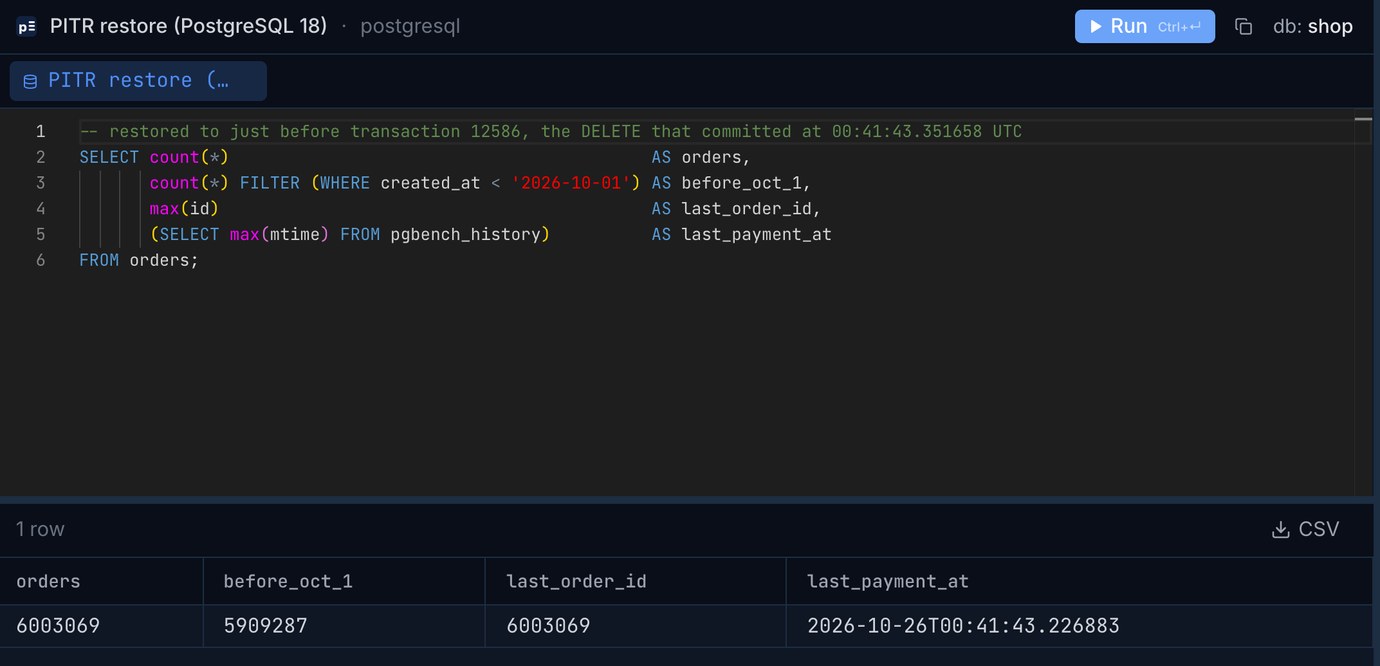
The restored database had all 6,003,069 orders back, 5,909,287 of them older than 1 October. It also had nothing that happened after 00:41:43.35: the 4,309 orders and 12,941 payment transactions made during the three minutes before anyone noticed were gone. On a real shop that's worse than a slow afternoon. PITR rewinds the whole cluster; it has no way to undo one statement and keep the rest.
So in production, restore to a separate place and copy back only what was lost. pgBackRest restores into any directory with --pg1-path, and --archive-mode=off stops the copy from pushing its own timeline into your repository:
Production stays up the whole time. When the copy is ready, move the deleted rows across. We measured the first two steps on the test data: the export of 5,909,287 rows to a 923 MB CSV took 3.4 s and loading it into a staging table 7.9 s. (The final INSERT ran out of disk on the test machine, so we have no time for it.)
OVERRIDING SYSTEM VALUE is needed because id is GENERATED ALWAYS; it keeps the original IDs, so foreign keys from other tables still point at the right rows. If child tables had ON DELETE CASCADE, their rows went too and need the same treatment, parents first. Check the counts on both sides before you drop the staging table, which is a two-connection job: Pilotbase keeps production and the restored copy open in one window, so the same count query runs against each.
Without pgBackRest: archive_command and pg_basebackup
Everything above works with PostgreSQL's own tools too. The archive_command from the continuous archiving chapter copies each segment and refuses to overwrite one that exists:
pg_basebackup was as fast as pgBackRest here (12.9 s against 12.7 s) and the result about the same size. What you give up: WAL is stored uncompressed (16 MB per segment instead of our 5.45 MB average), cp doesn't fsync the file so a crash can leave a half-written segment in the archive, there's no retention, no check, no delta restore, no parallel restore, and no S3. For one small server with a cron job that prunes old backups it is fine; past that, pgBackRest or Barman earn their place.
A cheap S3-compatible repository
A repository on the same disk as the database protects you from a bad DELETE and nothing else. pgBackRest speaks S3 to any compatible store; you can keep the local repository as repo1 and add the bucket as repo2, and archive-push writes to both:
What that costs depends mostly on how much WAL you write. A worked example for a 10 GB database with two full backups kept (3.25 GB each, assuming your data compresses like our WAL did, to 32.5%) and 14 days of WAL, at list prices checked on 26 October 2026:
For a restore, egress matters as much as storage: pulling 607 GB out of S3 would cost about $46, while R2 charges nothing and B2 nothing within its 3x allowance. Request charges are small for pgBackRest (one PUT per WAL segment, about 8,000 a day at our test's rate). Prices: Cloudflare R2, Backblaze B2, Amazon S3.
A drill worth an hour a month
Step 5 is the number to know before the day you need it: the time to restore files from where the repository really is, plus replay of however much WAL has piled up since the last full backup.
Open production and the restored copy side by side, run the same count on each and browse the rows before you copy them back. Pilotbase is free for Windows, macOS and Linux, or Docker on a server.
Get PilotbaseExported the restored rows and the live table to CSV? csvDiff shows which rows are missing or changed between the two files, in your browser with nothing uploaded.
Open csvDiffRelated: A pg_dump you have never restored is not a backup · Upgrading Postgres 16 to 18 with logical replication
Sources: PostgreSQL 18 documentation: recovery target settings (inclusive default on, numeric offsets, timeline 'latest' default, promote/pause/shutdown), continuous archiving and PITR (archive_command example, recovery.signal, timelines and history files), pg_waldump. pgBackRest user guide and configuration reference (stanza-create, check, --delta, --type=time with --target-exclusive, --pg1-path, --archive-mode, S3 repositories, repository encryption). Storage prices from the providers' pricing pages, 26 October 2026. Test: PostgreSQL 18.6 and pgBackRest 2.60.0 on macOS, Apple silicon Mac mini (10 cores, 16 GB), repository on the internal SSD, 26 October 2026.