Most teams find out how their Postgres backup works on the worst possible day. The cron job has run every night for two years, the files are there, the sizes look right, and then the restore fails on a missing role, or skips an extension, or takes four hours instead of the twenty minutes everybody assumed. None of those problems is visible in the dump file. They only show up when you restore it.
We took a 2.2 GB PostgreSQL 18 database (pgbench at scale 150, plus a customers table with a trigram index, a view, three roles, grants and a per-database setting), dumped it in each of pg_dump's formats, restored every one into a fresh server, and wrote down what broke and how long it took. Then we turned the checks into a script you can run every night.
Plain, custom or directory
Two caveats on these numbers. pgbench rows are mostly padding, so they compress about 33 to 1; real data usually manages 3 to 10. And this database is one big table (15 million rows in pgbench_accounts) plus four small ones, which is why -j 4 changed nothing: pg_dump and pg_restore parallelise across tables (and indexes), never inside one.
To see what parallelism does when there is something to split, we built a second database: eight tables of 2 million rows, each with a primary key and one index, 2.0 GB in total:
Three times faster to dump and nearly twice as fast to restore, and more jobs than cores made it slower again. Size -j to the restore server's CPUs, not the source's.
So which format? Custom for most databases: one file, compressed, and pg_restore can still restore it in parallel and pick parts of it (see below). Directory when one file per table helps, or when the dump itself needs to be parallel to fit a window. Plain only when a human or another tool needs to read the SQL; it can't be restored in parallel or selectively, and on current releases it starts with a \restrict line that older psql versions don't understand.
The restore that fails: roles and grants aren't in pg_dump
Our first restore went into a fresh server where nobody had created the roles yet. That's the situation after losing a server, or when restoring into a new managed instance:
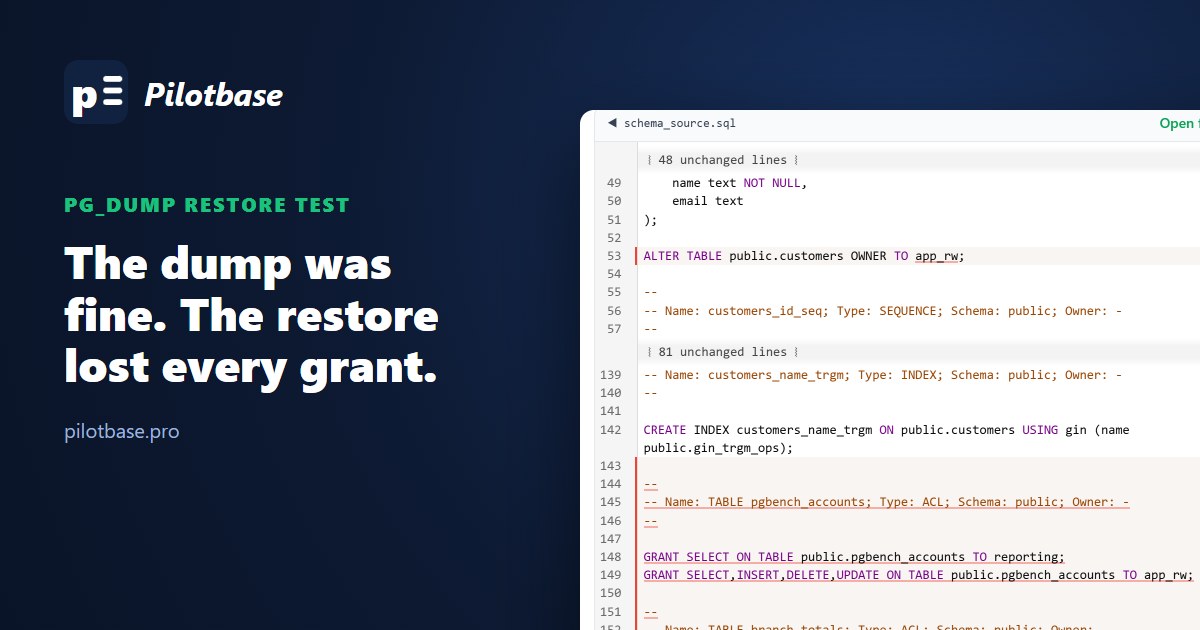
Look closely at what happened. The data all arrived. But the customers table, owned by app_rw on the source, was now owned by postgres, and every GRANT failed, so the app's role and the reporting role couldn't read anything even after they were created. pg_restore carries on after errors by default and only says so at the end. A nightly job that checks just the exit status at least catches that; one that pipes it to a log nobody reads doesn't.
pg_dump dumps one database. Roles, their passwords and memberships, and settings like ALTER ROLE analyst SET statement_timeout belong to the whole cluster, so they're not in it. Dump them separately, on the same schedule:
With the globals restored first, all four restores above ran with no errors. On managed services (RDS, Cloud SQL, DigitalOcean) pg_dumpall can't read password hashes; use --no-role-passwords and set the passwords again from your secrets store.
Database settings need --create
We had also run ALTER DATABASE shop SET work_mem = '64MB'. After restoring into a database we created ourselves, that setting was gone. Since PostgreSQL 11, pg_dump only includes database-level settings (and the database's own grants) when the dump is restored with --create, which creates the database from the dump. Either restore with pg_restore -C -d postgres, or keep those settings in the same place you keep the globals.
--no-owner --no-acl is a decision, not a fix
The common way to make the role errors go away is pg_restore --no-owner --no-acl. It works, the restore is clean, and everything is now owned by whoever ran it, with no grants at all. That's right for a copy on a developer laptop. It's wrong for a disaster recovery restore, where the app should come back up with the permissions it had.
To see exactly what such a restore lost, dump the schema of both sides (pg_dump -s) and compare them. We loaded both into sqlCompare, which detects pg_dump files and compares them as written:
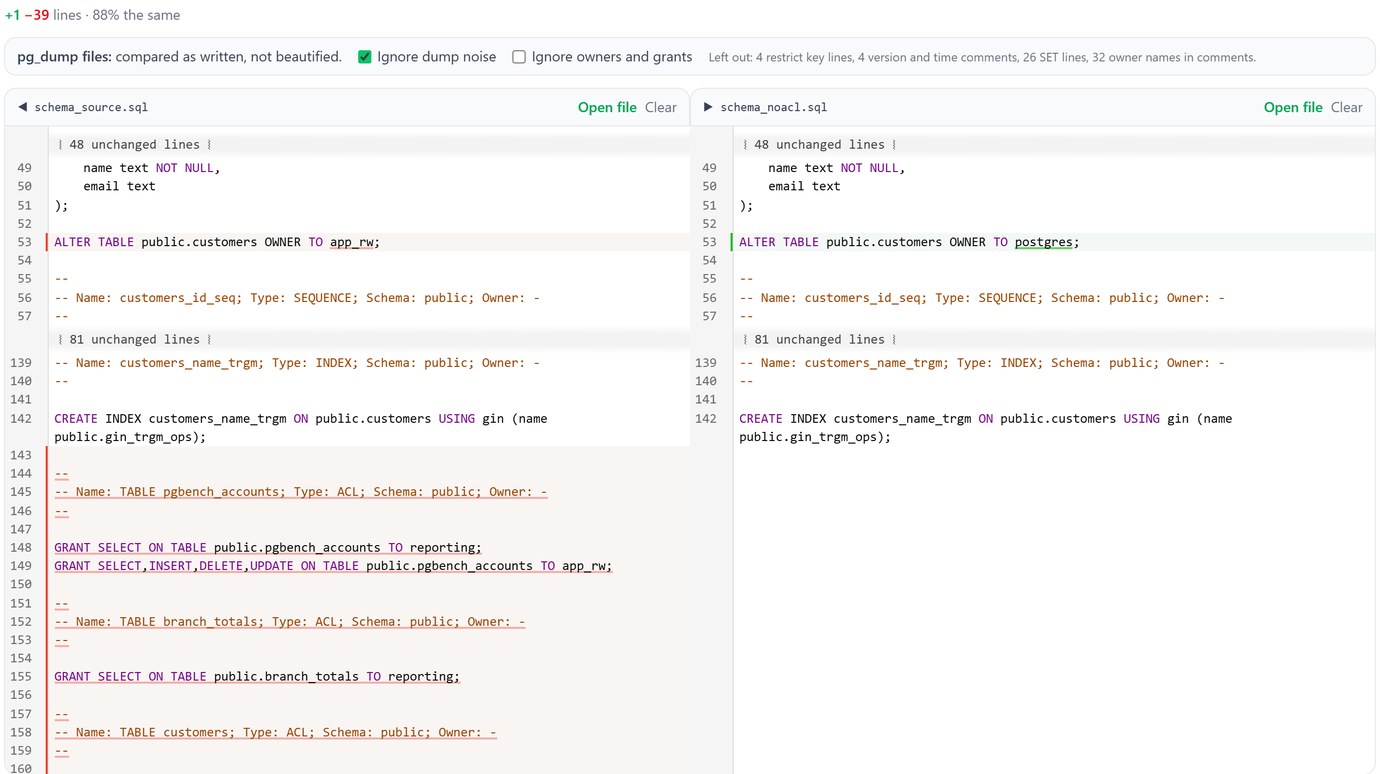
39 lines gone, one changed: the owner of customers and every GRANT. Tick "Ignore owners and grants" and the two schemas are 100% the same, which tells you the tables, indexes, constraints and the view all came through. That's the comparison to run after a restore test: first with owners and grants (did permissions survive?), then without (did the structure?).
Drop two pg_dump or mysqldump files into sqlCompare and see what differs, with dump noise and owners optional. Runs in your browser; nothing is uploaded.
Open sqlCompareRestoring only part of a dump
A custom or directory dump has a table of contents, and pg_restore --list prints it. Edit the list, pass it back with -L, and only those entries are restored. That's how you get one table back from last night without touching the rest:
The 200,000 rows came back, the trigram index didn't: it needs the pg_trgm extension, which is a separate entry (EXTENSION - pg_trgm) that our grep left out. When you cut a list down, keep the extension, type and function entries that the objects you want depend on. And restore into a scratch database, then copy the rows you need across, rather than into production.
Extensions and versions
Extensions are dumped as CREATE EXTENSION, not as their code, so the target server must have the same extensions installed at a compatible version. pg_trgm ships with Postgres; PostGIS, pgvector or TimescaleDB have to be installed on the restore server first, and some managed services only offer certain versions. Compare SELECT extname, extversion FROM pg_extension on both sides; the script below does it.
Use a pg_dump at least as new as the source server, and a pg_restore at least as new as the pg_dump that wrote the file: an older pg_restore refuses a newer custom-format file. When you move to a new major version, dump with the new version's tools. The dump is also the only way down: a PostgreSQL 18 data directory can't be opened by 17.
A restore test you can schedule
All of the above can be checked automatically. This script restores the newest dump into a scratch database on another server, counts the rows of every table on both sides with real count(*) (not the n_live_tup estimate), compares the extensions, runs one query the app depends on, and drops the scratch database:
On our database it took about half a minute:
A live source keeps changing after the dump, so a few rows' difference on busy tables is expected; a table at zero, or one that's missing, is not. Our first version of this script had a bug that made it print "OK" without counting anything (a missing semicolon in the generated statements), which is why the no row counts check is there: a restore test needs a test that it tested something. --exit-on-error turns pg_restore's carry-on-and-report behaviour into a hard failure, which is what you want in a check. Restore the globals on the scratch server first, or the role errors from above will fail it every night.
Run it on a schedule that alerts on failure and on silence, and keep the restore time from each run. That number is your real recovery time, and it grows with the database. If it's longer than the business can be down, that's the moment to look at physical backups with WAL archiving (pgBackRest, Barman or your provider's point-in-time recovery), which restore a large cluster far faster than replaying SQL and can stop at any second rather than at last night's dump.
Checklist
Nightly: pg_dump -Fc (or -Fd -j N for many big tables) plus pg_dumpall --globals-only, copied off the server. Database settings either restored with -C or kept with the globals. Restore test on another server with --exit-on-error, row counts, extensions and a smoke query, alerting on failure. After any restore you rely on, a schema comparison with the source. And a recorded restore time, compared with how long you can afford to be down.
Related on this site: SQLite in production: WAL, busy_timeout and backups that work for the same question on SQLite, and schema diffs before a deploy for more on comparing schemas with sqlCompare.
Connect to the source and the restored copy side by side, run the row counts and browse what came back. Pilotbase is free for Windows, macOS and Linux, or Docker on a server.
Get PilotbaseSources
PostgreSQL documentation: pg_dump, pg_restore (--list, -L, -j, --exit-on-error), pg_dumpall (--globals-only), backup and restore overview, PostgreSQL 11 release notes (database settings moved under --create). Measured on PostgreSQL 18.6 (Docker images, a source and a separate restore server), October 2026.
Comments (0)
Loading comments…