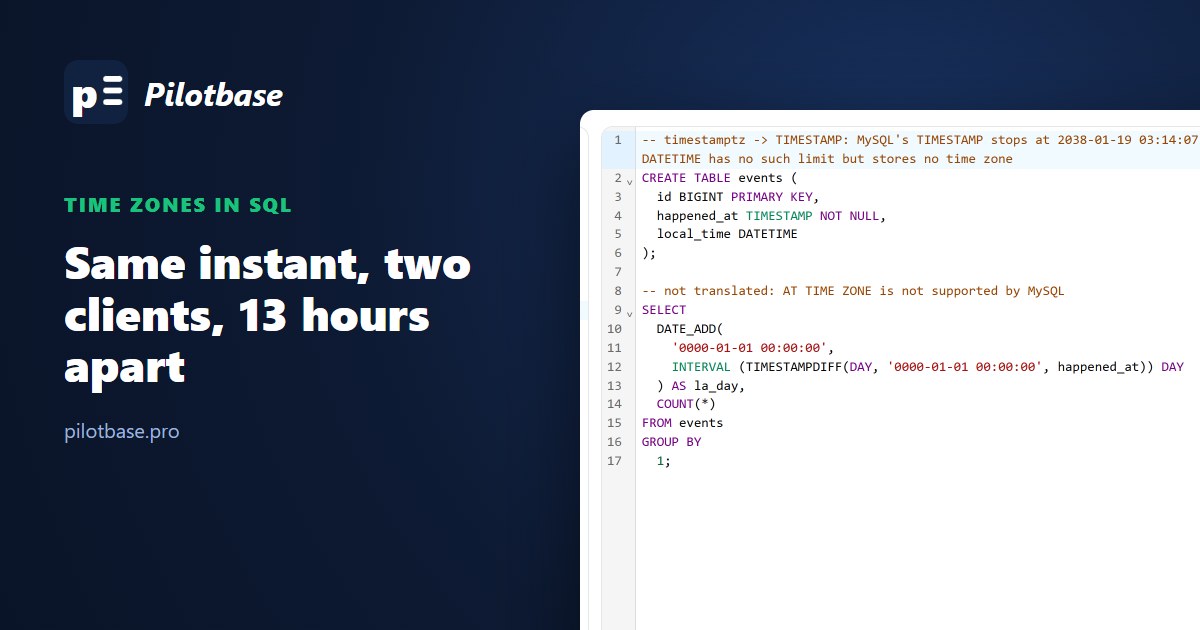
Time zone bugs don't show up in development. Your laptop, the database container and the CI runner all think it's UTC, every test passes, and then a customer in Los Angeles asks why yesterday's sales report is missing seven orders, or a job scheduled for 02:30 on the second Sunday of March runs at 03:30, or a row inserted by the Tokyo office is 13 hours off from the same event logged in New York.
PostgreSQL and MySQL both have two date-time types, and they don't map onto each other the way their names suggest. We inserted the same instant through sessions set to New York and Tokyo on PostgreSQL 18.6 and MySQL 8.4.10, read it back, walked through a daylight saving gap and the hour that happens twice, grouped orders by day for a user in Los Angeles, and exported it all to CSV. The outputs below are copied from those runs.
The four types in one table
Despite the name, timestamptz doesn't store a time zone. It stores an instant and converts on the way in and out using the session's setting. timestamp (and MySQL's DATETIME) store whatever wall-clock reading you hand them and never convert. Everything else in this article follows from that.
Two clients, one instant
Two app servers, one with its session zone set to New York and one to Tokyo, each insert now() into a table that has both a timestamp and a timestamptz column, in the same transaction so it's the same instant. Read back from a UTC session on PostgreSQL:
The timestamptz column holds one instant, as it should. The timestamp column holds two different values 13 hours apart, because now() was converted to each session's local wall clock before it was stored, and the zone was then thrown away. Nothing in the row says which zone it was. MySQL did the same with DATETIME vs TIMESTAMP: same instant in TIMESTAMP, 13 hours apart in DATETIME.
It gets subtler. On PostgreSQL we inserted the literal '2026-10-15 14:00:00+00', with an explicit offset, into both columns. timestamptz used the offset. timestamp silently dropped it and stored 14:00 whatever the session zone was, so a value from New York and one from Tokyo looked identical. MySQL 8.0.19+ does the opposite with DATETIME: it applies the offset, converts to the session's zone and stores that. From a Tokyo session, '2026-10-15 14:00:00+00:00' landed in DATETIME as 23:00:00, and a UTC session later read 23:00 back.
The same timestamptz row, read from different sessions, shows different clock times for the same instant, which is correct:
The rule: store instants ("when did this happen") in timestamptz on PostgreSQL. Use timestamp only for wall-clock values that genuinely have no zone: a store's opening hour, a birthday, "remind me at 9:00 wherever I am", and store the zone name in a separate column next to it when it matters. On MySQL the choice is harder because of 2038; see below.
AT TIME ZONE works in both directions
AT TIME ZONE converts between the two types, and which way it goes depends on what you give it:
The classic bug is a timestamp column that holds UTC wall time (common after a migration from MySQL DATETIME), converted for display with one AT TIME ZONE 'America/New_York'. That reads the value as New York time and gives 18:00 UTC, eight hours away from the right answer, 10:00. Two steps are needed: first say what the stored value is, then where you want it:
Offsets are backwards
A fixed offset as a string is read as a POSIX zone, where positive means west of Greenwich. So in PostgreSQL AT TIME ZONE '+05:00' means five hours behind UTC:
Use zone names ('Asia/Karachi') or INTERVAL '+05:00', never a bare offset string. This one also bit our own SQL translator, more on that below.
The hour that doesn't exist and the hour that happens twice
In New York, clocks jumped from 01:59:59 to 03:00 on 8 March 2026 and fall back from 01:59:59 to 01:00 on 1 November 2026. Feed both engines the impossible 02:30 and the ambiguous 01:30, with the session zone set to America/New_York:
PostgreSQL quietly moves the gap time forward by an hour. MySQL in strict mode refuses it. And for the repeated hour, the two engines pick different instants: an hour apart for the same input. A timestamp/DATETIME column can't even tell the two 01:30s apart: we stored events every 30 minutes from 05:15 to 06:45 UTC as New York wall time and got 01:15, 01:15, 01:45, 01:45. Sorted by that column, the order of events in that hour is lost.
Interval arithmetic crosses the change in two ways too. On PostgreSQL, timestamptz '2026-03-07 12:00' + interval '1 day' is 12:00 the next day (23 real hours later), while + interval '24 hours' is 13:00. For "same time tomorrow" use days; for "in exactly 24 hours" use hours.
For schedules ("run at 02:30 every night"), store the wall-clock time and the zone name, compute the next instant in code with a real time zone library, and decide on purpose what happens on the two nights a year when 02:30 doesn't exist or exists twice.
Whose day is it?
Daily reports are where time zones cost money. 48 orders, one per hour from midnight UTC on 14 October. Grouped by day:
Same rows, different days. The UTC report says 24 orders on the 14th, and the Los Angeles shop owner counts the same 24 but across a different 24 hours, with 7 of them on "the 13th". Pass the zone explicitly. Don't rely on the session's TimeZone, which depends on whichever client, pooler or BI tool opened the connection. On MySQL the equivalent is DATE(CONVERT_TZ(placed_at, '+00:00', 'America/Los_Angeles')) for a DATETIME that holds UTC, or with @@session.time_zone as the first zone for a TIMESTAMP. Named zones in MySQL need the time zone tables loaded (mysql_tzinfo_to_sql); without them CONVERT_TZ returns NULL. The official Docker image had them, many managed and hand-installed servers don't.
Grouping per user zone also defeats a plain index on placed_at for that expression. If one zone dominates the reports, an expression index on ((placed_at AT TIME ZONE 'America/Los_Angeles')::date) works; for many zones, filter on the UTC range first (placed_at >= ... AND placed_at < ...), then group.
MySQL TIMESTAMP and 2038
MySQL's TIMESTAMP is a 32-bit count of seconds since 1970, so it ends at 2038-01-19 03:14:07 UTC:
Twelve years sounds far away, but subscriptions, warranties, mortgages and certificate expiry dates are already past it. The non-strict behaviour is the worse one: the row goes in, the date silently becomes zero. MySQL 8.4 still has the limit. The usual fix is DATETIME(6) holding UTC, with the app (or SET time_zone = '+00:00' on every connection) responsible for the conversion. You lose the automatic conversion that makes TIMESTAMP nice, so it has to be a rule everyone follows, enforced in the connection setup rather than in each query.
What a CSV export keeps
We exported the New York row with COPY ... TO STDOUT (FORMAT csv) from two sessions:
timestamptz keeps its offset in the file, so it survives the trip as long as whatever reads the CSV keeps it too. Excel doesn't: it shows the offset text or drops it, depending on the locale. The timestamp column is the same string from both sessions, and the information about which zone it was in is gone for good. MySQL's SELECT ... INTO OUTFILE and most GUI exports write TIMESTAMP values in the session zone with no offset at all. If CSVs go to another system, export in UTC from a session set to UTC, and say so in the column name (placed_at_utc).
Moving columns between the two engines
The type names map like this, and sqlTranslate does it this way:
While writing this we checked what our translator (sqlglot underneath) does with time zone code, and found two bugs. A PostgreSQL AT TIME ZONE going to MySQL was silently dropped: SELECT placed_at AT TIME ZONE 'America/New_York' came out as SELECT placed_at, a query that runs and returns the wrong times. And MySQL's CONVERT_TZ(x, '+00:00', '+05:00') became AT TIME ZONE '+05:00' in PostgreSQL, which is ten hours off because of the POSIX sign above. Both are fixed now: fixed offsets are written as INTERVAL '+05:00', anything sqlglot can't translate is listed in a comment above the statement instead of disappearing, and timestamptz going to MySQL comes with a note about 2038:
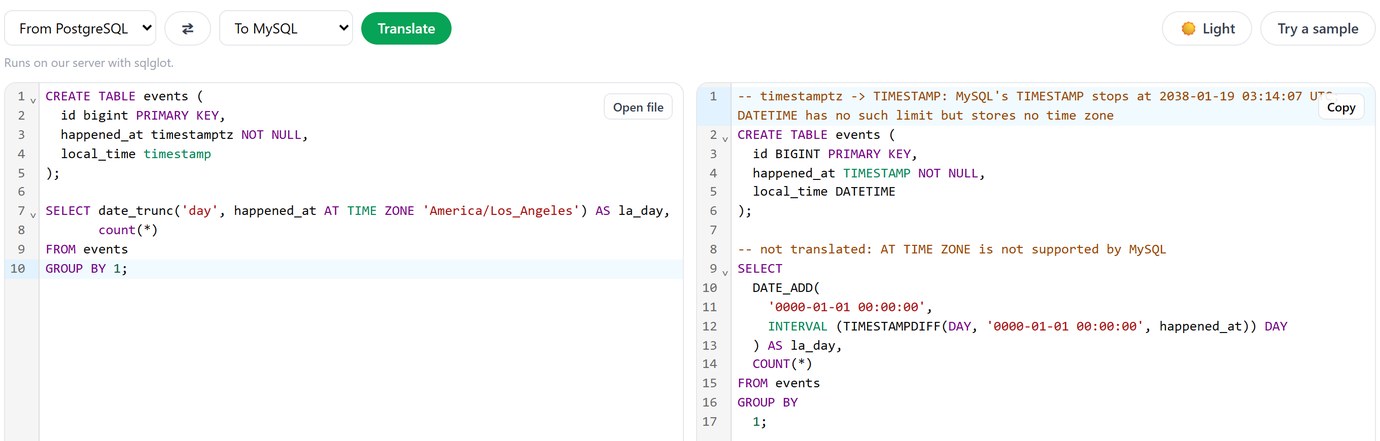
The "not translated" comment is the cue to write the MySQL version by hand (CONVERT_TZ, as in the daily totals above). Read the comments before running translated SQL against real data.
Paste a schema or a query, pick the two engines, and see what changes, including what didn't translate. Free, no sign-up.
Open sqlTranslateChecklist
Instants in timestamptz (PostgreSQL) or DATETIME(6) in UTC (MySQL, when 2038 matters) or TIMESTAMP (MySQL, when it doesn't). Set the session zone explicitly on every connection the app opens, ideally to UTC, so nothing depends on the server's default. Convert at the edges, with zone names, never bare offsets. Group by day with the user's zone passed in the query. Decide how schedules handle the DST gap and the repeated hour. Export CSVs in UTC with the zone in the column name.
Related on this site: MySQL to PostgreSQL: what a SQL translator fixes for the rest of a port, and the AI wrote a query that looked right, which has the same session time zone trap in a month-boundary filter.
Open a PostgreSQL and a MySQL connection side by side and compare what each one actually stored. Pilotbase is free for Windows, macOS and Linux, or Docker on a server.
Get PilotbaseSources
PostgreSQL documentation: date/time types, AT TIME ZONE, date_trunc, POSIX time zone specifications. MySQL 8.4 manual: DATE, DATETIME and TIMESTAMP, time zone support, CONVERT_TZ. DST dates from the IANA time zone database. Measured on PostgreSQL 18.6 and MySQL 8.4.10 (Docker images), October 2026.
Comments (0)
Loading comments…