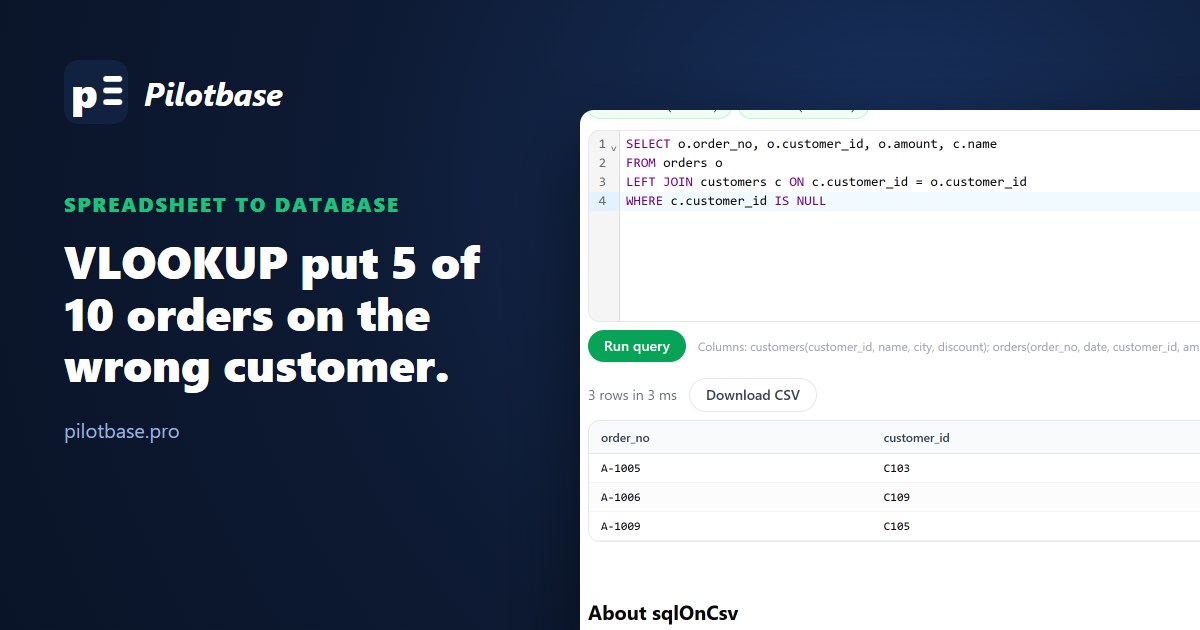
Most small businesses run on a workbook. A Customers sheet, an Orders sheet, a Totals sheet that pulls them together with VLOOKUP and SUMIFS. It works, until it doesn't: three people have their own copy (orders_final_v3_ANNA.xlsx), the file takes a minute to recalculate, somebody sorts one column and not the others, and the monthly total no longer matches the bank.
This is for the person who owns that workbook, or the developer who's been asked to "put it in a proper database". We built the small version of it, with the kinds of mess a real shared sheet collects, and looked at what the formulas say next to what a database says about the same data.
The workbook
Eight customers, ten orders. The Customers sheet was built the way shared sheets are: new rows added at the bottom, never sorted. Harbor Coffee changed its name to Harbor Coffee Ltd and got a better discount, and someone added it again rather than editing the old row. On the Orders sheet, one customer ID was typed with a trailing space, and two orders belong to customers nobody added yet.
On the Orders sheet, three lookups of the customer's name, and a Totals sheet with SUMIFS per customer. We had the workbook calculated by LibreOffice Calc 25.2, which implements these functions the way Microsoft documents them for Excel.
What the formulas said
The first column is the formula most people type, and half its answers are wrong. Without the fourth argument, VLOOKUP does an approximate match, which assumes the first column is sorted and jumps through it by halves. On an unsorted list it lands on whatever row the jumping ends at, and returns a real-looking name. Nothing turns red. Microsoft's own page says the first column must be sorted for approximate match; few people read that far.
The exact-match version (FALSE) and XLOOKUP, which matches exactly by default, get the five right and say plainly when a customer isn't there. But look at A-1001 and A-1010: both say Harbor Coffee, the old name, because lookups stop at the first match. The newer row with the 5% discount is never read. If the Totals sheet applied discounts, Harbor Coffee would be charged the old price, forever, and no cell would show it.
The Totals sheet was quieter still. SUMIFS per customer added up to 1,994.50; the ten orders add up to 2,358.50. The 364 missing are the order typed as "C103 " (45.00, so Fern Bakery shows 0), and the two orders for customers that aren't on the sheet (220.00 and 99.00), which no row of the Totals sheet asks about. The sum is wrong and looks finished.
The same data as two tables
A database table looks like a sheet: rows and named columns. The difference is that it holds one kind of thing, and you can tell it rules. Here that's two tables, customers and orders, with customer_id in both. The lookups become a JOIN:
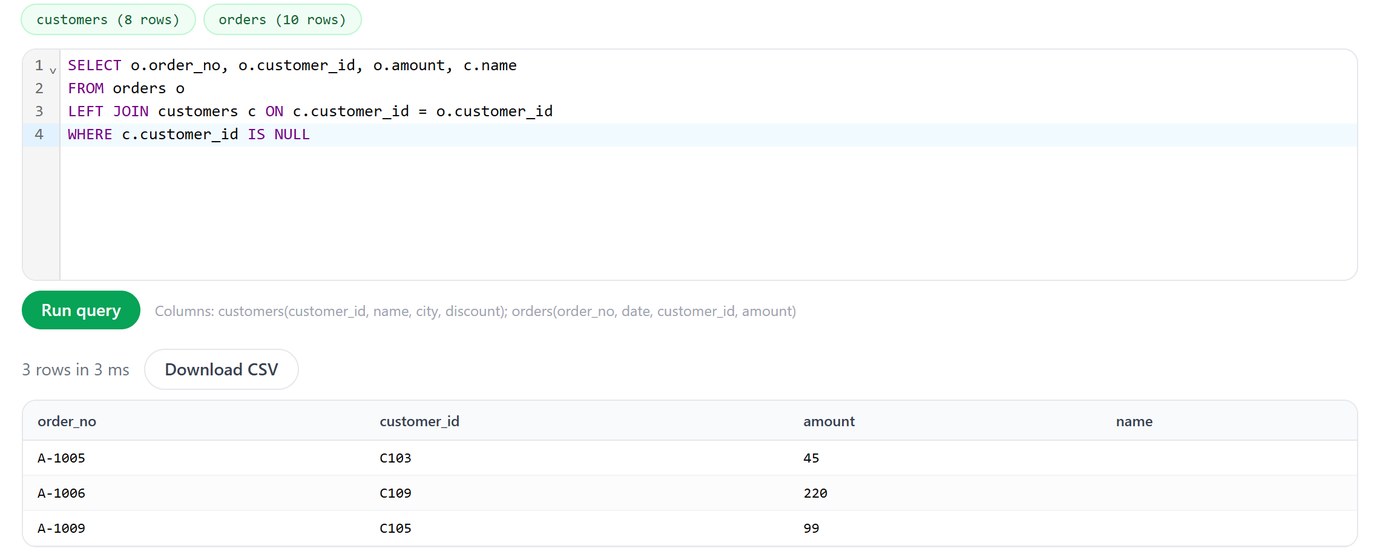
A JOIN doesn't pick a first match; it returns every match. That looks worse, and it's better: the problem VLOOKUP hid is on the screen. The orders whose customer is missing, the ones that came back #N/A, are a LEFT JOIN with a check for no match:
You don't need to install anything to try this. Save each sheet as "CSV UTF-8", drop both files into sqlOnCsv and run the query; it runs in the browser and the files aren't uploaded:
The totals become a GROUP BY, which groups the rows that exist rather than looking up a list of customers someone typed. Every order lands in some group, so nothing falls through:
And the rule the sheet never had takes one line. Telling the database that a customer ID appears once:
It refuses, because Harbor Coffee is in there twice. Fix that row once (keep the newer one; removing duplicate rows covers how at any size), add the index, and nobody can add a second C101 again. A foreign key from orders.customer_id to customers does the same for orders: an order for C109 is refused until C109 exists. A spreadsheet's data validation dropdown is the closest thing it has, and it only checks what's typed into that one cell.
Formula to SQL, side by side
What you give up, and what you keep
Be honest about the cost. Formulas that sit next to the data and update as you type become queries you run. Colours, comments in cells and "I'll just type a note in column K" have no place in a table. And a table wants one value per cell: C101, C104 in one cell has to become two rows somewhere.
You keep Excel, though. Excel can read straight from a database (Data → Get Data → From Database, or From ODBC for SQLite, PostgreSQL and MySQL drivers), so the Totals sheet can become a query result that refreshes instead of a pile of SUMIFS. People who only read the numbers don't have to change anything.
Moving it over
1. Save each sheet as "CSV UTF-8 (Comma delimited)", not plain CSV, or names with accents arrive broken (why). 2. Try your real questions in sqlOnCsv first; if the JOINs and GROUP BYs answer them, you know the shape works. 3. Get the CREATE TABLE from csvToSql, with types you check yourself (IDs and phone numbers as text, so leading zeros survive). 4. Start with SQLite: one file, no server, fine for a team that edits a few hundred rows a day; move to PostgreSQL when several people or an app write at the same time. 5. Add the unique keys and foreign keys, and let the database refuse the mistakes the sheet used to absorb.
When not to bother: one person, one sheet, no lookups between sheets, a few thousand rows. A spreadsheet is a fine tool for that. The time to move is when the same fact lives in two places, or when more than one person writes to it.
Load your sheets as CSV files and run JOINs and GROUP BYs on them, without a database. Free, in your browser.
Open sqlOnCsvOnce the data is in a database, Pilotbase gives you a grid to browse and edit it like a sheet, with a SQL editor next to it. It connects to SQLite, PostgreSQL, MySQL and more, and if you'd rather ask in plain words, its built-in agent writes the query for you (then check the number it gives you).
Open a SQLite file or a Postgres database and work with it like a spreadsheet. Pilotbase is free for Windows, macOS and Linux.
Get PilotbaseSources
Microsoft Support: VLOOKUP function (approximate match needs a sorted first column), XLOOKUP function, Excel specifications and limits (1,048,576 rows per sheet). SQLite: SELECT and joins, CREATE INDEX, foreign keys. The workbook was calculated with LibreOffice Calc 25.2 and the same data queried in SQLite 3.46, October 2026; the script that builds both is kept with the article's change request.
Comments (0)
Loading comments…