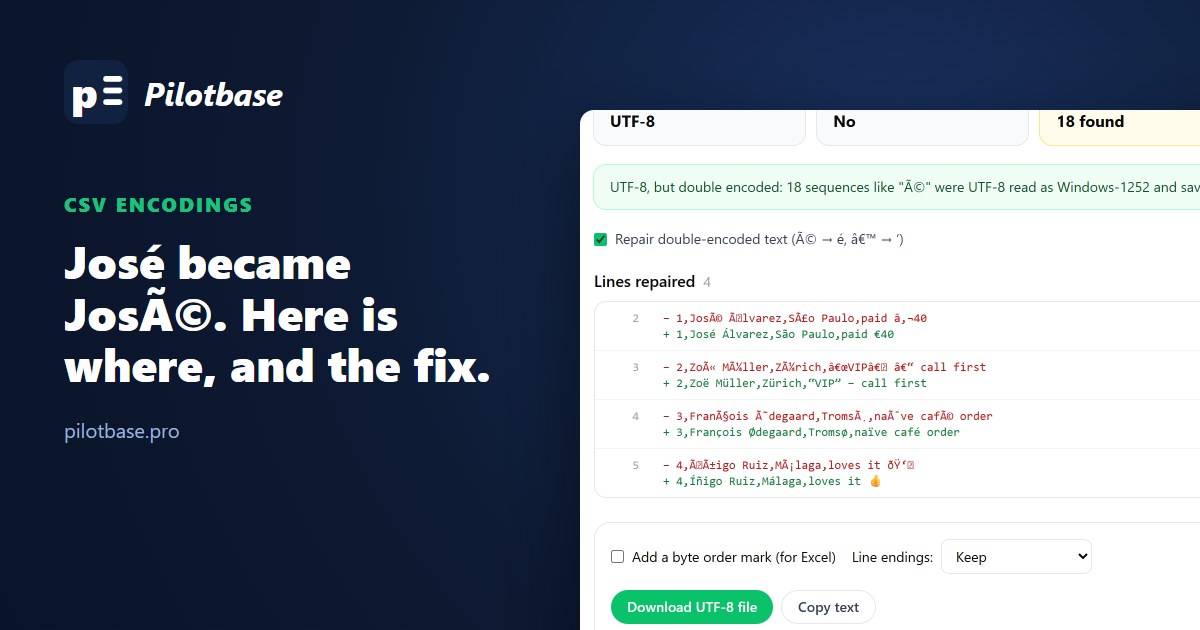
Somebody sends you a customer list. It opens fine on their laptop. On yours, José Álvarez is José Ãlvarez, the euro sign is € and the curly quotes have become “. Or the file looks fine and the database refuses it at line 2. Or, worst, it loads without complaint and the damage is found three months later in a mail merge.
All three are the same mistake: bytes written in one encoding and read in another. To see exactly what each path does, we took one six-line export with names from five countries, a euro sign, curly quotes and an emoji, wrote it the four ways it actually travels, and loaded each into PostgreSQL 18.6, MySQL 8.4.10 and SQLite 3.50.
Four files that look the same
In UTF-8, é is two bytes (C3 A9) and the emoji is four. In Windows-1252, the code page Excel calls "ANSI" on Western Windows, é is one byte (E9) and there is no emoji at all: Excel wrote a ? instead and didn't say so. The BOM (byte order mark) is three bytes, EF BB BF, at the very start of the file, invisible in every editor.
The fourth file is the one that causes the long-lived damage. It's what you get when a UTF-8 file without a BOM is opened in Excel (which then reads it as Windows-1252), edited, and saved as UTF-8. Every accented letter becomes two or three characters, and those are saved as perfectly valid UTF-8. Do it twice and é becomes é.
Why Excel shows é
A CSV file has no place to say what encoding it's in. Excel guesses: with a UTF-8 BOM at the start it reads UTF-8; without one it uses the system code page. Microsoft's own support page says as much and sends you to Data → From Text/CSV, where you can pick "65001: Unicode (UTF-8)" by hand. The two bytes of é, read one at a time as Windows-1252, are à and ©. That's the whole trick behind every à you've ever seen:
Notice Á and Í: their second UTF-8 byte is 0x81 and 0x8D, two of the five bytes Windows-1252 leaves undefined. They show as an invisible control character, which matters later when you try to repair the text.
PostgreSQL: loud, which is good
With the default UTF8 server and client encoding, COPY (and psql's \copy) checks every byte. The Windows-1252 file stops at the first accented letter:
ENCODING 'WIN1252' tells Postgres what the file is, and it converts on the way in. The names come through correctly. The emoji doesn't: it was already a ? in the file, and no setting brings it back.
The BOM file loads with HEADER true, because the BOM sits on the header line that gets skipped. It only bites when the first line is data, or when you ask Postgres to check the header:
That last one is nasty: a code of '1' that isn't equal to '1', looks identical in every client, and breaks a join later. If a key column ever fails a match it obviously should pass, check octet_length().
The double-encoded file is the quiet one. It's valid UTF-8, so every check passes:
MySQL: utf8 isn't UTF-8, and LOCAL makes errors into warnings
Three things to know on MySQL. First, the character set called utf8 is really utf8mb3: at most three bytes per character, so no emoji. It's deprecated in 8.4 and the manual says to use utf8mb4 for everything new. Loading our UTF-8 file into a utf8mb3 table:
Second, look at that: the same strict sql_mode that refuses the INSERT only warns during LOAD DATA LOCAL. With LOCAL, the server can't stop the client halfway through sending the file, so errors are downgraded to warnings and the bad value is replaced. The BOM file shows it again: the first id came in as 0, with one warning (Incorrect integer value: '1'). Always run SHOW WARNINGS after a load.
Third, MySQL's latin1 is actually Windows-1252 (with the euro sign and curly quotes), so it's the right name for an Excel "ANSI" file. Read as utf8mb4, the load fails; as latin1, it's correct:
The connection that double-encodes for you
The classic MySQL version of mojibake doesn't need a file at all. An app sends UTF-8 but its connection says latin1 (an old driver default, or a missing charset=utf8mb4 in the DSN). MySQL believes it, converts each byte from latin1 to utf8mb4, and stores double-encoded text:
The app reads its own data back through the same wrong connection and everything looks right, for years, until a report tool or a new service connects properly. If HEX() shows C3 83 C2 A9 where you expect C3 A9, this is what happened.
SQLite: stores whatever you give it
SQLite doesn't check text encoding at all. The sqlite3 shell's .import (3.42 here) strips a UTF-8 BOM from the header, which is kind, and loads Windows-1252 bytes as they are, which is not: length('Jos\xE9 \xC1lvarez') is 12, WHERE name = 'José Álvarez' finds nothing, and the first program that reads it properly fails. Python's sqlite3 module stopped with Could not decode to UTF-8 column 'name' with text 'Jos� �lvarez'. On SQLite, the file has to be right before it goes in.
Repairing double-encoded text
Because the damage follows a fixed rule, it can be undone: take each character back to its Windows-1252 byte, then read the bytes as UTF-8. In Postgres the short version is convert_from(convert_to(name, 'WIN1252'), 'UTF8'). On our data it worked for Zoë and François and failed on the other two:
That's the Á from earlier: its byte 0x81 has no Windows-1252 character, so Postgres won't convert it back. Those five bytes have to go through LATIN1 instead, one character at a time:
Keep the WHERE. On a row that was already correct, the function fails (invalid byte sequence for encoding "UTF8": 0xe9 for a plain José), which is the safe outcome; on a column with a mix of good and broken rows, it must only touch the broken ones. Run it as a SELECT first, look at the result, then UPDATE inside a transaction.
Or fix the file before it goes anywhere
Most of the time the cheapest fix is the file itself. We built csvEncoding for this: drop a CSV and it tells you what it really is (UTF-8 with or without a BOM, UTF-16 from Excel's "Unicode Text", or Windows-1252 with the line and byte where a database would stop), repairs double-encoded text line by line while leaving correct rows alone, and saves clean UTF-8, with a BOM for Excel or without one for Postgres, MySQL and scripts. It handles the 0x81 letters the SQL version trips on, and two or three layers of encoding. It runs in your browser; the file isn't uploaded.
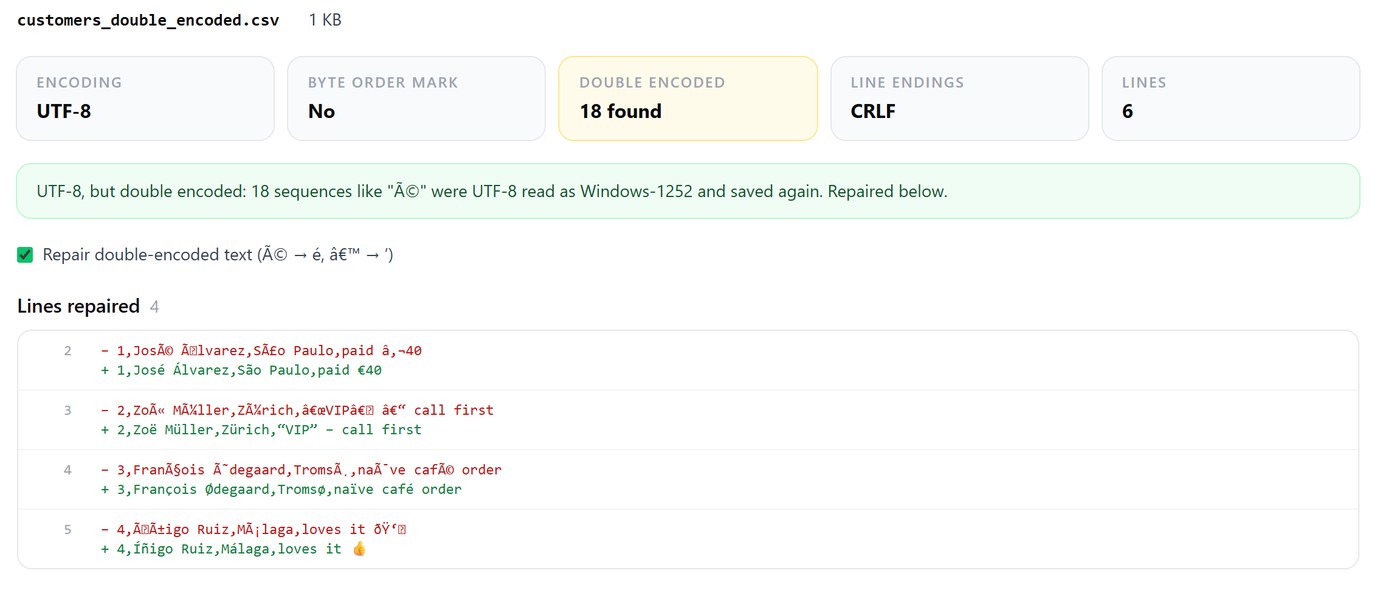
Find a CSV's real encoding, repair é and ’, and save it as UTF-8. Free, in your browser.
Open csvEncodingRules that prevent all of it
Send and store UTF-8 everywhere. In Excel, save as "CSV UTF-8 (Comma delimited)", never plain "CSV (Comma delimited)", and open CSVs through Data → From Text/CSV with UTF-8 picked, not by double-clicking. On MySQL, create tables as utf8mb4 and put charset=utf8mb4 in every connection string. When loading, say the encoding out loud: ENCODING 'UTF8' on COPY, CHARACTER SET utf8mb4 on LOAD DATA, encoding='utf-8-sig' in Python's open() or pandas, which reads UTF-8 and drops a BOM if there is one. And after every MySQL load, SHOW WARNINGS.
Two kinds of damage can't be repaired, only re-exported: a ? that Excel wrote for a character Windows-1252 doesn't have, and a � (U+FFFD) that some program put in place of bytes it couldn't read. csvEncoding counts both so you know to ask for a fresh file.
Once the file is clean, profile, clean and load it with the other CSV tools, and if the data starts life as a PDF statement, get the table out of the PDF first.
Check what a load really stored: hex, lengths and warnings on PostgreSQL, MySQL and SQLite from one app. Pilotbase is free for Windows, macOS and Linux, or Docker on a server.
Get PilotbaseSources
Microsoft Support: Opening CSV UTF-8 files correctly in Excel. PostgreSQL documentation: COPY (ENCODING, HEADER MATCH), character set support and conversions. MySQL 8.4 Reference Manual: the utf8mb3 character set, LOAD DATA. Python: the utf-8-sig codec. Measured on PostgreSQL 18.6, MySQL 8.4.10 and SQLite 3.42/3.50 in October 2026; scripts and outputs are kept with the article's change request.
Comments (0)
Loading comments…