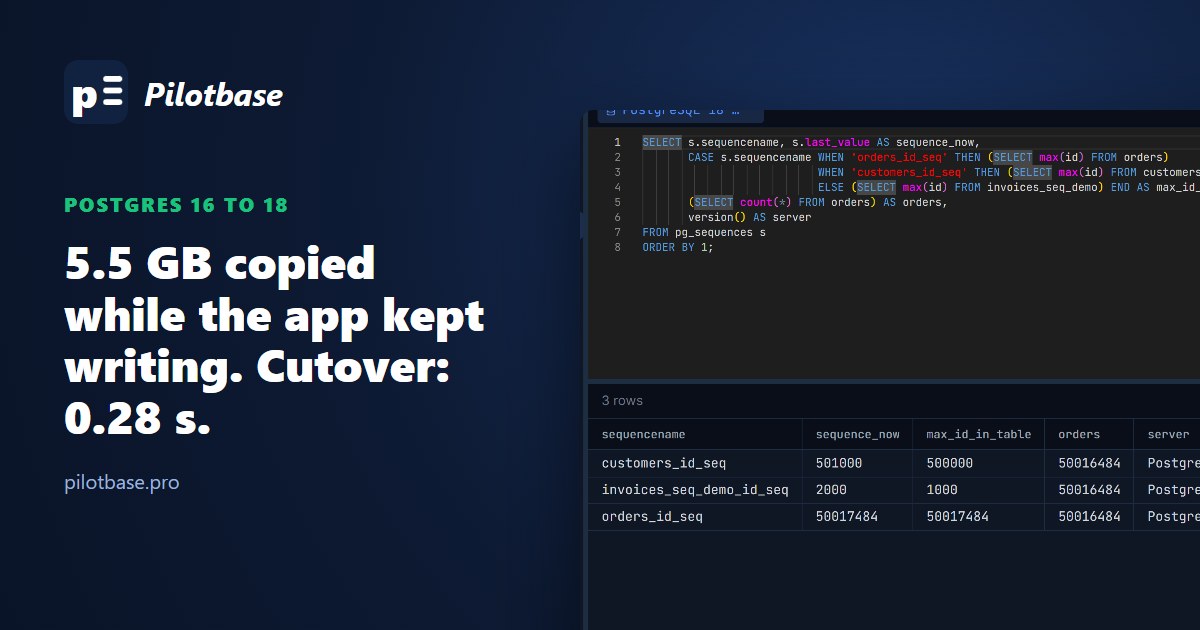
A major PostgreSQL upgrade has three standard routes: dump and restore, pg_upgrade, and logical replication. They differ in how long your application can't write, what you can change on the way, and how you go back if 18 surprises you. We ran all three on the same 5.5 GB database, upgrading PostgreSQL 16.15 to 18.6 in Docker on a desktop PC, with a small script writing orders the whole time, and timed each one.
The database: 500,000 customers, 50 million orders, 2 million rows in an events table that has no primary key (as plenty of real log tables don't), three sequences. Here's the summary; the rest of the article is how we got each number and what tripped us up.
The pg_upgrade times are the tool alone, after the old server was stopped and before the new one was started. The logical replication copy ran while the application kept writing, so its 239 seconds cost nothing in downtime; the 0.28 seconds is the gap between the last write on 16 and the first write on 18.
Route 1: dump and restore
Use the newer version's pg_dump against the old server; it knows how to write what 18 expects. Directory format (-Fd) is what allows -j for parallel dump and restore. On our 0.84 GB database the three steps took 17.6 seconds. At 5.5 GB: 59.7 s to dump, 85.8 s to restore (index builds are most of it), 0.8 s to analyze, 146.2 s in all. 6.6 times the data took 8.3 times as long, and writes have to stop before pg_dump starts or the copy is out of date before it lands.
It's the simplest route and the most forgiving: the old server is never touched, and the new one gets freshly built tables and indexes with no bloat. For a few gigabytes and a maintenance window, it's often the right answer. Our pg_dump article covers restore testing; the same habits apply here.
Route 2: pg_upgrade, and the PostgreSQL 18 checksum trap
pg_upgrade builds the new system catalogs and then either copies the data files (copy mode), hard-links them (--link), or, new in 18, swaps whole directories (--swap). Data files don't change format between major versions, so nothing is rewritten. Both versions' binaries have to be on the same machine; we used the tianon/postgres-upgrade:16-to-18 image, which has both.
Our first attempt failed in 1.9 seconds:
PostgreSQL 18's initdb turns data checksums on by default; up to 17 they were off unless you asked. pg_upgrade needs both clusters to match, so a 16 cluster created with the old default needs the new cluster made with initdb --no-data-checksums. (Check yours with SHOW data_checksums;.) With that set:
Link mode was 3.7 seconds for 5.5 GB, and it would be about the same for 500 GB: it only creates links. The price is that both clusters now share the same files, so the moment 18 starts and writes, 16 can't be started again (pg_upgrade renames 16's pg_control to pg_control.old to stop you). Your way back is a backup. Copy mode keeps 16 intact, needs the disk space for a second copy, and grows with the data.
One thing that got better in 18: pg_upgrade now carries the planner statistics over. Straight after the link upgrade, before any ANALYZE, pg_stats had rows for every column we'd analyzed on 16, last_analyze was empty on every table, and EXPLAIN SELECT * FROM orders WHERE customer_id = 42 already estimated 100 rows with an index scan. Before 18, the first minutes after an upgrade ran on no statistics at all until vacuumdb --analyze-in-stages caught up. pg_upgrade still suggests vacuumdb --all --analyze-in-stages --missing-stats-only for what it doesn't carry (extended statistics, for one).
Add the time to stop 16, start 18 and let the application reconnect, and pg_upgrade --link is a downtime of well under a minute on one machine. If you're upgrading in place, have a tested backup and can take that minute, it's the route to beat.
Route 3: logical replication
Logical replication copies each table and then streams every change as it happens, between two servers that can be on different major versions, machines, operating systems or clouds. The old server keeps running the application the whole time. Here is the whole procedure as we ran it.
1. Prepare the 16 side
Then find the tables that can't publish updates. Logical replication has to identify the row an UPDATE or DELETE applies to, by primary key unless you say otherwise. A table with no primary key works fine until the publication exists, and then:
That error lands in your application, on the production server, the moment the publication is created. Find these tables first:
Add a primary key if the table can have one. If not, ALTER TABLE events REPLICA IDENTITY FULL makes the whole old row the identifier: it works, but every update or delete on that table then logs the full row and the subscriber has to find it without a key, which is slow on a big table that changes a lot. For an append-only log it costs nothing.
2. Copy the schema to 18
Logical replication copies rows, not tables, so the tables, indexes and constraints must exist on 18 first. Our first schema copy didn't have the two --no flags, and since we'd already created the publication on 16, the dump created it on 18 too, with a warning that wal_level was too low. Harmless, but not what you want lying around on the new primary.
3. Subscribe and wait for the copy
The initial copy of all 5.5 GB took 239.4 seconds, with our writer inserting an order and updating a customer about 58 times a second throughout. After that the subscriber stayed between 15 kB and 33 kB behind. Two things to watch while it runs: the copy is a full read of every table on the old server, and the replication slot holds back WAL on 16 until the subscriber confirms it, so a stalled subscriber fills the old server's disk. Keep an eye on that lag query, and drop the subscription if you abandon the upgrade.
4. Freeze schema changes
DDL isn't replicated. We added a column on 16 and used it, as a deploy in the middle of an upgrade would:
Replication stopped and the lag grew (656 kB within six seconds). Adding the same column on 18 let it resume, and the missing row arrived; nothing was lost, because the slot kept the changes. Still: freeze migrations from the moment you subscribe until the cutover, or apply each one on 18 first, then on 16.
5. Sequences, the step everyone forgets
Rows replicate; sequence positions don't (not in 16, 17 or 18). Every sequence on 18 still starts at 1, and the first insert after the cutover would collide with row 1. Generate the setval calls on 16 at cutover time, after writes have stopped:
The + 1000 is a margin, in case anything wrote to 16 between reading the value and the switch. Gaps in ids are harmless; duplicates aren't.
6. Cutover
Scripted, the database part took almost no time: 18 was already caught up when writes stopped, the sequences took 0.02 s, and the first write landed on 18 0.28 seconds after the last one on 16. Our writer made 15,107 writes on 16 and 178 on 18 with none failing. In a real application the time is in step 6: a config change and restart, a DNS change, a PgBouncer reload. That's why a PgBouncer in front of the database is worth having before an upgrade: PAUSE, change the host, RESUME, and clients just wait a second.
We checked: 50,016,306 orders on 16 at the cutover, the same plus the 178 new ones on 18; sum(total) over the old rows was 7,749,717,700.00 on both; the events table matched at 2,000,000 rows.
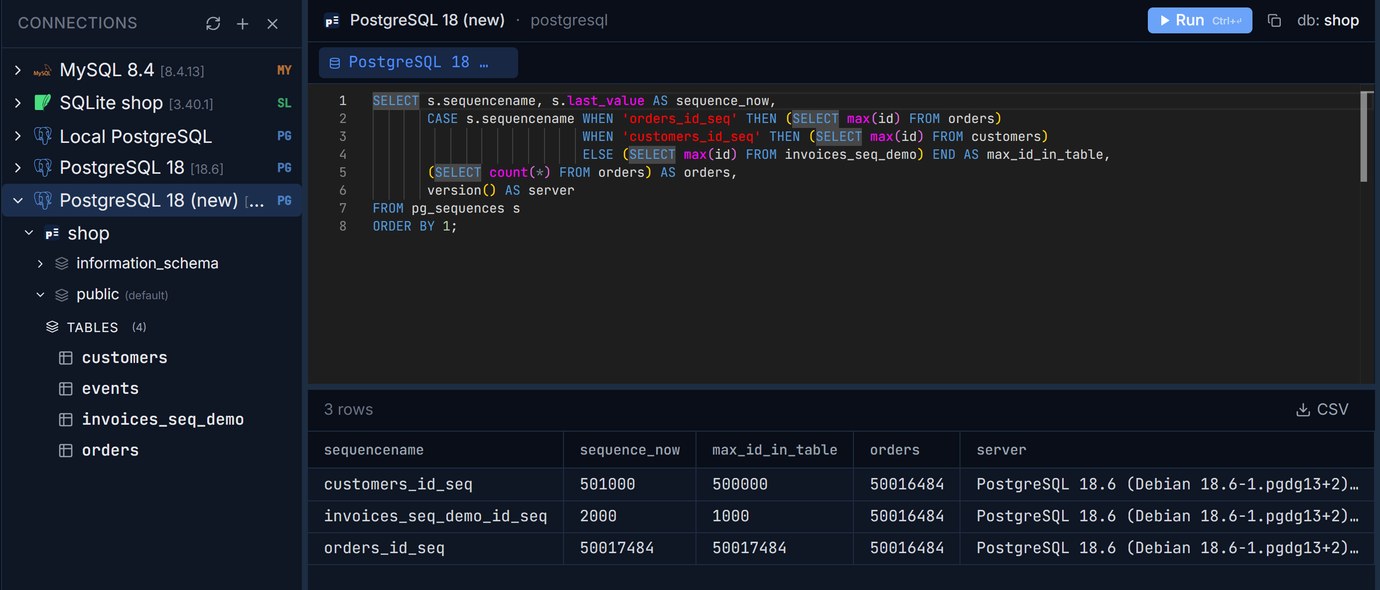
The check that matters most after the switch is the one above: every sequence ahead of the highest id in its table. We kept a connection to each server open in Pilotbase and ran the same counts on both, which is the quickest way to compare two servers before you let the old one go.
One more gap the procedure has to cover: large objects (pg_largeobject, lo_import) don't replicate either. If your application stores files that way, copy them separately or choose another route.
pg_createsubscriber doesn't help with 16, yet
PostgreSQL 17 added pg_createsubscriber, which turns a physical standby into a logical subscriber without the initial table copy: you start from a byte-for-byte replica, which for a large database saves hours of copying. But the standby has to be the same major version as the primary, and the tool must be that version too. It can't take you from 16 to 18 directly. Where it pays off is the next upgrade: from 17 on, pg_upgrade also keeps logical replication slots and subscriptions, so 18 to 19 can be done with a replica that's already in place.
Which route, then?
Logical replication is also the one route that rebuilds every index on the new server. That matters when the new machine has a different C library: an upgrade that also moves from one Linux release to another can change how glibc sorts text, which silently corrupts text indexes copied over by pg_upgrade until they're reindexed. Built fresh on the subscriber, they can't be. In exchange, you take on the replica-identity check, the schema freeze, the sequences and a few days of running two servers.
Keep the old and the new server open side by side and run the same checks on both before you switch. Pilotbase is free for Windows, macOS and Linux, or Docker on a server.
Get PilotbaseCompare the schema dumps of 16 and 18 before the cutover, and see anything one side has that the other doesn't.
Open sqlCompareRelated: A pg_dump you have never restored is not a backup: formats, parallel restore and a restore test · PgBouncer transaction pooling: what breaks and what gets faster
Sources: PostgreSQL 18 release notes (2025-09-25: initdb enables data checksums by default and adds --no-data-checksums, pg_upgrade requires matching checksum settings, pg_upgrade preserves optimizer statistics, pg_upgrade --swap); PostgreSQL 18 documentation: pg_upgrade, Logical Replication (restrictions: schema, sequences and large objects are not replicated; replica identity), CREATE SUBSCRIPTION, pg_createsubscriber (same major version, physical standby); PostgreSQL 17 release notes (pg_createsubscriber; pg_upgrade keeps logical replication slots and subscriptions); tianon/docker-postgres-upgrade. All timings are our own, run on 2026-10-23 with PostgreSQL 16.15 and 18.6 in Docker on one desktop PC with an NVMe disk; on separate servers the network adds to the copy time.
Comments (0)
Loading comments…