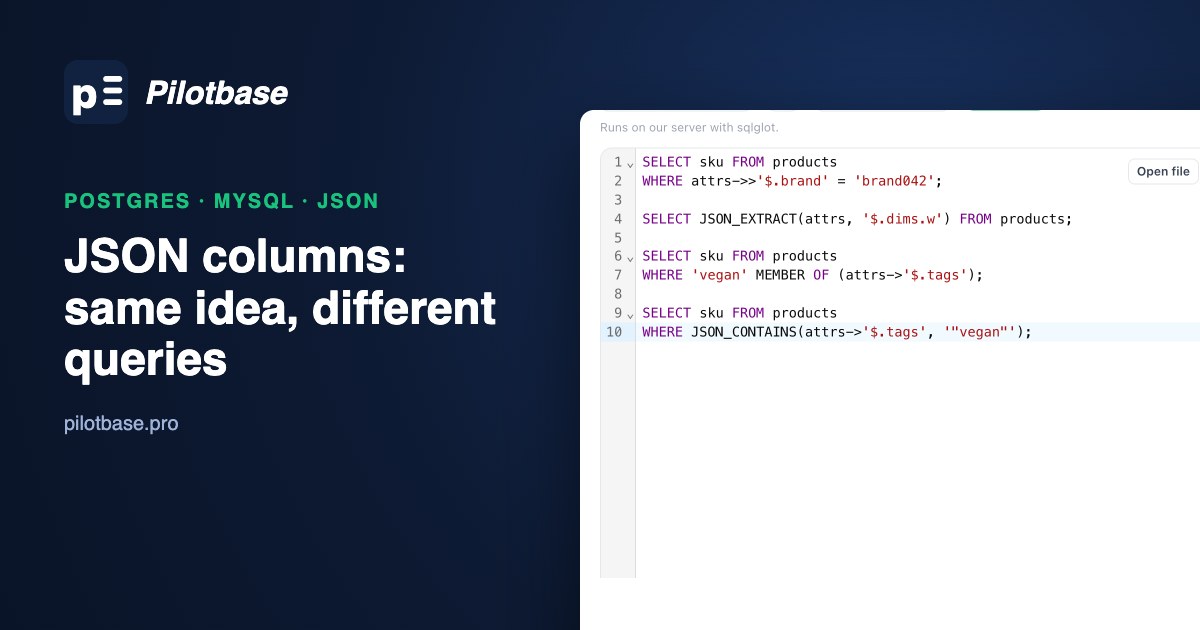
Sooner or later a table grows a JSON column: product attributes that differ per category, a webhook payload you want to keep, user settings nobody wants to normalise. PostgreSQL and MySQL both handle it, and the first queries look almost the same in both: attrs->>'brand' in one, attrs->>'$.brand' in the other. The differences show up later, when you index it, compare numbers in it, hit a JSON null, or move a query from one engine to the other.
This is a side-by-side of the parts that actually differ, measured rather than guessed. Every number below comes from the same 500,000 products loaded into PostgreSQL 18.6 and MySQL 26.7 (the first calendar-versioned MySQL release; everything shown here works the same on 8.4 LTS) on one Apple Silicon Mac mini. Each product has an attrs document like this:
One caution on the timings: without an index, Postgres scanned the table with two parallel workers and MySQL with one thread, so compare each engine with itself before and after an index, not the two engines with each other.
What gets stored
Postgres has two types. json keeps your text exactly as sent, whitespace, key order and duplicate keys included, and re-parses it every time you read a key. jsonb parses once into a binary form: key order is gone, duplicate keys collapse to the last one, and it can be indexed. MySQL has a single JSON type that behaves like jsonb:
Two things to notice. Both binary forms throw away duplicate keys without a warning, so if a payload's sender ever sends "status" twice you keep only the last one. And Postgres keeps 12.50 as written (it stores JSON numbers as numeric), while MySQL hands back 12.5. If you diff exports from the two engines, that alone shows up as a change; our CSV comparison guide covers telling those apart from real edits.
On our table, jsonb took 114 MB against 91 MB for plain json and 88 MB of data in MySQL's InnoDB. The extra space buys speed: finding one brand with no index took 15 ms on the jsonb table and 93 ms on the identical json table, because every row had to be parsed again. Use jsonb unless you have to keep the original text byte for byte.
Reading a value: the operators look alike, and one of them lies about null
MySQL paths are strings that start with $; Postgres takes a key, an index or a text array, plus SQL/JSON path expressions where you need them. One MySQL detail that surprises people: -> and ->> only work on a column, so SELECT '{"a":1}'->>'$.a' is a syntax error. Use JSON_EXTRACT() on literals.
The difference that causes real bugs is JSON null. Ten percent of our products have "discontinued_at": null. Ask each engine whether the value is NULL:
In MySQL, WHERE attrs->>'$.discontinued_at' IS NULL finds products without the key but not the ones where it is explicitly null, and a report that prints the column shows the word null. Test with JSON_TYPE(attrs->'$.discontinued_at') = 'NULL' when you mean JSON null, and decide which of the two cases you are asking about. In Postgres the same split exists one level down: -> gives you a jsonb null, which is not SQL NULL either.
Numbers inside JSON compare as text unless you say otherwise
->> returns text in both engines, and text compares character by character. '9.99' > '850' is true. On our data:
8,335 products that cost less than 850 slip in because their price starts with a 9. In Postgres, cast the text. In MySQL, -> (without the second >) compares JSON numbers as numbers, and so does ->> against a number literal; the trap is a quoted literal, which is exactly what a parameterised query from some drivers sends. Casting explicitly in both engines is the habit that survives a refactor.
Indexing one key
Postgres: an expression index
The index is 3.5 MB and the planner uses it for any query that repeats the same expression. Write it as attrs->>'brand' in the query too: attrs->'brand' = '"brand042"' compares jsonb values, means the same thing, and does not use this index (we checked: Parallel Seq Scan).
MySQL: a functional index, and a collation trap
MySQL can't index attrs->>'$.brand' directly, because it returns LONGTEXT and a functional index can't take a prefix length. The documented fix is a CAST, and here is what happens if you stop there:
->> returns utf8mb4_bin text and CAST(... AS CHAR) returns the default utf8mb4_0900_ai_ci, so the index expression and the query expression aren't the same thing and the optimizer won't swap one for the other. Either repeat the whole CAST(...) in every query (and get case-insensitive matching), or build the index with the collation ->> uses:
Always confirm with EXPLAIN FORMAT=TREE after creating a functional index in MySQL. It accepts an index it will never use without a word.
Range queries on a number
MySQL had the strangest result of the whole test. With a functional index on CAST(attrs->>'$.price' AS DECIMAL(8,2)), the same filter used the index or not depending on how the number was written:
An integer literal against a DECIMAL expression wasn't matched to the index; a decimal literal was. What worked every time was the older approach, a generated column with a plain index:
It's faster because the index alone answers the count, and it can't be broken by how someone writes the literal or the cast. For keys you filter on often, a generated column is the safer MySQL design. Postgres has generated columns too (virtual ones since 18), but its expression indexes don't have this matching problem, so there it's a matter of taste.
Arrays and "contains": GIN against multi-valued indexes
Tags are the classic case: find red products tagged vegan. In Postgres, one GIN index on the whole document serves containment queries on any key:
jsonb_path_ops supports only @> and the jsonpath operators (@?, @@); the default jsonb_ops also answers key-exists questions like attrs ? 'warranty_years' (7.8 ms here, using the default index). The documentation says jsonb_path_ops is usually much smaller; on our shallow documents it was 18 MB against 19 MB, so measure on your own data before choosing.
The query shape matters more than the operator class. This means the same thing and ignores both GIN indexes, because they index attrs, not attrs->'tags':
MySQL's answer is a multi-valued index, an index with one entry per array element:
It's used by MEMBER OF(), JSON_CONTAINS() and JSON_OVERLAPS(), and it indexes one array per index, so the colour is checked row by row afterwards; that's why the gain is smaller than with Postgres, where one GIN lookup covers both conditions. The MySQL manual lists the other limits: no range scans, no index-only scans, JSON null isn't allowed in the array, and building one copies the table (ALGORITHM=COPY), which matters on a big live table.
Updating part of a document
Under the hood they differ. MySQL can update a JSON value in place when you use JSON_SET(), JSON_REPLACE() or JSON_REMOVE() on the column itself and only replace existing values with ones no larger: changing dims.w qualifies, adding on_sale doesn't and rewrites the document. With binlog_row_value_options=PARTIAL_JSON it can also log just the change to the binary log. Postgres always writes a new version of the whole row, document included. For a big document that's updated often (a counter inside a JSON blob, say), that is a good reason to move the hot key into its own column.
Turning arrays into rows
Both engines now have SQL-standard JSON_TABLE (Postgres since 17), and Postgres still has its own set-returning functions. Counting products per tag:
JSON_TABLE is the one to use when the same query has to run on both engines; in Postgres-only code, jsonb_array_elements_text was three and a half times faster on this test.
Moving JSON queries between the two
Here is what an automatic translator does with the MySQL queries from this article. We pasted them into our sqlTranslate tool, which uses the open-source sqlglot library:
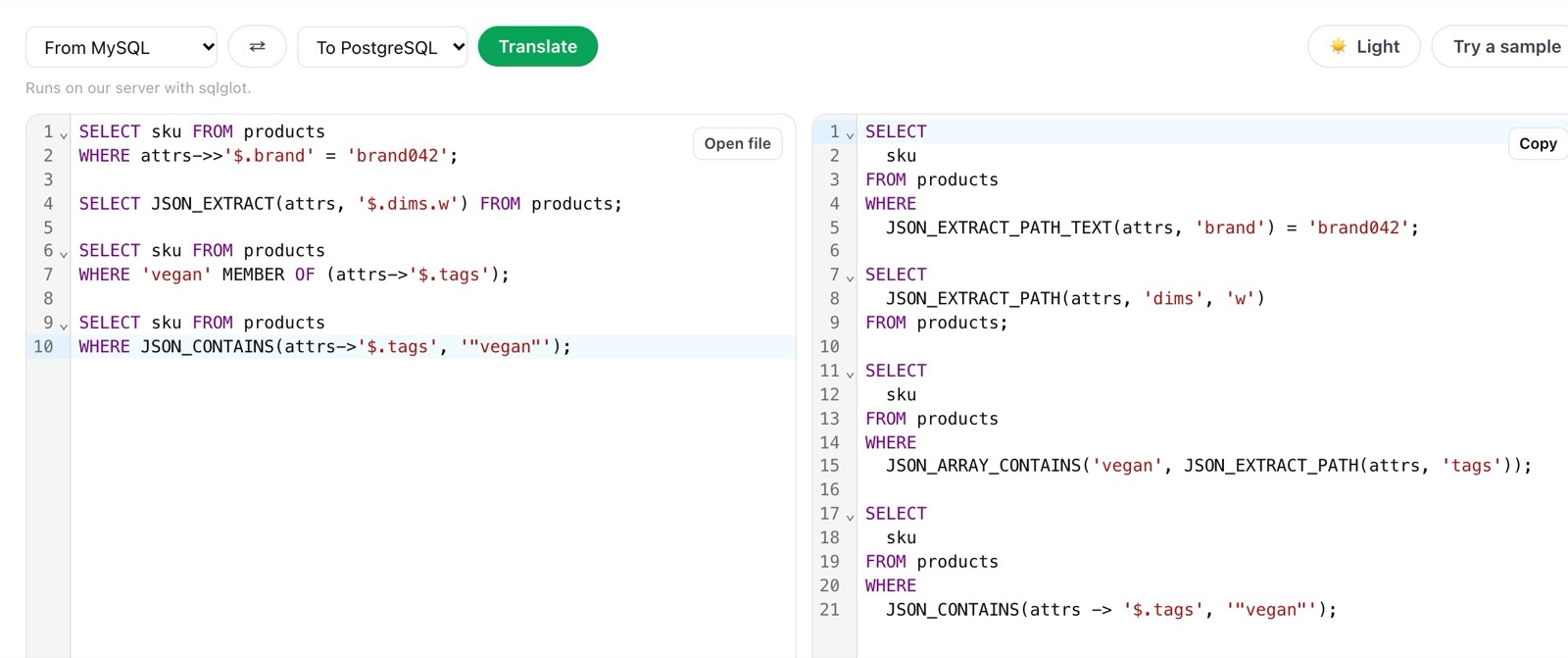
It gets the path syntax right every time, which is the tedious part. Then check each line against a jsonb column:
JSON_EXTRACT_PATH_TEXT(attrs, 'brand') is the function for json, not jsonb, so Postgres answers function json_extract_path_text(jsonb, unknown) does not exist. And even the jsonb version wouldn't use an expression index on attrs->>'brand'. Rewrite it as attrs->>'brand'.
JSON_ARRAY_CONTAINS(...) isn't a Postgres function at all. 'vegan' MEMBER OF (attrs->'$.tags') becomes attrs @> '{"tags": ["vegan"]}', which also uses the GIN index.
JSON_CONTAINS(attrs -> '$.tags', ...) passes through unchanged and fails. It's the same @> rewrite.
JSON_EXTRACT_PATH(attrs, 'dims', 'w') has the same json-versus-jsonb problem; attrs#>'{dims,w}' works on both. This is the pattern for most migrations: let the translator do the bulk, then fix the JSON lines by hand, which is also what we found for dates and upserts in MySQL to PostgreSQL: what a SQL translator fixes.
A short checklist
In Postgres, use jsonb. Index a single hot key with an expression index and query it with the exact same expression; use one GIN index for containment and write those filters as attrs @> '{...}'. Cast numbers before comparing them.
In MySQL, index a key through a generated column, or through a functional index with COLLATE utf8mb4_bin, and check EXPLAIN FORMAT=TREE every time. Use multi-valued indexes with MEMBER OF for arrays. Remember that ->> turns JSON null into the string 'null'.
In both, a key that every row has and every query filters or joins on wants to be a real column. JSON is good for the attributes that genuinely vary, and gets expensive for the ones that don't. To check whether an index is used, paste the plan into explainViewer; it now compares two plans side by side, so you can paste the before and after of CREATE INDEX, and our guide to reading EXPLAIN ANALYZE covers what the numbers mean. To look inside a payload before deciding which keys deserve columns, jsonTools formats it and runs JSONPath queries in the browser.
Pilotbase opens PostgreSQL and MySQL side by side, among 19 engines, so you can run each query from this article against both and compare the plans. Open source, desktop or Docker.
Get PilotbaseSources: PostgreSQL documentation, JSON types (json vs jsonb, containment, GIN operator classes) and JSON functions and operators; MySQL 8.4 Reference Manual, The JSON data type (normalisation, partial updates) and CREATE INDEX (functional key parts, the CAST and collation note, multi-valued indexes); Oracle, MySQL July 2026 releases (26.7 and calendar versions); sqlglot. All timings, row counts, sizes and plans are from our own runs on PostgreSQL 18.6 and MySQL 26.7 with the data described above.