A cleanup script ran DELETE FROM orders WHERE customer_id BETWEEN 1 AND 5000 on the live database. That took 25,054 orders with it, and 33,287 order items through ON DELETE CASCADE. There's a backup from last night, but putting the whole database back would also throw away everything everyone else did since then: in our test, 1,000 new orders and 300 refunds.
So you want one table back, or a few thousand rows of it, while the rest stays as it is. We ran that repair on a managed PostgreSQL 18.6 and a managed MariaDB 11.8.9, using only what a customer gets there: a login with no superuser rights, no access to server files, and the normal client tools. Both ended the same way. 24,919 orders and 33,152 items came back. 135 orders and their items were gone for good, because they were placed after the backup, and 9 refunds were undone. Nobody outside that customer range lost anything.
The harder part is that the obvious commands either do nothing or quietly leave things broken. pg_restore -t doesn't bring back the primary key. A restored MariaDB table can leave orphan rows with no error at all. Here's what happened at each step, tested on 5 November 2026.
The setup, and how to read the timings
Both databases ran on tport.cloud, managed instances with 2 vCPU and 3 GB of memory in Germany. tport.cloud comes from the same company as Pilotbase, so read this as a test on our own service. Most of what follows applies to any managed login without superuser rights; the list near the end says exactly what this one refused.
The sample was the same on both: 200,000 customers, 1,000,000 orders and 1,333,303 items, with a foreign key from items to orders, an audit trigger on orders, and a view. PostgreSQL also had row-level security policies and grants. After the dump we added 1,000 new orders and refunded 300 old ones, then ran the bad DELETE.
The clients ran on a Mac over TLS, about 175 ms from the servers, at roughly 1 to 3 MB/s. That link sets most of the big numbers below. The same 350 MB of orders took 149, 164, 257 and 271 seconds across four PostgreSQL uploads. From a machine next to the database these steps would be far shorter, so treat the times as this link and don't compare the two engines from them. The steps that stay on the server, such as building an index or copying rows between databases, are the fair numbers.
One small thing about the pipe. A custom-format dump written through a pipe has no table offsets, so pg_restore reads through the file to reach a table. Getting the last table to /dev/null took 0.22 s against 0.03 s on 97 MB. That's nothing here, and it grows with the file. If you stream dumps to object storage, expect it.
PostgreSQL: three commands that look right and change nothing
With the live database still damaged, we tried the commands you would reach for first. None did any harm, and none fixed anything:
The third is the expensive one. It sent the whole table for 271 seconds, failed on line 1, and rolled back. Afterwards orders still held 975,946 rows. COPY is all or nothing, so without a side copy you can't use a data-only restore to fill in the gaps.
What pg_restore -t really brings
Restored into an empty database, -t orders gives you less than the name suggests. The pg_restore docs say so, in a note that's easy to skip: the flag doesn't include subsidiary objects such as indexes. Here's what we got:
Add the sequence with -t orders -t orders_id_seq and the identity column comes too. Everything else in the right column stays behind, and for a side copy that's fine: you only need the rows, plus an index so the next steps aren't slow.
PostgreSQL repair: a side copy, then only the missing rows
A customer login can't use postgres_fdw or dblink here (both say Must be superuser to create this extension), so a second database can't be read from SQL. The rows go through your client, twice: up from the dump, then across. We used a second database in the same instance. A second instance would work the same way.
Now the rows are next to the live tables, and the insert itself takes one transaction:
Three details in there come from errors we hit:
OVERRIDING SYSTEM VALUE. Without it, an id column declared GENERATED ALWAYS refuses the old ids: cannot insert a non-DEFAULT value into column "id".
Disabling one trigger by name. The usual advice, SET session_replication_role = replica, is refused for this login (permission denied to set parameter). DISABLE TRIGGER ALL is refused too, because it would include the foreign key's system triggers. DISABLE TRIGGER orders_audit works for the table's owner. The audit table stayed at 26,054 rows through the insert, so the restored rows didn't pretend to be new orders. That ALTER holds a lock that stops other writers until COMMIT, so they waited for those seconds.
NOT EXISTS on both tables. It makes the insert safe to read as "only what is missing". Rows that survived the DELETE keep their newer values. That's why a refund made after the backup, on a customer outside the range, stays refunded.
The whole route took about 306 seconds on this link, and nearly all of it was the 280 seconds of uploading from the dump. The row counts at each stage:
A whole-database rollback would have cost 1,000 orders and 300 refunds. This cost 135 and 9. Those are the only rows no backup could return. The audit trigger stores ids and no row data, so it can give you the list of ids to chase by hand, but not the rows themselves.
A cheaper way: one upload, into a side schema
Skip the second database and you skip the second trip. Rewrite the table's name on the way out of pg_restore, and the copy lands in a schema inside the live database, where SQL can read it directly:
The copy held all 24,919 rows in the range. That last query is the one that lists what's missing; it returned 0 for us because the first repair had already run. We timed orders only on this route, and order_items would follow the same way. Two warnings. It uses disk in the live database until you drop the schema, here a full copy of the table at about 345 MB. And the stream's GRANT lines still say public.orders, so they run against the live table. That did no harm in our run because they matched what was already there. If grants have changed since the backup, read the stream before you pipe it, or try --no-acl, which we didn't run here.
When the table itself is gone: DROP TABLE on PostgreSQL
DROP TABLE orders is refused while a foreign key and a view depend on it. DROP TABLE orders CASCADE goes through, and it removes that foreign key and the view without asking. To bring it all back, list every object belonging to the table in the dump and restore from the list:
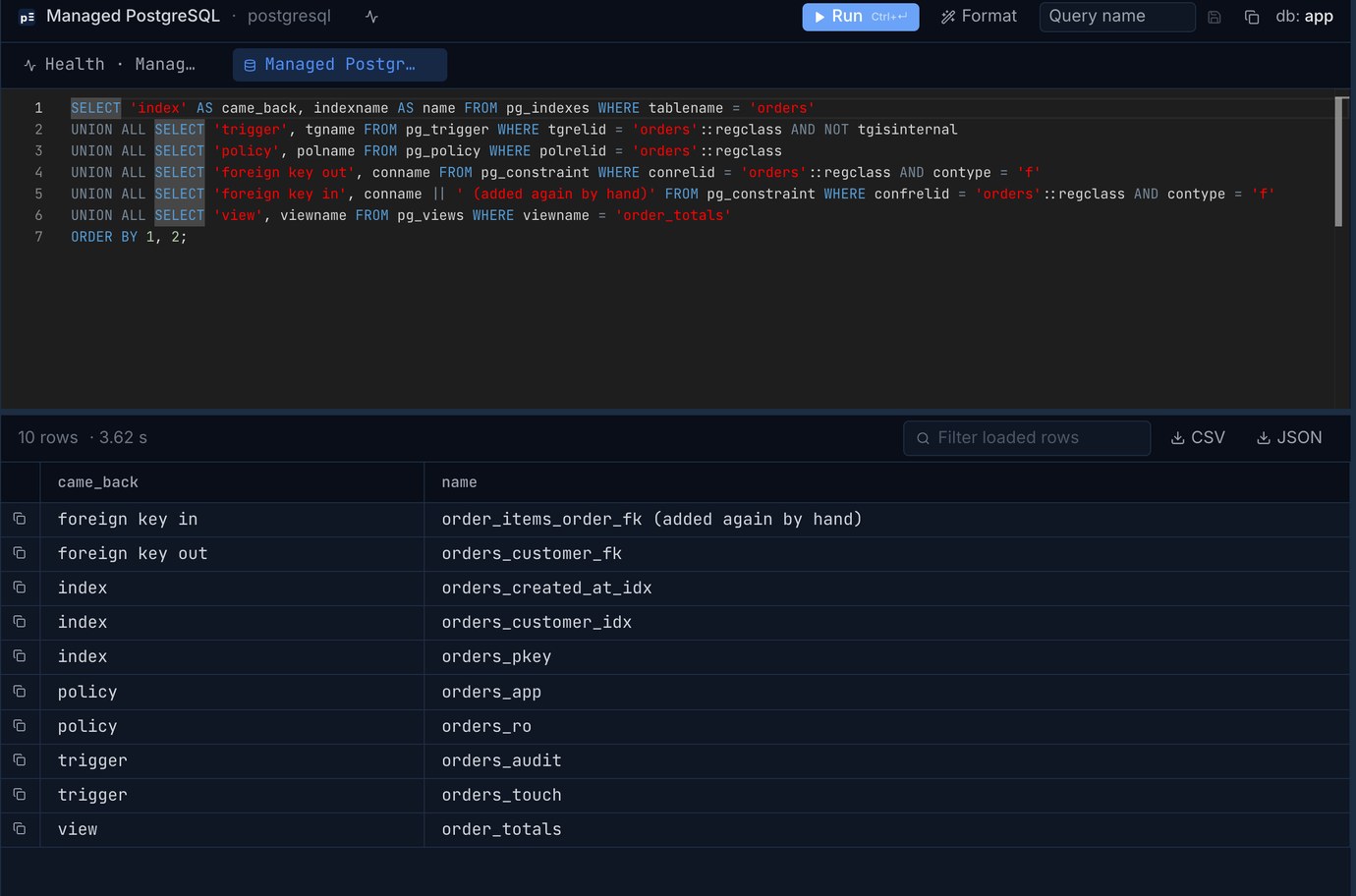
Nearly everything returned: the table, its 3 indexes, 2 triggers, 2 policies, grants, the outgoing foreign key and the view. Exit code 1 came from one object, and it's the one that matters:
order_items was never touched, so it still had items for 865 orders that were made after the backup and that the restored table doesn't contain. The foreign key can't return until they're dealt with, and meanwhile nothing protects the table. There's a second problem hiding behind the first: the sequence came back at 1,000,000. We tried an insert in a transaction and rolled it back, and it got id 1000001. The orphan items start at 1000136, so the 136th new order would have silently adopted another customer's items.
Do the fix in this order. The first statement starts protecting new rows straight away:
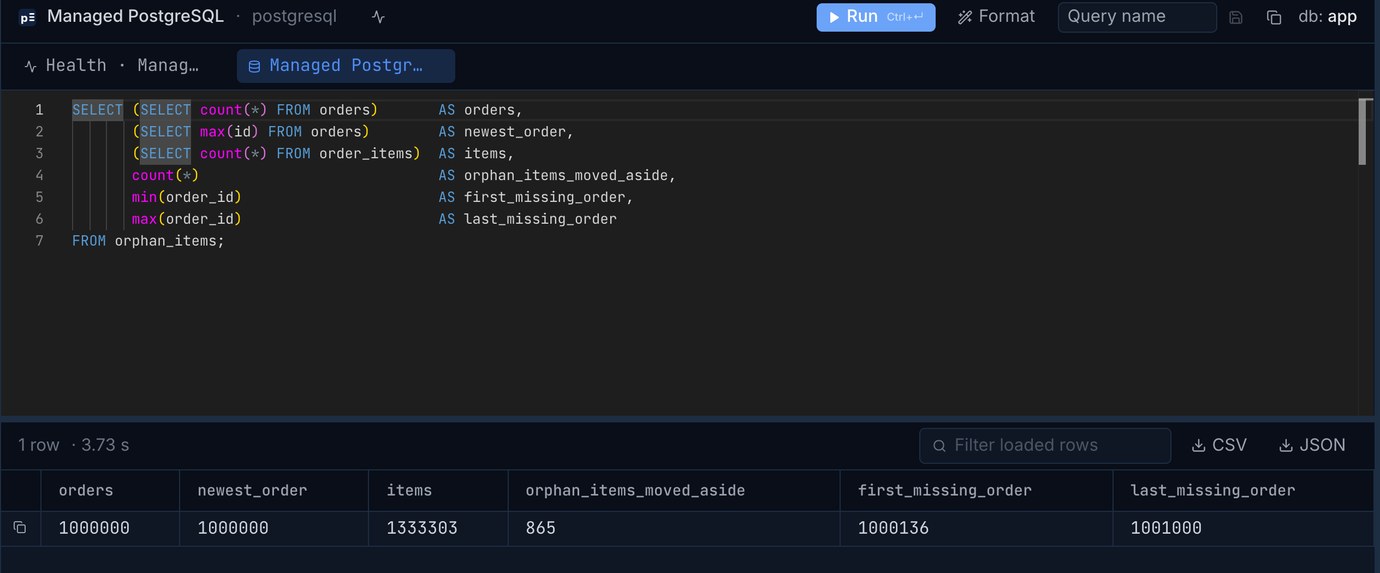
Everyone who changed an order since the backup loses that change on this route, since the whole table is last night's. Those 865 rows in orphan_items are the only copy left of what those orders contained, so keep the table until someone has looked at it. After the repair, the catalog shows what returned:
MariaDB: cutting a table out of the dump
mariadb-dump writes one big text file, so taking one table means cutting it out. Tables are in alphabetical order, with a comment line before each, so sed can do it. Both tables took 3 seconds:
That section starts with DROP TABLE IF EXISTS. Piped into the live database as it is, it stops right there, refused by the foreign key from order_items, with no rows changed. The SET FOREIGN_KEY_CHECKS=0 that would let it through is in the file's header, which you just cut off. So the mistake is safe by accident, until someone adds that line to "fix" it. More on that below.
MariaDB repair: a side database, then a server-side copy
This login can create databases named app_*, and one statement can read from two databases, so the rows don't have to come back through the client:
The row counts landed exactly where PostgreSQL's did: 1,000,865 orders and 1,334,168 items, with the same 135 orders lost and the same 9 refunds undone.
The trigger fires, and you can't stop it. MariaDB has no statement to disable one trigger for a while. Our audit table went from 26,054 to 50,973 rows, which is 24,919 fake "new order" entries. Dropping the trigger would also miss real orders during the copy. If anything reads that table, decide in advance what to do about those rows. Their timestamps are the only thing that sets them apart.
MariaDB: replaying with INSERT IGNORE, and what it leaves out
There's a shorter route with no side database: a data-only dump, written as INSERT IGNORE, replayed straight into the live table. Rows that still exist are skipped and missing ones return. The first try failed on the trigger:
The cause is the LOCK TABLES that the dump adds by default. We deleted a smaller range of 489 orders and tried both ways: the default dump gave this error and restored 0 rows, and --skip-add-locks restored all 489.
A dump like this took 200 s. For the full replay we timed the same million rows sent as INSERT IGNORE batches of 2,000 with triggers on, not this exact file, because the failed run's dump was already deleted: 371 s, ending with the right sum over orders. Every row crosses the link, even the 975,081 that were never missing, so it saves little against the side database's 393 s and brings back less.
And it restores half the damage. The dump holds orders only, and the cascade took the items too:
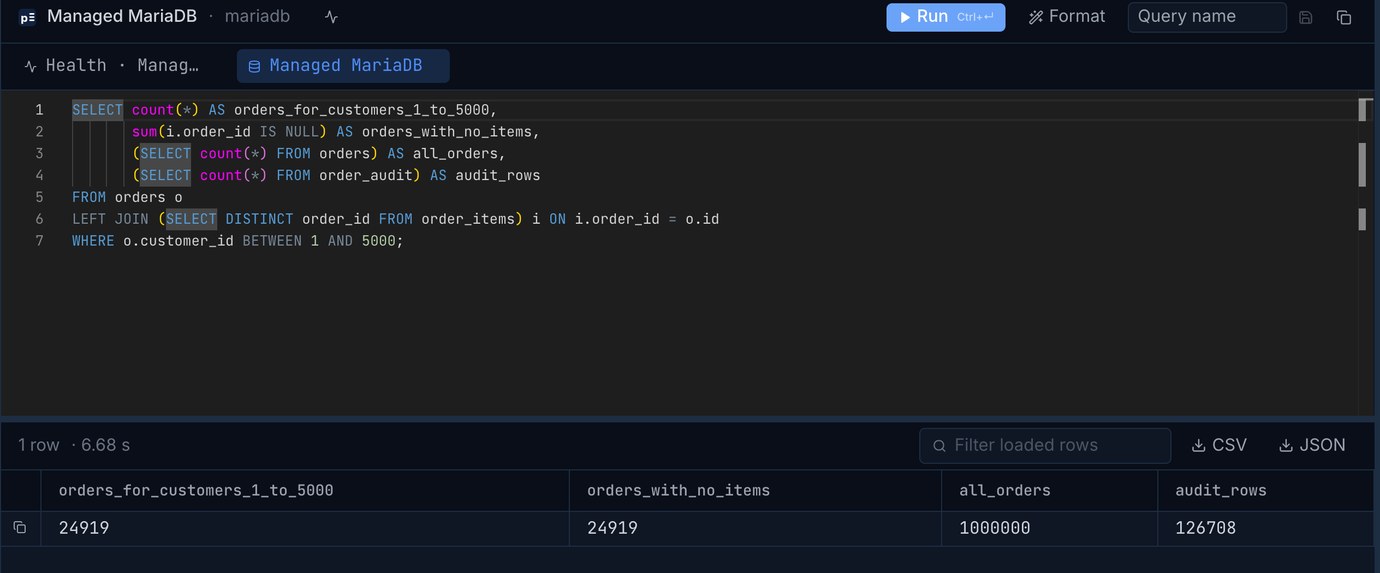
That's 24,919 orders with no items, and no error anywhere, because a parent with no children breaks no foreign key. (The audit count in that picture includes every run of this test, so ignore its size.) Dump order_items as well if you take this route, or anything that sums an order will get zero.
DROP TABLE on MariaDB: the quiet failure
DROP TABLE orders is refused with error 1451 until FOREIGN_KEY_CHECKS=0, and with the checks off it goes through. It takes the triggers along and breaks the view. To restore, put the same line in front of the section:
Everything looks fine: the table, both triggers and the working view are back. The foreign key from order_items was never removed, so it still shows in SHOW CREATE TABLE. But MariaDB doesn't recheck rows when the checks come back on, so 865 orphan items pointed at orders that don't exist, the same state PostgreSQL refused to accept. The next id was 1000001, so the same adoption problem was waiting, and this time nothing had said so. Run this after any restore of a parent table:
We read the counts with that query. The ALTER is how you'd move the counter past those ids; we didn't run it in this test. Then move or remove the orphans as in the PostgreSQL repair.
Which route, and what it costs
Whichever you pick, take a dump before you start the repair. You'll want a way back from your own fix.
What the login wouldn't do
These all cost us a failed attempt, so check them before the day you need them:
What we didn't test
Base backups, WAL replay, binlog replay and transportable tablespaces all need access to server files, which this login doesn't have. Restoring from a provider's own daily backup wasn't part of the test either, and neither was point-in-time restore. So we can't say how those behave on a managed service. If you run your own server, those routes can reach right up to the accident and lose nothing: see our runs of Postgres point-in-time recovery, the MySQL binlog and a delayed replica. On a managed service, ask what your plan really offers and try it once while nothing is on fire.
A logical dump limits you to the moment it was taken, and the 135 lost orders are the price of that. A dump every hour shrinks that number, and restoring one regularly tells you how long this would take on your link.
Open the live database and the side copy side by side, count what's missing and look at the rows before you put them back. Pilotbase is free for Windows, macOS and Linux, or Docker on a server, and it connects to a managed database from its connection string.
Get PilotbaseExported the affected rows from both sides to CSV? csvDiff shows which rows are missing or changed, in your browser with nothing uploaded.
Open csvDiffSources, checked 5 November 2026. PostgreSQL 18 documentation: pg_restore (the notes under -t, -L), ALTER TABLE (DISABLE TRIGGER, NOT VALID, VALIDATE CONSTRAINT), INSERT (OVERRIDING SYSTEM VALUE), DROP DATABASE (FORCE). MariaDB documentation: mariadb-dump (--insert-ignore, --no-create-info, --add-locks), INSERT IGNORE. All timings, row counts and error messages are from our own test run on 5 November 2026.